
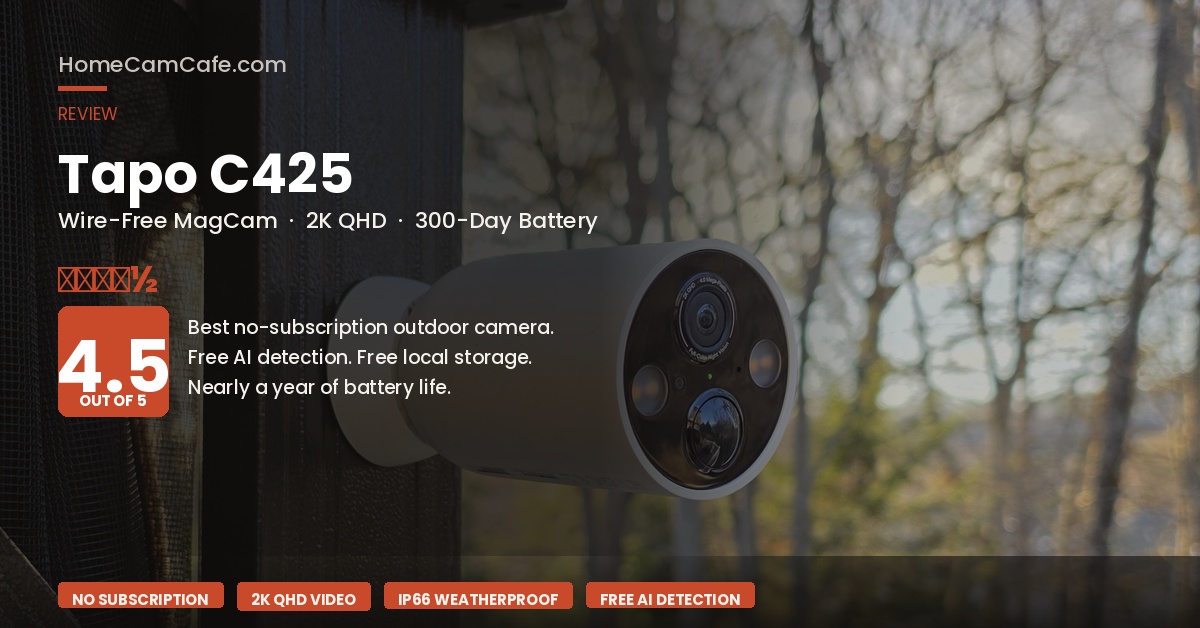
The TP-Link Tapo C425 has earned a reputation as one of the best no-subscription security cameras on the market — and it’s easy to see why. It delivers 2K video, color night vision, AI object detection, free local storage up to 512GB, and a 300-day battery life. Wirecutter named it the best outdoor security camera for 2026, and it’s consistently one of the highest-rated cameras on Amazon. This review breaks down what the C425 does well, where it has limitations, and who it’s the right fit for.
Tapo C425 Specs
| Resolution | 2K QHD (2560×1440) at 30fps |
| Field of View | 150° diagonal |
| Night Vision | Color (starlight sensor + dual spotlights) + IR up to 98 ft |
| Battery | 10,000mAh built-in, up to 300 days per charge |
| Charging | Micro USB (cable included); optional solar panel |
| Local Storage | microSD up to 512GB (sold separately) |
| AI Detection | People, pets, vehicles — free, no subscription |
| Weather Resistance | IP66 |
| Mounting | Magnetic base (included); metal mounting plate (included) |
| Hub Required | No — connects directly to 2.4GHz Wi-Fi |
| Smart Home | Amazon Alexa, Google Assistant (no Apple HomeKit) |
| Cloud Storage | Optional TapoCare (currently $3.99–$12/month) |
Video Quality
The C425 shoots at 2K QHD (2560×1440), which delivers noticeably more detail than 1080p — TP-Link claims 1.7x the pixel count, which translates to a real difference when reviewing footage and trying to identify faces, read license plates, or determine the color of a vehicle or piece of clothing. Daytime video quality is consistently strong across user reviews and independent testing, with accurate colors and good dynamic range.
The 150-degree field of view is wide enough to cover a full driveway or front porch without missing the edges. Furthermore, the 1/3″ starlight sensor is specifically designed for low-light performance, and combined with the built-in dual spotlights, it produces full-color footage at night rather than the black-and-white IR video common on less expensive cameras. The spotlights activate automatically when motion is detected and can be dimmed or disabled in the Tapo app.
One caveat worth noting: the spotlights work best at a specific distance range. Up close, subjects can appear slightly overexposed; at longer distances, the illumination drops off. In practice, this is most relevant for cameras covering large open areas rather than a front door or small porch, where the sweet spot is easy to hit.
Battery Life
The 10,000mAh built-in battery is the C425’s most talked-about feature. TP-Link rates it at up to 300 days per charge based on laboratory conditions (approximately 230 seconds of use per day). Real-world results vary by usage, but even at higher activity levels — 360 seconds of use per day — TP-Link estimates 180 days. For most residential installations, charging once or twice a year is a realistic expectation. Of course, things like usage and (especially) cold weather will decrease time between charges.
In contrast to cameras like the Arlo Pro 6, which uses a removable rechargeable battery that can be swapped out, the C425 has a non-removable battery — the entire camera needs to be taken down for charging. However, given the battery capacity, that’s a minor inconvenience for most users. The optional Tapo solar panel eliminates the charging concern entirely for cameras with adequate sun exposure.
Solar option: The Tapo C425 Kit pairs the camera with the Tapo solar panel for around $160. For cameras in south-facing locations with good sun exposure, 45 minutes of direct sunlight per day is enough to maintain a full charge through normal use — making recharging essentially a non-issue.
AI Detection and Alerts
This is where the C425 pulls ahead of many competitors at this price point: AI object detection is completely free. The Tapo app identifies people, pets, and vehicles without requiring a paid subscription, and delivers notifications that specify what was detected. Activity zones are also available for free, allowing specific areas of the frame to be designated as the only zones that trigger alerts — a significant advantage for reducing nuisance notifications from high-traffic areas like a busy street. Also a huge battery saver.
Detection accuracy is well-regarded, with users noting that the camera identifies subjects quickly and correctly. In addition, the retrigger time, recording buffer, and maximum clip length are all configurable in the Tapo app, giving more control over recording behavior than most cameras in this category.
Storage: Local and Cloud
The C425 supports microSD cards up to 512GB for free local storage — no subscription required. A 32GB card holds several weeks of motion-triggered footage at 2K, and a 512GB card extends that to roughly 28 days of continuous recording. The microSD slot is located on the bottom of the camera behind a waterproof rubber cover, and the card can be password-protected through the Tapo app for added security. See our guide to selecting the proper microSD card for more information.
For users who prefer cloud storage, TapoCare subscriptions start at around $3.99/month per camera and go up to $12/month, adding 30 days of cloud video history and richer notification features. That said, the free local storage option is genuinely functional and sufficient for most users — cloud storage is optional rather than necessary, which is a meaningful difference from cameras like Arlo, Ring, or Nest that require a subscription for video history.
Installation and Design
The C425 uses a magnetic mounting system. A metal plate is screwed into the wall (two holes, drilling template included), and the camera snaps onto the magnetic base for a secure, tool-free hold. Angle adjustments are equally simple — no locking mechanisms to deal with. The camera can also attach directly to any metal surface without the plate, which makes it particularly versatile for renters or anyone who doesn’t want to drill. The magnetic hold is extremely strong.
The compact bullet-style design is unobtrusive — white and black, similar in shape to the Google Nest Cam. Setup is handled through the Tapo app: scan the QR code on the camera, connect to the 2.4GHz Wi-Fi network, and the camera is live within a few minutes. No hub is required.
What We Don’t Love
Micro USB charging. This is the most widely criticized aspect of the C425. In 2026, Micro USB is an outdated connector standard — essentially every other device in most households charges via USB-C. TP-Link includes the cable in the box, but it’s an inconvenience compared to cameras like the Arlo Pro 6 that have moved to USB-C.
No Apple HomeKit. The C425 works with Amazon Alexa and Google Assistant, but not Apple HomeKit. For households heavily invested in the Apple ecosystem, that’s a meaningful limitation. By contrast, the Arlo Pro 6 supports Apple HomeKit through the SmartHub.
2.4GHz Wi-Fi only. The C425 requires a 2.4GHz network and does not support 5GHz. For most home setups this is fine, but it can be a friction point for users with certain mesh router systems that automatically assign devices to the optimal band without allowing manual selection. This can be a challenge so see our primer on attaching to a 2.4GHz network if you need assistance.
Non-removable battery. Unlike cameras with swappable batteries, the C425 must be taken down from its mount to recharge. With 300-day battery life this is a minor issue, but worth knowing for cameras installed in hard-to-reach locations.
Tapo C425 vs. Arlo Pro 6
| Tapo C425 | Arlo Pro 6 | |
|---|---|---|
| Resolution | 2K QHD | 2K HDR |
| Battery | Up to 300 days (built-in) | Up to 8 months (removable) |
| Free AI Detection | ✓ Yes | ✗ Requires subscription |
| Free Local Storage | ✓ microSD up to 512GB | ✗ Requires subscription or SmartHub |
| Apple HomeKit | ✗ No | ✓ Via SmartHub |
| Charging Port | Micro USB | USB-C |
| Hub Required | No | No (optional) |
Who Should Buy the Tapo C425
The C425 is the right camera for anyone who wants capable outdoor security without a monthly subscription. The combination of free AI detection, free local storage, 2K video, and nearly a year of battery life is genuinely difficult to match at this price point. It’s particularly well-suited for renters (the magnetic mount requires minimal wall damage), anyone adding a second or third camera to an existing setup without wanting to pay per-camera subscription fees, and buyers who prioritize long battery life over swappable batteries.
In contrast, the Arlo Pro 6 is the better choice for Apple HomeKit households, anyone who wants a swappable battery for zero-downtime coverage, or users who are already paying for an Arlo Secure subscription and want access to the full AI feature set. Additionally, the Arlo Pro 6’s HDR processing produces stronger results in high-contrast scenes — bright skies behind a subject, for example — than the C425’s standard 2K sensor.
HomeCamCafe Verdict
4.5 / 5
The Tapo C425 is the best no-subscription outdoor security camera available right now. Free AI detection, free local storage, excellent battery life, and strong 2K video quality make it exceptional value. The Micro USB charging port and lack of Apple HomeKit are real drawbacks, but for the majority of buyers they won’t be dealbreakers. If the goal is capable outdoor security without a monthly bill, the C425 is the clear recommendation.
Best for: No-subscription buyers, renters, multi-camera setups, long battery life priority
Consider instead: Arlo Pro 6 for Apple HomeKit, swappable battery, or HDR video
Frequently Asked Questions
Does the Tapo C425 require a subscription?
No. The C425 works fully without a subscription. Free features include live streaming, motion alerts, AI detection (people, pets, vehicles), activity zones, and local microSD storage. TapoCare cloud subscriptions ($3.99–$12/month) add cloud video history and richer notifications, but are completely optional.
What microSD card works with the Tapo C425?
The C425 supports microSD cards up to 512GB. A high-endurance card designed for continuous recording — such as the SanDisk High Endurance — is the right choice for a security camera that records motion clips around the clock. Standard cards wear out faster under the repeated write cycles that security cameras generate.
Does the Tapo C425 work with Apple HomeKit?
No. The C425 is compatible with Amazon Alexa and Google Assistant but does not support Apple HomeKit. For Apple HomeKit compatibility, the Arlo Pro 6 (paired with the Arlo SmartHub) is the better option in this price range.
Can the Tapo C425 be used completely offline?
Yes. The C425 can record locally to a microSD card without an internet connection. However, remote access, live viewing, and push notifications all require a Wi-Fi connection. For cabin or vacation home setups where internet isn’t available, local-only recording is possible but remote monitoring is not.
Is the Tapo solar panel worth buying?
For cameras in south-facing locations with reliable sun exposure, the Tapo solar panel (available as part of the C425 Kit) is a worthwhile addition. It effectively eliminates the need to take the camera down for charging. For cameras in shaded locations, dense tree cover, or climates with limited winter sunlight, the solar panel may not generate enough power to offset usage, and manual charging remains necessary.
This review is part of our TP-Link Tapo Security Camera Reviews guide.
