
This eufy C30 review comes down to one unusual conclusion: I like the camera itself quite a bit more than my final rating might suggest. The C30 produces good 2K video, motion alerts are reliable, installation is simple, and local microSD storage means you don’t need to pay a monthly subscription.
The problem showed up when I started using that local storage. Going back through recorded video on the C30 was noticeably slow in my testing. Clips can take too long to load, and searching through previous events isn’t nearly as fluid as it should be. Since reviewing recorded footage is one of the main reasons to own a security camera, that became a bigger issue for me than it might sound on a spec sheet.
If you mainly want a battery doorbell for live view, visitor alerts and checking who’s standing at the front door right now, the C30 is easy to recommend at the right price. If you regularly go back through recorded footage, there are better choices.
Check the current eufy C30 price on Amazon →
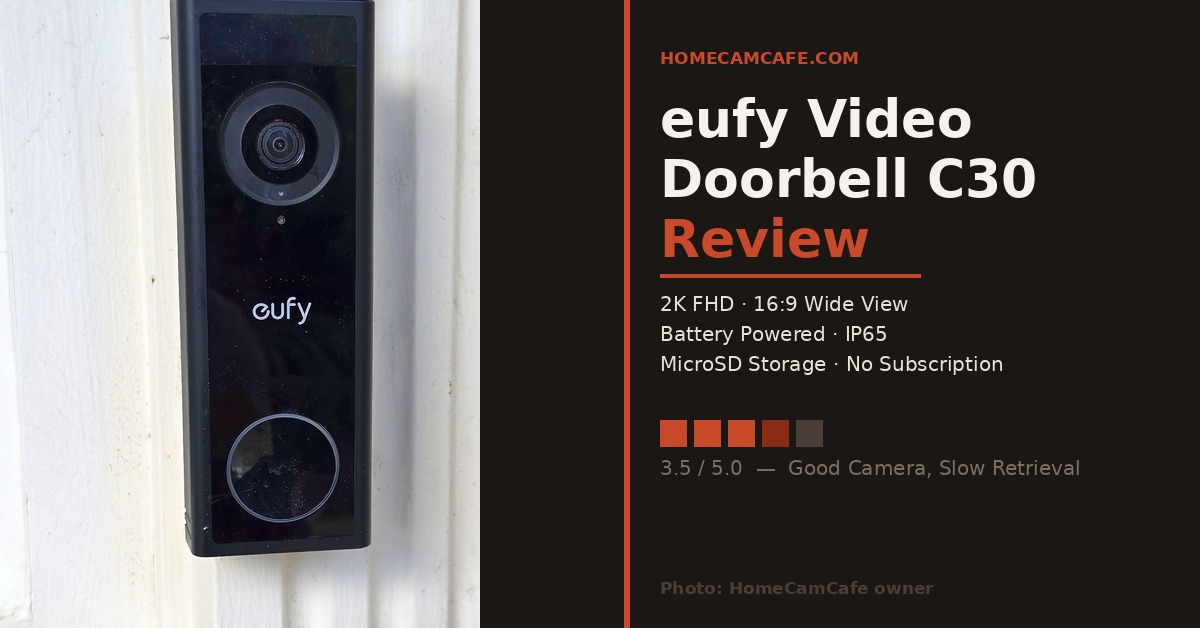
The eufy Video Doorbell C30 installed and ready for testing.
HomeCamCafe verdict: 3.5 / 5
The eufy C30 gets the important basics right: good 2K video, useful human detection, local storage and a completely wire-free installation. The catch is the slow experience I encountered when reviewing previously recorded video from the microSD card. That’s enough to keep an otherwise good budget doorbell from earning a higher score.
eufy C30 Quick Specs
| Feature | eufy C30 |
|---|---|
| Resolution | 2K FHD |
| View | 16:9 wide view |
| Power | 5,000mAh battery |
| Hardwired operation | No |
| Continuous recording | No |
| Detection | Human and motion |
| Local storage | microSD up to 128GB |
| Wi-Fi | 2.4GHz |
| Weather resistance | IP65 |
| Smart home | Alexa and Google Assistant |
| HomeBase 3 | Compatible |
What I Like About the eufy C30
The C30 gets several things right before we get to its biggest weakness.
First, the image quality is genuinely good. The 2K resolution provides plenty of detail at normal front-door distances, and during daytime use I had no problem seeing faces, clothing and activity around the entrance. The wide view also works well for a typical porch or doorway.
The C30 is also completely battery powered. That makes installation easy if you don’t already have doorbell wiring, if the existing wiring is in a bad location or if you simply don’t want to deal with electrical installation.
Local storage is another big advantage. You can install a microSD card up to 128GB and store recorded events without paying eufy every month just to see your own footage.
That’s a meaningful advantage over doorbells that depend heavily on a cloud subscription for video history.
2K Video Quality Is One of the C30’s Strengths
The C30’s video quality isn’t the reason it received a 3.5-star rating. In fact, it’s one of the better parts of the camera.
Daytime footage is sharp, colors look natural, and faces remain identifiable at the distances that matter for a doorbell. You don’t need 4K resolution when someone is standing six or eight feet from the camera, and the C30’s 2K image provides a good balance between detail and file size.
The 16:9 view favors horizontal coverage. That’s useful when you want to see someone approaching from either side of the doorway, although buyers who place a higher priority on seeing packages directly beneath the camera may prefer a doorbell designed specifically around a taller head-to-toe view.
Live view was also responsive during my testing. When I wanted to check the doorway in real time, the C30 performed much better than it did when I tried digging through older recordings.
Night Vision
The C30 uses infrared night vision rather than relying on a built-in spotlight for full-color nighttime footage.
At normal front-door distances, nighttime performance is perfectly usable. Faces and movement close to the door remain clear enough to identify, which is what matters most for a doorbell camera.
As with most infrared cameras, detail drops as subjects get farther away. I wouldn’t buy the C30 expecting it to monitor a large front yard at night. That’s not really its job.
If nighttime color video is particularly important to you, the Tapo D225 is another doorbell worth considering.
Motion Detection and Notifications
Human and general motion detection worked well during my testing. The C30 was able to separate people from ordinary movement, which helps prevent the notification stream from becoming useless.
Activity zones also let you limit the portion of the image that triggers alerts. That’s particularly useful if your camera can see a street, sidewalk or neighboring driveway.
Notifications arrived quickly enough that I could open the app and see what was happening while it was still happening.
That’s important because the C30 is much more impressive as a live doorbell camera than it is as a camera for repeatedly reviewing archived footage.
The eufy C30’s Biggest Problem: Reviewing Recorded Video
This is where my opinion of the C30 changed.
The camera records events locally to its microSD card, which sounds great. I like local storage, and I prefer cameras that don’t require a subscription just to retain recorded footage.
But local storage isn’t useful if accessing it becomes a chore.
In my testing, opening previously recorded C30 clips could be frustratingly slow. Instead of tapping an event and immediately reviewing what happened, I regularly found myself waiting for video to load.
It’s even more noticeable when you’re trying to locate one particular moment. That’s exactly when you don’t want to fight with buffering or wait for clips to become available.
My biggest C30 complaint: Recording video locally is a great feature. Retrieving and reviewing that video needs to be faster.
I also don’t want to overstate the technical reason for the delay. There are several pieces involved when locally stored footage is accessed through a wireless camera and mobile app. What matters to me as the user is simpler: the recorded-video experience was slower than I expect from a modern security camera.
That’s important because one of the first things people do after a package disappears, someone approaches the house or something happens outside is open the app and start reviewing recordings.
The C30 makes that process more tedious than it should be.
What About HomeBase 3?
The C30 can be paired with eufy’s HomeBase S380, also commonly called HomeBase 3. The HomeBase adds centralized storage and lets the C30 become part of a larger eufy security system.
That can make sense if you already own other compatible eufy cameras.
I wouldn’t buy a HomeBase solely to rescue a budget doorbell, though. Part of the appeal of the C30 is that it’s inexpensive and works as a standalone device with a microSD card.
Once you’re buying additional hardware, the value calculation changes and higher-end doorbells become worth considering.
Installation and Charging
Installation is one of the C30’s easiest wins.
Because it’s battery powered, you don’t need existing doorbell wiring. Attach the mounting bracket, mount the camera and complete setup through the eufy Security app.
That also gives you more freedom over camera placement. Existing doorbell wiring isn’t always located where a camera gets the best view. With the C30, you can position the doorbell where it makes the most sense.
The tradeoff is charging.
The C30 uses a 5,000mAh battery and does not support wired power. When it needs charging, you’ll have to take the doorbell down and connect it through USB-C.
Actual battery life will vary substantially depending on traffic, motion sensitivity, recording frequency, live-view use and temperature. A quiet doorway and a busy entrance can produce completely different results, so I wouldn’t put too much weight on any manufacturer’s maximum battery-life estimate.
The C30 Does Not Use Your Existing Doorbell Wiring or Chime
This is an important distinction between the C30 and C31.
The C30 is a battery-only product. You cannot connect it to existing doorbell wiring for continuous power.
It also doesn’t integrate directly with an existing mechanical doorbell chime.
For an audible indoor alert, the C30 can work with compatible eufy chime/HomeBase hardware or supported Alexa and Google Assistant devices.
If you already have usable doorbell wiring, that’s one of the main reasons I’d look at the C31 instead.
eufy C30 vs C31: Which One Should You Buy?
The arrival of the C31 makes the C30 easier to evaluate because the two models target different installations.
| Feature | C30 | C31 |
|---|---|---|
| Power | Battery only | Battery or wired |
| Battery | 5,000mAh | 6,500mAh |
| Quick-release battery | No | Yes |
| Resolution | 2K | 2K |
| Event recording | Yes | Yes |
| 24/7 recording | No | Yes when properly wired |
| Pre-roll | No | 5 seconds when properly wired |
| microSD | Up to 128GB | Up to 128GB |
| Best for | Simple wire-free installation | Homes with usable doorbell wiring |
If you don’t have doorbell wiring: the C30 still makes sense. It’s inexpensive, completely wireless and easy to install.
If you already have doorbell wiring: I’d lean toward the C31. The ability to use wired power, 24/7 recording and pre-roll makes it a substantially more capable security camera.
There’s another practical C31 advantage: its 6,500mAh battery is quick-release. You can remove the battery instead of taking down the entire doorbell when charging is necessary.
Check the eufy C31 price on Amazon →
Who Should Buy the eufy C30?
Buy the C30 if:
- You want a completely wire-free doorbell.
- You don’t have usable existing doorbell wiring.
- You want 2K video without paying for a mandatory subscription.
- You mainly use your doorbell for live view and real-time alerts.
- You want inexpensive local microSD storage.
- You already use compatible eufy cameras or HomeBase hardware.
I’d look elsewhere if:
- You frequently review recorded footage.
- You want 24/7 continuous recording.
- You want to power the camera from existing doorbell wiring.
- You want to use your existing mechanical chime.
- You want a quick-release battery.
- Fast access to historical footage is one of your highest priorities.
eufy C30 Review: Final Verdict
3.5 / 5
The eufy C30 is frustrating because most of the camera is good. The 2K image looks good, motion detection works, installation is easy and microSD storage eliminates the need for a mandatory subscription.
But the slow recorded-video experience I encountered matters. Security footage isn’t something you only record. Eventually you need to find it, play it and review it. That’s where the C30 falls behind.
For buyers who mainly want live alerts and a simple battery doorbell, the C30 remains a good value. For anyone who expects to spend significant time reviewing past recordings, I’d spend more for a better overall experience.
Pros: Good 2K video · Free local storage · No mandatory subscription · Reliable human detection · Easy battery installation · HomeBase 3 compatibility
Cons: Slow recorded-video retrieval in my testing · Battery-only · No 24/7 recording · No pre-roll · No existing mechanical chime support · 2.4GHz Wi-Fi only
For more options, see our Best Video Doorbells guide or our hands-on Tapo D225 review.
Frequently Asked Questions
Does the eufy C30 require a subscription?
No. The C30 can store recordings locally on a microSD card up to 128GB without a mandatory monthly subscription. Human and motion detection are also available without requiring a cloud storage plan.
Does the eufy C30 support a microSD card?
Yes. The C30 supports microSD cards up to 128GB for local event storage.
Can the eufy C30 be hardwired?
No. The C30 is a battery-only doorbell. If you want a similar eufy doorbell that can use existing doorbell wiring, look at the C31.
Can the eufy C30 record continuously?
No. The C30 records events rather than continuous 24/7 video. The C31 can support 24/7 recording when installed in the appropriate wired configuration.
Does the eufy C30 work with an existing doorbell chime?
No. The C30 does not directly use your existing mechanical chime. It can instead work with compatible eufy hardware and supported Alexa or Google Assistant devices for indoor alerts.
Does the eufy C30 work with HomeBase 3?
Yes. The C30 is compatible with the eufy HomeBase S380, commonly called HomeBase 3.
Does the eufy C30 support 5GHz Wi-Fi?
No. The C30 connects using 2.4GHz Wi-Fi.
Why did we rate the eufy C30 only 3.5 out of 5?
The camera performed well in several important areas, including daytime video quality, live view and motion detection. The main issue in our testing was the slow experience when accessing and reviewing recorded video stored locally on the microSD card. Because recorded-footage review is a core security-camera function, that problem weighed heavily on the final rating.