
The current eufy cloud storage plans provide 30 days of rolling storage for supported event recordings, with options for one camera, two cameras, or all compatible cameras on an account. The important difference from Ring, Arlo, and several other camera brands is that eufy does not require a cloud subscription for local recording on supported hardware. For many owners, the best eufy plan is no plan at all.
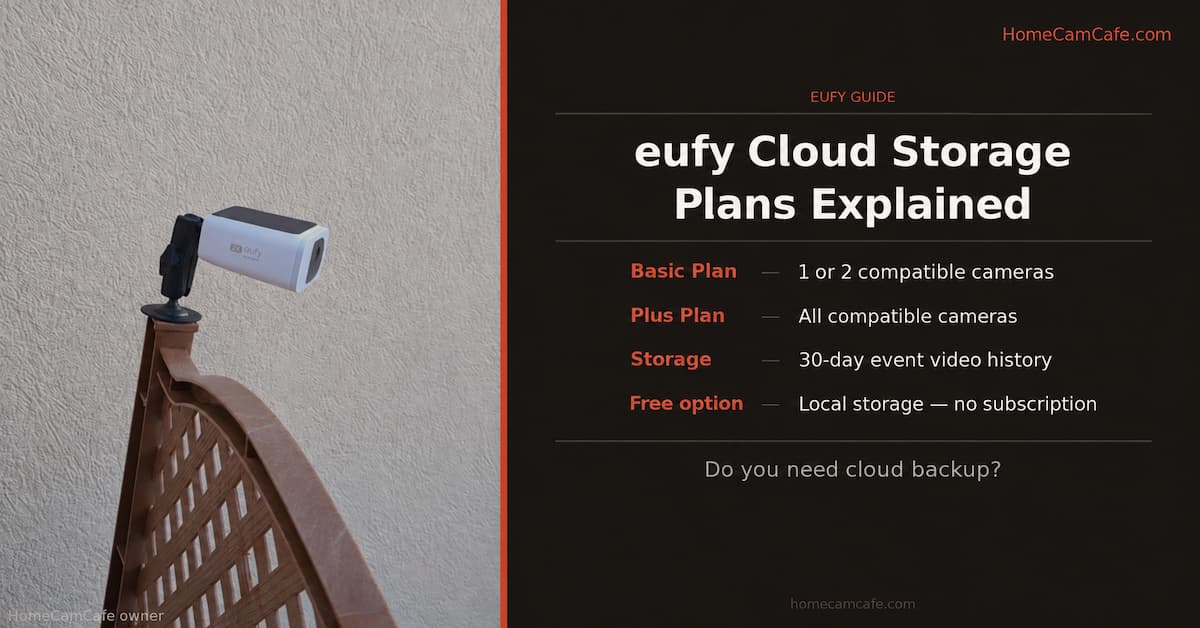
eufy Cloud Storage Plans at a Glance
Eufy calls its paid service Cloud Backup. It uploads supported motion-event clips so they remain available even if a camera or local storage device goes offline, is damaged, or is stolen. The plans do not provide continuous 24/7 cloud recording.
The table below shows current U.S. pricing as of September 2026. Eufy can change prices, and the plans displayed in the app can vary by country, account, and device compatibility. Confirm the final amount in the eufy app before subscribing.
| Plan | Camera coverage | Monthly | Annual | Retention |
|---|---|---|---|---|
| Basic | 1 compatible camera | $3.99 | $39.99 | 30 days |
| Basic | 2 compatible cameras | $7.99 | $79.99 | 30 days |
| Plus | All compatible cameras | $13.99 | $139.99 | 30 days |
All three choices provide the same basic service: supported event videos are retained in the cloud for 30 days. Plus does not add longer history, better video quality, or extra AI detection. Its advantage is camera count.
One detail can cause confusion when adding cameras. Eufy says that buying the same single-device package again may extend the service period for the camera already assigned instead of adding another camera. Choose the package that covers the required number of devices, then confirm which cameras are assigned to it in the app.
What Works Without an eufy Cloud Subscription?
Eufy cameras are primarily designed around local storage. Depending on the model, recordings may be saved to built-in memory, a microSD card, a HomeBase, or another supported local storage device. No paid plan is required simply to view a live feed or receive basic motion alerts.
Common no-subscription features include:
- Live viewing through the eufy app
- Motion alerts and event notifications
- Two-way audio on cameras equipped with a speaker and microphone
- Local event recording on supported models
- Remote playback of local recordings while the camera or HomeBase is online
- Activity zones and compatible on-device or HomeBase AI features
The exact detection features are model-dependent. Person, vehicle, pet, package, and facial recognition should not be treated as universal across every eufy camera. Some processing takes place on the camera, while other features require a compatible HomeBase. Check the specifications for the individual camera before assuming a particular AI feature is included.
Owners of standalone indoor cameras may be able to add an endurance-rated microSD card. Our guide to choosing the best microSD card for a security camera explains capacity, speed, and write-endurance requirements. For a larger multi-camera system, a HomeBase S380 can provide centralized local recording and supports an internal drive for expanded capacity.
What the Paid eufy Cloud Backup Adds
Cloud Backup adds a second copy of compatible event recordings away from the house. Eufy says the clips are stored using AWS infrastructure and advanced encryption. That wording is more precise than calling the service end-to-end encrypted, which eufy does not promise on its current Cloud Backup product pages.
The practical benefits are limited but useful:
- Off-site redundancy: A recorded event can survive theft, fire, water damage, or failure of the camera, memory card, or HomeBase.
- Access while hardware is offline: Clips already uploaded to the cloud can remain available even if the originating device later loses power or internet access.
- Thirty days to review events: Uploaded event videos remain available within the rolling retention window.
- One subscription for a larger system: The Plus plan can cover all compatible cameras tied to the account.
Cloud Backup does not turn a battery camera into a continuous recorder. It stores eligible event clips. If 24/7 recording is important, look for a powered eufy camera that supports continuous local recording and use the storage method specified for that model.
Not Every eufy Camera Supports Cloud Backup
This is the most important qualification missing from many eufy cloud storage comparisons. A plan may cover one, two, or all compatible devices, but that does not mean every product associated with the account can upload recordings.
Compatibility can differ between standalone cameras, HomeBase-connected cameras, dual-lens doorbells, floodlight cameras, and older models. It can also change as eufy updates its service. Before paying, open the eufy app and check whether the exact camera appears as an eligible device during Cloud Backup setup.
Do not buy Plus solely because several cameras appear in the account. First count how many are eligible and how many truly need an off-site copy. A six-camera account with only one critical entrance camera may still be best served by Basic.
Basic vs. Plus: Which eufy Plan Is Best?
For one camera, Basic is the clear choice. It gives the same 30-day retention as Plus at a much lower cost. A sensible use case is a front-door, driveway, or detached-garage camera where losing the device could also mean losing the most important footage.
For two cameras, use the two-device Basic option if it is offered for both models in the app. Annual billing lowers the effective monthly cost, but it also commits the account for a full year, so verify compatibility first.
For three cameras, the decision is less automatic. A one-device Basic plan plus a two-device Basic plan totals less than Plus at the listed monthly rates, but managing two packages is less convenient. Confirm that eufy allows the intended camera assignments during checkout rather than assuming that repeated purchases will expand coverage.
For four or more compatible cameras, Plus is normally the cleaner choice. It avoids separate device packages and leaves room to add another compatible camera later. Even then, paying for every camera only makes sense if off-site backup is valuable across the whole property.
eufy Cloud Storage vs. HomeBase Local Storage
Cloud and local storage solve different problems. Local storage avoids a recurring charge and can hold far more than 30 days when enough capacity is installed. Cloud storage protects selected event clips from a failure or incident at the property.
| Consideration | Local storage | Cloud Backup |
|---|---|---|
| Ongoing fee | None after hardware and storage | Monthly or annual subscription |
| Recording type | Events, plus 24/7 on certain powered models | Supported event clips |
| Retention | Depends on capacity and recording settings | 30-day rolling history |
| Survives theft or local damage | Not if the storage device is taken or destroyed | Yes, for clips uploaded before the incident |
The strongest setup is a hybrid one: keep local storage enabled for everyday recording and use the cloud only for the cameras where off-site redundancy matters. For a deeper comparison, see our guide to local vs. cloud security camera storage.
How eufy Compares With Other Camera Subscriptions
Eufy’s main advantage is not that its cloud plan is dramatically cheaper. The advantage is that cloud storage remains optional on compatible local-storage hardware. Ring is built much more heavily around its subscription for recorded history. Arlo offers local-storage paths on certain hubs, but its paid plans unlock much of the platform’s cloud recording and detection value. Wyze supports microSD recording on many cameras while selling separate cloud plans for richer event recording and detection features.
This makes eufy a strong fit for buyers whose first priority is avoiding a monthly bill. Our best security cameras with no subscription guide compares eufy with other local-storage systems. If cloud features matter more, browse the security camera subscription plan guides before choosing an ecosystem.
How to Subscribe or Check Compatibility
Plan availability should be checked from the same eufy account that owns the cameras:
- Open the eufy app and sign in to the correct account.
- Open the app menu and look for Cloud Backup or cloud storage services.
- Select a plan and review the list of eligible cameras.
- Choose the device or devices that need coverage.
- Confirm the billing period, price, renewal terms, and assigned cameras before paying.
If a camera does not appear, update the app and camera firmware, then check again. Its absence may also mean that the model is not supported. Do not assume that buying Plus will make an ineligible device compatible.
Frequently Asked Questions
Does eufy have free cloud storage?
Eufy does not currently advertise an ongoing free cloud-storage tier in the United States. Many eufy cameras include free local recording, which is different from cloud storage. A trial may be offered with certain products or accounts, but trial availability should not be treated as permanent free storage.
Do eufy cameras work without a subscription?
Yes. Compatible models can provide live view, notifications, two-way talk, and local recording without Cloud Backup. Available AI detections and storage methods vary by camera and HomeBase combination.
How long does eufy cloud storage keep recordings?
Eufy Cloud Backup retains supported event videos for 30 days on a rolling basis. It does not provide unlimited history, so download any clip that needs to be preserved longer.
Does eufy cloud storage record continuously?
No. Cloud Backup stores supported event videos, not a continuous 24/7 cloud timeline. Some powered eufy cameras can record continuously to compatible local storage.
Can eufy use local storage and cloud storage together?
Yes, on compatible devices. Local storage can remain the primary archive while Cloud Backup keeps a separate off-site copy of supported events.
Can I view cloud recordings if my eufy camera is offline?
Clips uploaded before the device went offline should remain accessible during the plan’s retention period. Events that occur after a camera loses power or internet access cannot be uploaded until the device can record and reconnect.
What should I do before canceling eufy Cloud Backup?
Download any recordings you need to keep and review the cancellation and renewal terms shown in the app. Do not rely on cloud clips remaining available after the subscription ends.
HomeCamCafe Verdict
Most eufy owners do not need a cloud plan. Local storage is the platform’s biggest advantage and should remain the default choice. Cloud Backup becomes worthwhile when a front-door, driveway, or detached-building camera captures footage too important to lose with the hardware. Choose Basic for one or two critical cameras. Choose Plus only when several compatible cameras need the same off-site protection. Before subscribing, verify each camera in the app because “all devices” means all supported devices, not every eufy product on the account.
For more help building a subscription-free setup, see our eufy SoloCam S340 review, eufy Floodlight Cam E340 review, and complete guide to security cameras that work without a subscription.
