
If you are comparing the Wyze Window Cam vs. Wyze Window Mount, the most important difference is simple: the Window Cam is a complete camera, while the Window Mount is an accessory for a compatible Wyze camera you already own. Both let you monitor outside through a window without drilling or running exterior cable, but they take different approaches to glare, nighttime video and resolution.
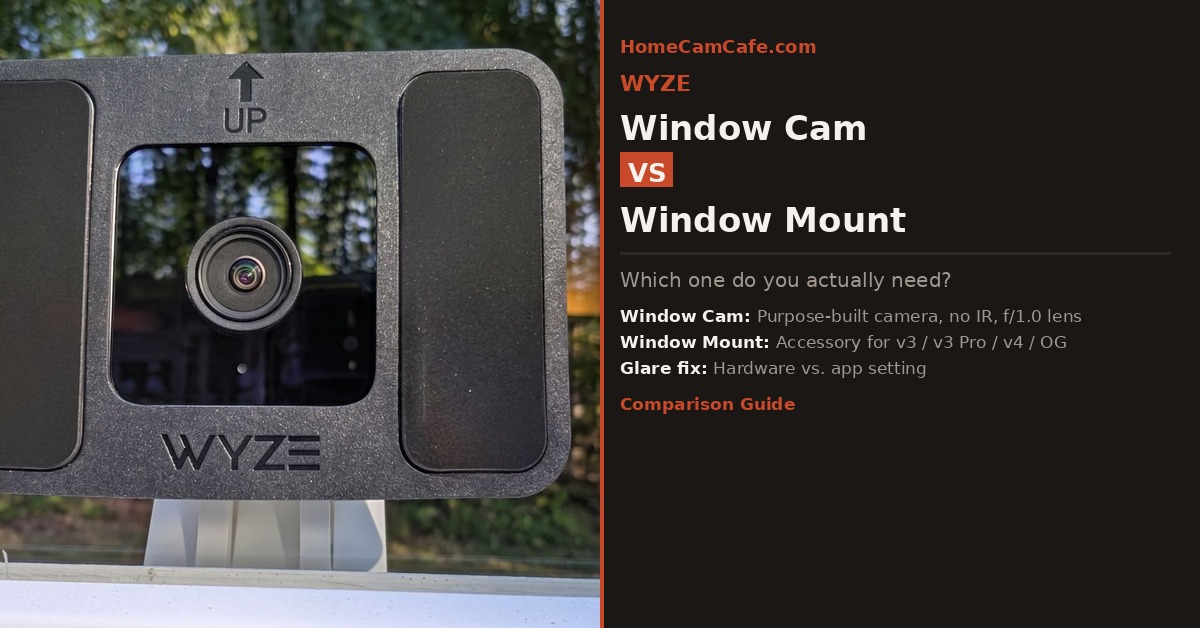
The Core Difference: Camera vs. Accessory
This is the point that trips most buyers up. The Wyze Window Mount is not a camera. It is a silicone adhesive bracket that attaches an existing Wyze camera to the inside surface of a window pane. If you do not already own a compatible Wyze camera, the mount alone does nothing. The Wyze Window Cam, in contrast, is a complete camera with a dedicated mount already included in the box. You are buying the full solution in one purchase.
Both products address the same underlying problem: infrared LEDs and interior light can reflect off window glass and wash out nighttime footage. Holding the lens and a dark glare shield against the pane reduces those reflections. The Window Cam goes further by omitting the infrared LEDs and spotlight entirely.
Wyze Window Cam: Built for This Job From the Ground Up
The Wyze Window Cam launched in November 2025 and represents Wyze’s clearest answer yet to the window-monitoring problem. Rather than adapting a standard camera for window use, Wyze designed this one around the specific constraints of shooting through glass.
The most important design decision is what Wyze removed: there are no infrared LEDs and no spotlight on the Window Cam. On a typical Wyze camera, those emitters can cause the bright glare seen at night when the camera points through a window. Removing them prevents the strongest source of reflection, although nearby room lights and the camera’s status light can still appear in the glass.
To compensate for the loss of IR illumination, Wyze fitted the camera with an f/1.0 aperture lens and a BSI (backside-illuminated) sensor. That combination captures more ambient light than a typical budget camera and can produce color footage under a porch light, streetlight or other exterior lighting. It cannot see clearly in complete darkness, however. If the area outside your window has almost no light, neither the wide aperture nor the BSI sensor can fully replace infrared illumination.
Specs at a Glance
| Spec | Wyze Window Cam |
|---|---|
| Resolution | 1080p HD |
| Aperture | f/1.0 (wide, maximizes ambient light capture) |
| Sensor | BSI CMOS, 1/2.9″ |
| Field of View | 120° diagonal |
| IR LEDs | None, removed by design |
| Night Vision Type | Ambient light color (no IR) |
| Power Cable | 10 ft micro-USB (included) |
| Wi-Fi | 2.4 GHz Wi-Fi only |
| Local Storage | microSD up to 512 GB |
| Audio | Two-way with noise cancellation |
| Weather Rating | Indoor only |
| Mount Included | Yes, 2 hook-and-loop adhesive stickers in box |
Installation
Setup is simple. A hook-and-loop fastener strip goes on the inside surface of the glass. Clean and dry the glass first, peel the backing, press it firmly, and allow the adhesive to bond before attaching the camera. No screws or drilling are required. A 10-foot micro-USB cable runs from the camera to a nearby outlet, and Wyze includes adhesive cable clips for routing it along the window frame or baseboard.
One small but useful detail: Wyze includes two mounting stickers in the box. Since the adhesive is single-use, having a spare for when your first placement is off-center is genuinely appreciated. Most accessory makers would charge you for a replacement.
Setup uses Bluetooth-assisted pairing through the Wyze app rather than requiring the camera to scan a QR code.
Wyze Window Mount: The Right Tool If You Already Own a Compatible Camera
The Wyze Window Mount (model WYZEWMV2) is an adhesive accessory that holds a compatible Wyze camera against a window pane. The mount has no electronics, battery or app of its own. Its job is to position the camera and glare shield against the glass so interior reflections are reduced.
The mount is compatible with the Wyze Cam v3, Wyze Cam v3 Pro, Wyze Cam v4, Wyze Cam OG, and Wyze Cam OG Telephoto. It is not compatible with Pan cameras, which are too large and too heavy for the adhesive system. For most Wyze owners, at least one of those supported models is already in the house.
What the Mount Does and Does Not Fix
Pressing the camera against glass with the Window Mount significantly reduces glare, but it does not eliminate every reflection. For clean nighttime footage, turn off IR night vision in the Wyze app. If the infrared LEDs remain on, their light can reflect from the glass directly into the lens even when the camera is mounted close to the pane.
If lights are on inside the room at night, interior reflections can still appear in the footage. Turn off nearby lamps, close a curtain or blind behind the camera without covering its vents, and disable the camera’s status light if it appears in the image.
Double-pane, triple-pane, tinted and Low-E windows can add reflections, haze or color shifts. Wyze does not limit the mount to single-pane glass, but results depend on the window construction and coating. A window screen can also soften fine detail, especially at night.
Specs at a Glance
| Spec | Wyze Window Mount |
|---|---|
| Model Number | WYZEWMV2 |
| Compatible Cameras | Cam v3, v3 Pro, v4, OG, OG Telephoto |
| Camera Included | No |
| Mount Type | Silicone adhesive, flush against glass |
| Glass Compatibility | Most window glass; coated and multi-pane glass may affect image quality |
| Required App Setting | Night Vision must be set to OFF |
| Dimensions | 9.3 x 8.99 x 1.4 cm |
| Weight | 50 g |
Side-by-Side Comparison
| Wyze Window Cam | Wyze Window Mount | |
|---|---|---|
| What you’re buying | Complete camera + mount | Mount accessory only |
| Camera required separately | No | Yes |
| IR LEDs | Removed entirely | Present on paired camera, must be disabled |
| Night vision approach | f/1.0 lens + BSI sensor (ambient light only) | Dependent on paired camera |
| Glare control | Strong glare reduction by design; room reflections are still possible | Reduced; IR must be disabled in the app |
| Resolution | 1080p | Up to 2.5K (depends on paired camera) |
| Best for | Starting fresh, renters, hassle-free setup | Existing Wyze owners adding window capability |
| Total cost | Camera price only | Mount + camera if not already owned |
| Double-pane glass | Works, but coatings and extra panes may affect the image | Can work, but reflections vary by window |
| App settings needed | Usually none; disable the status light if it reflects | IR Night Vision must be disabled |
Which One Should You Buy?
The answer comes down to one question: do you already own a compatible Wyze camera?
If you don’t own a compatible Wyze camera yet, the Window Cam is the better starting point. It costs less than buying the Window Mount and a separate camera, and its lack of IR LEDs and a spotlight removes the two biggest sources of nighttime glare. You may still need to disable the status light or control bright room lighting, and the camera needs some ambient light outside to produce useful nighttime footage.
If you already own a Wyze Cam v3, v3 Pro, v4, OG, or OG Telephoto, the Window Mount is a sensible and affordable upgrade. It positions your existing camera against the glass and costs a small fraction of buying another camera. Disable IR night vision and the status light in the Wyze app, then check the live view after dark for reflections from lamps, screens or coated glass.
There is one scenario where the Window Mount makes sense even for someone starting fresh: if you want more resolution. The Window Cam records at 1080p, while a Wyze Cam v4 paired with the mount records at up to 2.5K. The extra pixels can preserve more daytime detail, although glass, a window screen and poor nighttime lighting can reduce the visible advantage. For basic driveway, walkway and front-yard monitoring, the Window Cam’s 1080p image may be enough.
Neither option is ideal when audio matters. A closed pane muffles outdoor sound, while the camera’s speaker must also project through the glass. Treat two-way talk as a secondary feature rather than a replacement for an outdoor camera or video doorbell.
Frequently Asked Questions
Can I use the Wyze Window Mount with the Wyze Window Cam?
No. The Wyze Window Cam ships with its own hook-and-loop adhesive stickers (two are included in the box) and is not designed to be used with the separate Window Mount accessory. The mount was built for the v3, v3 Pro, v4, OG, and OG Telephoto cameras, not the Window Cam.
Does the Wyze Window Cam work with double-pane glass?
It can, but results vary. Because the Window Cam does not use infrared illumination, it avoids the strongest source of reflection. Multiple panes, tint and Low-E coatings can still introduce haze, reflections or color shifts. Test the view during both daylight and nighttime before committing to the final adhesive position.
Does the Wyze Window Mount work with double-pane glass?
Yes, the mount can be installed on double-pane window glass. Wyze does not restrict it to single-pane windows. Image quality can vary because an additional pane or Low-E coating may create reflections, haze or color shifts, so check the nighttime image carefully and keep indoor lights away from the window.
Do I need a subscription for the Wyze Window Cam?
No. The Window Cam supports 24/7 local recording to a microSD card (up to 512 GB, sold separately) with no subscription required. Cloud storage and advanced AI features like descriptive alerts are available through Wyze’s Cam Unlimited plan, but are entirely optional.
Which Wyze cameras work with the Window Mount?
The Wyze Window Mount (model WYZEWMV2) is compatible with the Wyze Cam v3, Wyze Cam v3 Pro, Wyze Cam v4, Wyze Cam OG, and Wyze Cam OG Telephoto. It is not compatible with any of the Pan series cameras.
Verdict
New to Wyze or buying specifically for window use: choose the Wyze Window Cam. It is the cleaner purpose-built solution, provided the area outside has enough ambient light at night.
Already own a compatible Wyze camera: choose the Wyze Window Mount. It is the less expensive way to reuse that camera. Disable IR night vision and the status light, then check for room reflections after dark.
For the full individual reviews see the Wyze Cam v4 review, the Wyze Cam OG review, and the Wyze Cam v3 review. For brand-specific guides see the Wyze camera hub.
