
If you live in a rural area, a farm, or anywhere traditional broadband hasn’t reached, security cameras with Starlink are a completely practical setup. However, not every camera type works the same way over satellite internet, and one particular limitation catches a lot of people off guard. In addition, choosing the right camera for your situation makes a real difference in performance, reliability, and how much bandwidth you actually use.
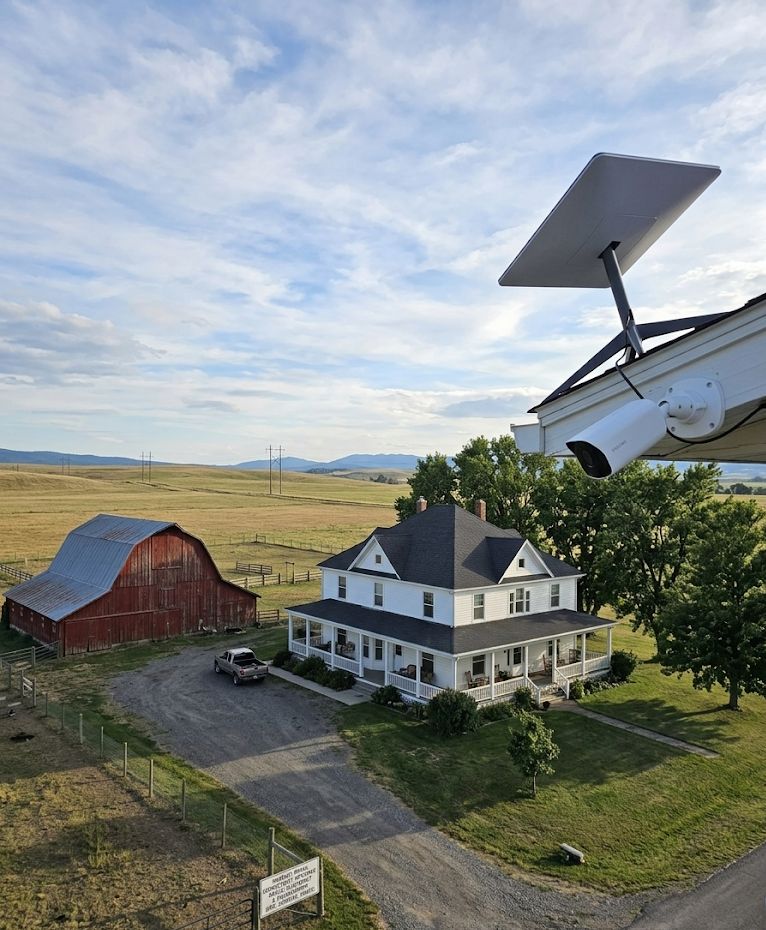
How Starlink Works with Security Cameras
Starlink delivers internet via low-Earth orbit satellites, which means it behaves much like a standard broadband connection for most everyday tasks. The Starlink router broadcasts both 2.4 GHz and 5 GHz Wi-Fi networks, so wireless cameras connect to it the same way they would connect to a cable or fiber router. For most popular cloud-based cameras, that’s the entire story: connect to Wi-Fi, open the app, done.
That said, there is one important technical wrinkle. Starlink uses Carrier-Grade NAT (CGNAT), which means your connection does not have a dedicated public IP address. For the vast majority of home security camera users, this doesn’t matter at all. However, if you run a local NVR or DVR system and need direct inbound access from the internet, CGNAT will block that by default. Cloud-based cameras sidestep this entirely because they connect outbound to their own servers, so CGNAT is never a factor.
Which Camera Types Work Best
Cloud-Based Cameras (Best Choice for Starlink)
Cameras like the Blink Outdoor 4, Wyze Cam v4, Arlo, and Ring all communicate outbound to cloud servers rather than accepting inbound connections. As a result, they work flawlessly on Starlink with no configuration required. This makes them the ideal choice for most rural homeowners. The Blink Outdoor 4 is a particularly strong option here: it runs on AA batteries for up to two years, so there are no power cables to run across a large property, and its low upload footprint is easy on satellite bandwidth. Similarly, the Wyze Cam v4 stores video locally to a microSD card and only uses cloud bandwidth when you’re actively viewing or downloading a clip, which keeps your Starlink data usage lean.
Solar-Powered Wireless Cameras (Excellent for Remote Spots)
For outbuildings, barns, gates, or any location where running power is impractical, a solar-powered wireless camera is the obvious pairing with Starlink. These cameras handle their own power needs independently, and because they’re cloud-based, they connect to Starlink’s Wi-Fi just like any other wireless device. The Tapo C675D 4K Security Camera is a standout here: 8MP dual-lens coverage with a 360-degree field of view and a solar panel. On a rural property where coverage gaps can leave blind spots, the wide field of view is extremely useful.
Local NVR and DVR Systems (Needs Workaround)
Wired PoE camera systems connected to an NVR are popular for farms and larger properties because they don’t depend on Wi-Fi range or cloud subscriptions. These systems work fine on Starlink for local viewing. However, if you want to access the NVR remotely from your phone while away from home, the CGNAT limitation means you can’t simply use port forwarding the way you would on a traditional ISP. In this case, a VPN service or a third-party relay tool is required to create the inbound connection. It’s solvable, but it adds a setup step that purely cloud-based cameras don’t require.
Bandwidth: How Much Do Cameras Actually Use?
Starlink is generous with bandwidth by satellite standards, but it’s still worth thinking about, especially if you’re running multiple cameras. A typical 1080p cloud camera uses roughly 1 to 2 Mbps during active live streaming. Most cameras, however, only push footage to the cloud during triggered motion events rather than continuously, which keeps average usage well below that. Cameras with local storage, like the Wyze Cam v4 with a microSD card or the Tapo C675D with a microSD card, upload only thumbnails and short alert clips rather than full video streams. In practical terms, a setup with three or four battery or solar cameras with local storage will barely register on a Starlink connection.
Where bandwidth does become a real consideration is 4K continuous-upload cameras. If you’re running several always-on 4K cameras uploading to a cloud NVR, the cumulative upload demand adds up. For most rural users pairing Starlink with a handful of cameras for home and property monitoring, this is not an issue in practice.
Latency: Does It Affect Camera Performance?
One of the historical criticisms of satellite internet was high latency, which made real-time applications sluggish. Starlink’s low-Earth orbit design changed that significantly. Current Gen 3 hardware delivers latency typically in the 20 to 60ms range, which is comparable to many fixed wireless connections. For security cameras, this means live view loads quickly from the app, two-way audio works without noticeable lag, and motion alerts deliver in near-real time. In practice, the experience is indistinguishable from using the same camera on a cable internet connection.
Wi-Fi Range on a Rural Property
One point worth raising that often comes up in forums: Starlink’s included router covers a standard home well, but rural properties often have large setups where the main house’s Wi-Fi signal simply won’t reach a detached garage, barn, or far perimeter. The camera hardware isn’t the limiting factor here; the Wi-Fi range is. Solutions include adding a mesh Wi-Fi node or a Wi-Fi extender to push coverage further, or running an ethernet cable from the Starlink router to a secondary access point closer to the outdoor cameras. The Starlink Gen 3 Standard Kit pairs well with a third-party mesh system for exactly this reason, as it supports bypass mode (sometimes called “bridge mode”) that lets you run your own router and mesh setup.
What About the Starlink Roam Plan for Remote Cameras?
Starlink’s Roam plan allows the dish to be used at any location with coverage rather than a fixed address. This opens up an interesting use case: portable or semi-permanent camera coverage for remote job sites, hunting camps, seasonal cabins, or agricultural operations that move between locations. A Starlink Standard Kit running on the Roam plan paired with a battery-powered camera like the Blink Outdoor 4 creates a genuinely self-contained portable surveillance setup that requires no wiring whatsoever beyond a power outlet for the Starlink dish itself. For an even more compact deployment, the Starlink Mini fits the same role in a backpack-sized form factor, drawing just 25 to 40 watts, which means it can run off a portable power station for truly off-grid camera coverage. That’s a combination that simply wasn’t practical a few years ago.
The Short Answer
Bottom Line
Cloud-based and battery-powered wireless cameras work with Starlink without any special configuration. They’re the best fit for most rural and remote setups. Local NVR and DVR systems work for on-site viewing but require a VPN or relay workaround for remote access due to Starlink’s CGNAT. For property coverage across large areas, pairing solar-powered cameras with Starlink and a mesh Wi-Fi setup covers the most ground with the least complexity.
For full individual camera reviews, see the Blink camera reviews hub and the Tapo camera reviews hub. For a full brand comparison, see the Wyze camera reviews hub.
