
Does Ring work without a subscription? Yes. However, there is an important limitation that catches many buyers off guard: without a paid Ring Protect plan, a standard Ring camera setup cannot save video for later viewing. You will get Live View and motion alerts, but the moment something happens at your door, there is no recording to go back and review. For most people, that makes a subscription effectively necessary. Here is exactly what you get for free, what requires a plan, and how to decide whether the cost is worth it.
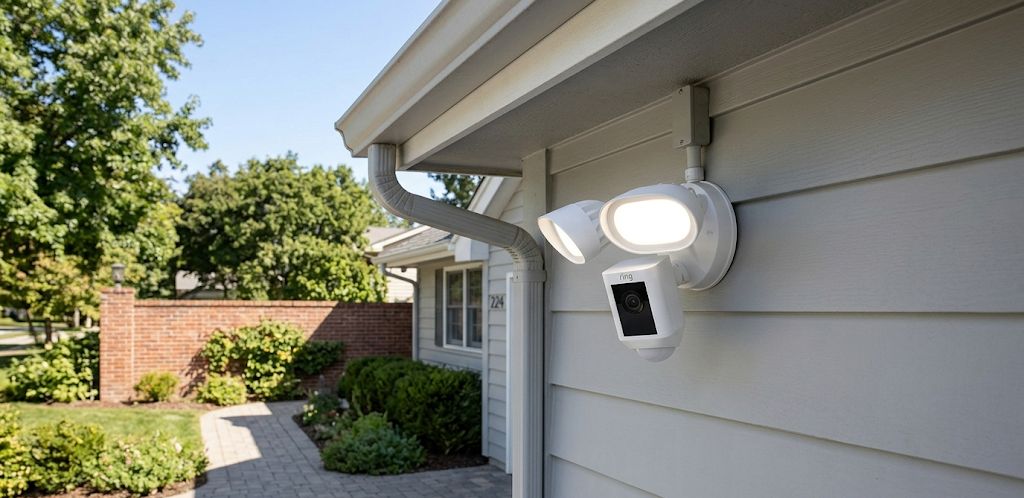
What Ring Gives You for Free
Out of the box, Ring cameras include a handful of features that do not require a subscription. Specifically, you get Live View, which lets you open the Ring app and see what your camera sees in real time. You also get motion alerts, which send a push notification to your phone when the camera detects activity. Two-way audio is included on supported models, so you can speak and listen through the camera from your phone. Basic motion settings are also available without a plan.
An eligible new Ring doorbell, camera, or alarm also includes a free 30-day Ring Protect trial when it is first set up, unless the location is already covered by an existing plan. That trial lets you evaluate video recording and other paid features before committing. After the trial ends, you return to the free feature set unless you subscribe.
The key limitation: Ring offers no free cloud storage tier, not even a short clip history. Without a paid plan, a standard Ring camera setup does not save footage. If a package is stolen or an incident occurs, there is no recording to review unless you were watching live at that exact moment.
What Requires a Ring Protect Plan
Video recording is the core feature locked behind a subscription. Without Ring Protect, your camera will detect motion and alert you, but it will not save a clip to review afterward. Smart alerts that distinguish between people, packages, and vehicles rather than generic motion also require a compatible plan and supported device.
Extended Live View and Device Modes also require an active Ring Protect plan. Extended warranty or device-protection coverage for eligible products begins with Ring Multi. Professional monitoring is reserved for Ring Pro and Virtual Security Guard.
Ring Protect Plans: What Each One Costs
As of 2026, Ring offers four plan tiers. Most homeowners will find what they need in the first two.
| Plan | Price | Devices Covered | Key Features |
|---|---|---|---|
| Solo | $4.99/mo | 1 device | Video recording, smart alerts, 180-day history |
| Multi | $9.99/mo | All devices at one location | Everything in Solo, Multi-Cam Live View, extended warranty |
| Pro | $19.99/mo | All devices at one location | Everything in Multi, intelligent camera features, professional monitoring |
| Virtual Security Guard | $99/mo | Eligible devices at one location | Live agent monitoring, active threat deterrence |
For most Ring camera owners, the choice is between Solo and Multi. If you have a single Ring device, Solo at $4.99/month is the logical starting point. If you have two or more Ring cameras or doorbells at the same address, Multi at $9.99/month is the better value because it covers all compatible home devices at one location for roughly the cost of two Solo plans. For a deeper breakdown of whether the subscription is worth paying, see our Ring Protect plan guide.
How Does Ring Doorbell Work Without a Subscription?
A Ring doorbell works without a subscription by providing Live View, motion notifications, doorbell alerts, and two-way communication. What you do not receive is recorded video history, so you must respond while the event is happening.
If your only goal is to check in on your property in real time without caring about recorded history, Ring works without a subscription for that purpose. Some people use Ring cameras this way for low-stakes monitoring, such as checking whether a delivery has arrived, watching a pet door, or keeping an eye on a driveway when they are expecting someone.
That said, most buyers purchase a security camera specifically because they want a record of what happens when they are not watching. For that use case, Ring without a subscription does not deliver. The motion alerts will tell you something happened, but without a recording, you will not know what.
Alternatives If You Don’t Want a Subscription
If paying a monthly fee is a dealbreaker, Ring may not be the right ecosystem for you. Most Ring cameras do not have a microSD card slot. The exception is Ring Edge, which can store eligible camera recordings on a microSD card installed in a Ring Alarm Pro base station. Ring Edge requires compatible hardware and a Ring Pro plan, so it is not a subscription-free recording option. Several competing cameras offer direct local storage with no ongoing fee.
The Tapo C120 is one of the most capable no-subscription outdoor cameras in its class, with 2K resolution, color night vision, free AI detection, and local microSD storage. If you want a wire-free alternative, the Tapo C425 combines battery operation with a wide 150-degree field of view and local microSD storage. Both are solid alternatives for buyers who want a security record without a monthly bill. For a full comparison of the best options in this category, see our best security cameras with no subscription roundup. If you are already invested in the Ring ecosystem and considering the Ring Outdoor Cam Plus, the subscription cost is worth factoring into your total budget before you buy.
Bottom Line
Ring cameras work without a subscription for Live View and motion alerts. However, a standard Ring camera setup does not save video without Ring Protect, making the subscription effectively necessary for anyone who wants a security record. The Solo plan at $4.99/month is the minimum cost to unlock recording on a single device. If you have multiple Ring cameras, the Multi plan at $9.99/month covers compatible home devices at one location and is the better value. If you do not want any monthly fees, consider cameras from Tapo or eufy that offer free local storage instead.
Frequently Asked Questions
Does Ring record without a subscription?
No. Ring cameras do not save any video without an active Ring Protect plan. Motion alerts are sent, but no clip is stored. A paid subscription is required for any video recording or history.
What happens to my Ring videos if I cancel my subscription?
When your Ring Protect plan ends, new recordings are no longer saved and stored videos may become unavailable. Ring advises downloading any clips you want to keep before the trial or subscription expires because lost recordings cannot be retrieved.
Is there a way to record Ring without a subscription?
Most Ring cameras do not accept microSD cards directly. However, Ring Alarm Pro supports Ring Edge, which can save eligible camera recordings to a microSD card installed in the base station. This requires compatible equipment and a Ring Pro plan, so it does not provide subscription-free recording.
Is the Ring Protect trial really free?
Yes. A free 30-day Ring Protect trial starts when an eligible Ring doorbell, camera, or alarm is first set up, unless the location is already covered by an existing plan. Some retailers may offer different promotional trial periods. You must subscribe to continue using paid recording features after the trial ends.
Which Ring Protect plan should I get?
If you have one Ring device, start with the Solo plan at $4.99/month. If you have two or more Ring cameras or doorbells at the same address, the Multi plan at $9.99/month covers compatible home devices at that location and is the better value. Ring Pro is mainly for households that want professional Ring Alarm monitoring or Ring’s intelligent camera features, while most homeowners will not need Virtual Security Guard.
