
An Arlo WiFi extender can solve camera connection problems, but the right solution depends on how your Arlo camera connects. Some current Arlo cameras connect directly to your home WiFi, while others communicate with an Arlo SmartHub or Base Station. Those two setups require very different fixes.
Can You Extend the WiFi Range of an Arlo Camera?
Yes, but there is an important distinction.
Current Arlo products use two basic network configurations:
- Direct WiFi: The camera connects directly to your home router or mesh WiFi system.
- SmartHub/Base Station: The camera connects wirelessly to an Arlo SmartHub or Base Station, which then connects to your home network.
Many current cameras including models from the Arlo Essential, Pro and doorbell families can connect directly to a WiFi router. Other cameras can use an Arlo SmartHub instead.
If you are shopping for a newer camera, our Arlo camera reviews and guides cover the current lineup. We also have a detailed Arlo Pro 6 review if you are considering upgrading older Arlo Pro hardware.
The first thing to determine is therefore not which extender to buy. It is what your camera is actually connected to.
Arlo WiFi Extender vs. SmartHub: Know Your Setup
| Arlo Setup | Will a WiFi Extender Help? | Best Solution |
|---|---|---|
| Camera connects directly to home WiFi | Yes | WiFi extender, mesh node or access point |
| Camera connects to Arlo SmartHub/Base Station | Not directly | Move the SmartHub closer to the camera |
| SmartHub is too far from router | Sometimes | Extender or mesh node with Ethernet |
| Very large property | Usually not enough | Multiple SmartHubs, wired access points or mesh |
Using a WiFi Extender With Direct-Connect Arlo Cameras
This is the easy scenario.
If your Arlo camera connects directly to your router, then improving WiFi coverage around the camera can improve reliability just as it would for a phone, tablet or other WiFi device.
Typical symptoms of weak WiFi include:
- Slow or failed live view connections
- Cameras frequently appearing offline
- Delayed notifications
- Video taking a long time to load
- Intermittent connection errors
Before buying anything, try moving the router or camera temporarily. If moving either device several feet dramatically improves reliability, signal strength is probably the problem.
For one isolated dead spot, a conventional WiFi extender is usually the least expensive fix.
Our Pick: TP-Link RE715X WiFi 6 Extender
The TP-Link RE715X is a better modern replacement for the old Netgear N600 originally recommended in this article.
It supports both 2.4 GHz and 5 GHz WiFi, WiFi 6, EasyMesh and, importantly, includes a Gigabit Ethernet port.
That Ethernet port also makes the RE715X useful for certain SmartHub installations, which we will cover below.
Mesh WiFi Is Better for Multiple Arlo Cameras
If several cameras around your property have marginal WiFi, adding individual range extenders is usually treating the symptoms instead of fixing the network.
A mesh WiFi system places multiple network nodes around the house. Devices connect to whichever node provides the best connection instead of depending on one router located at the opposite end of the property.
That makes mesh especially useful for cameras around:
- Detached or attached garages
- Driveways
- Back yards
- Second floors
- Front doors located far from the router
- Large or unusually shaped homes
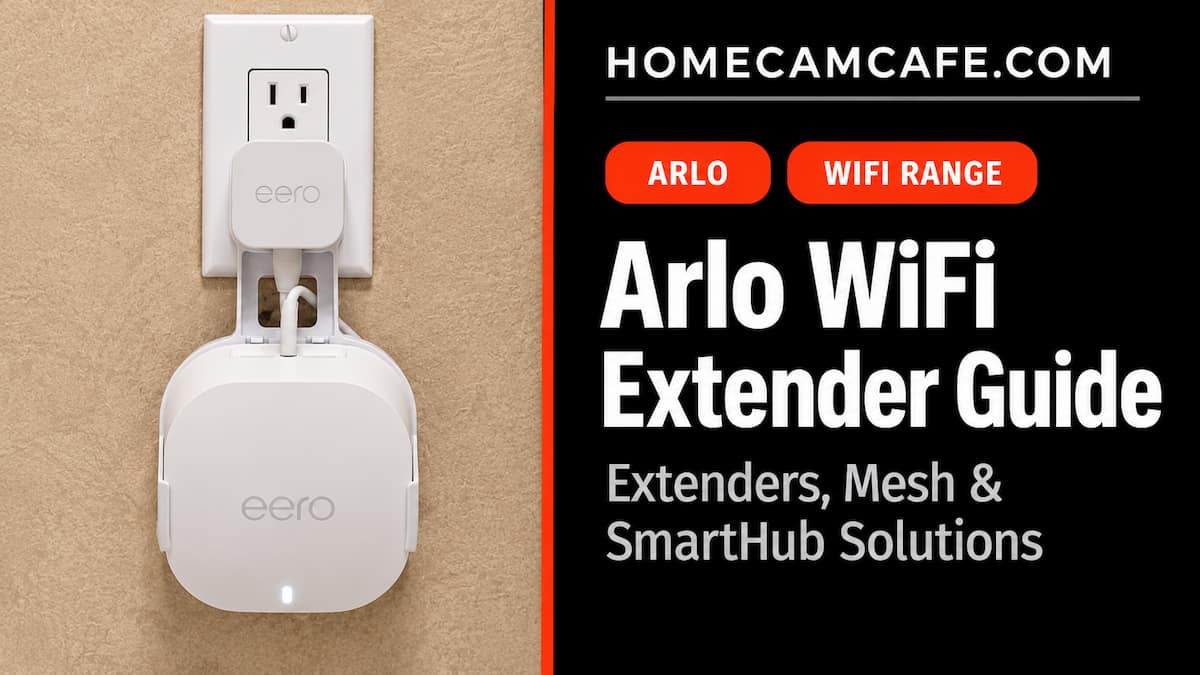
The eero 6+ is a good fit for security camera networks because each full eero 6+ node includes Ethernet ports in addition to providing mesh WiFi coverage.
That last detail matters.
Do not confuse an eero 6+ router/node with the eero 6+ Extender. The dedicated Extender version does not have Ethernet ports. If you intend to plug an Arlo SmartHub into an eero, you need a full eero unit with Ethernet.
Another good option is the TP-Link Deco X55 three-pack. Each Deco X55 node includes Ethernet ports, making it suitable for both direct WiFi cameras and relocating network-connected equipment such as an Arlo SmartHub.
If weak WiFi affects more than just your Arlo cameras, replacing an assortment of extenders with mesh is usually the cleaner long-term fix.
For more general camera networking problems, see our guide to security camera installation problems and fixes.
How Far Can an Arlo Camera Be From a SmartHub?
Arlo specifies a maximum theoretical range of approximately 300 feet between a compatible camera and SmartHub or Base Station under ideal line-of-sight conditions.
Real homes are rarely ideal.
Walls, ceilings and building materials reduce that distance considerably. Brick, concrete, stone, metal, mirrors and other dense materials are particularly hard on wireless signals.
A camera mounted outside a brick garage wall could therefore struggle even though it is nowhere near 300 feet from the SmartHub.
Camera placement also matters for motion detection and image quality. Our Arlo camera placement guide covers the best mounting locations and heights.
Can a WiFi Extender Boost the Arlo SmartHub Signal?
This is where a lot of outdated Arlo advice goes wrong.
A normal WiFi extender does not sit between an Arlo camera and its SmartHub and amplify that connection.
The camera-to-SmartHub network is separate from the normal WiFi connection between your router and other household devices.
Instead of repeating that camera signal, the trick is to move the SmartHub closer to the cameras.
The SmartHub normally connects to your network with Ethernet. If you can provide an Ethernet connection somewhere closer to the problem cameras, the SmartHub can potentially be moved there.
Method 1: Move the SmartHub Using Ethernet
This is the best solution when practical.
If your home is wired for Ethernet, move the SmartHub to a network jack closer to the cameras.
For example:
Router → Ethernet network → Arlo SmartHub → Arlo cameras
The SmartHub does not need to sit next to your main router merely because that is where it was originally installed. It needs power, access to your network and a good wireless location relative to its cameras.
Moving the hub even one or two rooms can sometimes make a major difference.
Method 2: Use a Mesh Node With Ethernet
This is one of the cleanest modern replacements for the old range-extender trick.
Place a mesh node closer to the cameras and connect the Arlo SmartHub to an Ethernet port on that mesh node.
For example:
Main router → Mesh WiFi → Mesh node → Ethernet → Arlo SmartHub → Cameras
Both the eero 6+ and TP-Link Deco X55 provide Ethernet ports on their full mesh nodes.
This setup allows the Arlo SmartHub to sit considerably closer to outdoor cameras without requiring a long Ethernet cable all the way back to the primary router.
Method 3: Use a WiFi Extender With an Ethernet Port
This is the modern version of what the original 2016 article described.
A WiFi extender such as the TP-Link RE715X connects wirelessly to your router. Its Ethernet port can then provide network connectivity to the Arlo SmartHub.
The layout becomes:
Router → WiFi → RE715X → Ethernet → Arlo SmartHub → Cameras
The advantage is cost. You do not need to replace your entire WiFi network.
The disadvantage is that you now depend on the extender’s wireless connection back to the router. Placement therefore matters. Do not put the extender at the edge of the router’s signal where the connection is already poor. Place it somewhere between the router and the desired SmartHub location.
Method 4: Use a Powerline Adapter
Powerline networking is still an option, although it would not be our first choice.
A powerline kit sends Ethernet traffic through your home’s electrical wiring. One adapter connects to the router and another goes near the Arlo SmartHub.
The TP-Link AV2000 Powerline Adapter Kit provides Gigabit Ethernet connections and is a better current option than the ancient Netgear kit previously mentioned here.
Powerline performance, however, varies considerably from one house to another. Electrical panels, wiring condition, circuit layout and appliances can all affect performance.
Powerline adapters should also be connected directly to a wall outlet rather than through a surge protector.
Method 5: Add a Second Arlo SmartHub or Base Station
For very large homes or properties, a second SmartHub may be the right answer.
Arlo supports multiple SmartHubs or Base Stations on the same network. Cameras on one side of the property can connect to one SmartHub while cameras farther away connect to another.
That means you do not have to force every camera to reach one centrally located hub.
If you already own another compatible SmartHub, our guide on adding cameras to an Arlo SmartHub or Base Station explains the current setup process.
Check SmartHub compatibility carefully before buying another one because not every historical Arlo camera supports every hub.
What About 2.4 GHz vs. 5 GHz?
Most security cameras have historically favored 2.4 GHz because the lower frequency generally travels farther and penetrates walls better than 5 GHz.
Some newer Arlo models support additional WiFi options, but you should not assume that manually forcing everything onto 5 GHz will improve range. Usually the opposite is true at long distances.
If your camera refuses to complete setup because of WiFi band selection, see our guide to connecting devices that require a 2.4 GHz WiFi network.
What About the Old Arlo Pro and Arlo Pro 2?
This article originally focused entirely on the original Arlo Pro and Arlo Pro 2.
Those cameras depend on an Arlo Base Station or compatible SmartHub. You cannot simply place a conventional WiFi repeater halfway between an Arlo Pro camera and its base station and expect it to repeat the camera signal.
The same solution we recommended years ago still works in concept: move the Base Station closer to the cameras by extending the network connection to the base.
What has changed is the hardware used to accomplish it.
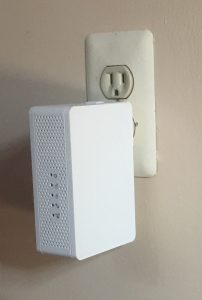
The old Netgear N600 pictured above had an Ethernet port. We connected the Arlo base to that Ethernet port instead of directly to the main router. Today, a WiFi 6 extender or mesh node performs the same job with newer networking hardware.
How to Tell Whether Range Is Really the Problem
Before buying new network hardware, try a simple test.
Move the camera temporarily closer to the router or SmartHub. Then test:
- Live view startup time
- Motion recording
- Notification speed
- Two-way audio
- How often the camera goes offline
If all of those improve when the camera is closer, signal strength is likely involved.
If nothing changes, the problem could instead involve internet connectivity, firmware, power, the Arlo service or the camera itself.
If your entire internet connection is unusual, such as T-Mobile Home Internet, Verizon 5G Home or AT&T Internet Air, we also have a guide to using security cameras with fixed wireless internet.
Which Arlo Range Solution Should You Choose?
| Problem | Best Fix |
|---|---|
| One direct-WiFi Arlo camera has weak signal | TP-Link RE715X or similar extender |
| Several WiFi cameras have weak signal | Mesh WiFi |
| SmartHub is too far from cameras | Move SmartHub closer using Ethernet or mesh |
| No Ethernet near desired SmartHub location | Mesh node or extender with Ethernet port |
| WiFi cannot reach SmartHub location reliably | Powerline adapter or wired Ethernet |
| Cameras spread across a very large property | Second SmartHub/Base Station |
Frequently Asked Questions
Does Arlo make a WiFi range extender?
You generally do not need an Arlo-branded WiFi extender. Direct-connect Arlo cameras can use normal home WiFi provided by compatible routers, mesh systems and range extenders.
For cameras connected to a SmartHub, the issue is different because the camera communicates with the SmartHub rather than directly with your router.
Can I use a Netgear WiFi extender with Arlo?
Yes, if the Arlo camera connects directly to WiFi, or if the extender has an Ethernet port that can provide network connectivity to an Arlo SmartHub.
You do not need Netgear specifically. Modern TP-Link, eero, Deco and other networking products can accomplish the same job.
Will a WiFi extender increase Arlo SmartHub range?
Not directly. A WiFi extender cannot normally repeat the private wireless connection between the camera and SmartHub.
However, an extender with Ethernet can allow you to relocate the SmartHub closer to the cameras, indirectly improving camera-to-hub range.
How far can an Arlo camera be from the SmartHub?
Arlo specifies up to approximately 300 feet under ideal line-of-sight conditions. Walls, ceilings, brick, concrete, stone, metal and other obstructions can reduce that range considerably.
Is mesh WiFi better than a WiFi extender for Arlo?
For one camera in one dead spot, a range extender can be perfectly adequate.
For a home with several wireless security cameras, mesh WiFi is usually the better long-term solution because it provides more consistent coverage across the property and avoids building a network around several unrelated extenders.
Bottom Line
The best way to extend Arlo camera range depends entirely on the connection between the camera and your network.
For an Arlo camera connected directly to WiFi, improving the home WiFi signal with a range extender or mesh network is usually the answer.
For cameras connected to an Arlo SmartHub or Base Station, focus on the location of the hub instead. Move it closer to the cameras using Ethernet, a mesh node with an Ethernet port, a WiFi bridge, powerline networking or a second SmartHub.
That distinction is the key to solving Arlo range problems without buying hardware that cannot fix the connection you are trying to improve.
For more Arlo help, see our Arlo camera reviews and guides.
