
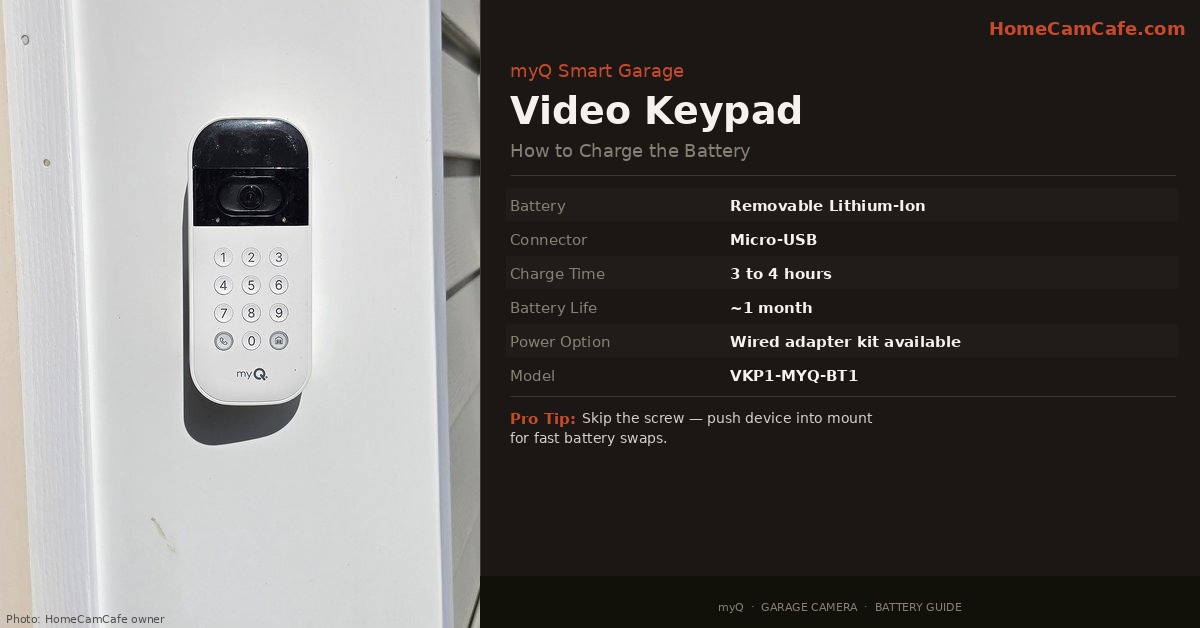
The myQ Smart Garage Video Keypad runs on a removable rechargeable lithium-ion battery that typically lasts around a month before needing a charge. The process is straightforward, but there are a couple of things worth knowing before you start particularly when it comes to that small screw on the bottom of the device. Here is exactly how to do it.
What You Will Need
To charge the battery you need a screwdriver to loosen the screw at the bottom of the keypad, and a micro-USB cable to charge the battery pack once it is removed. The OEM battery (part number VKP1-MYQ-BT1) includes a micro-USB cable. Third-party replacement batteries are also available online and most use either micro-USB or USB-C — check which cable came with the battery before starting. A spare myQ keypad battery is worth having on hand so the keypad stays powered while the other charges.
Step-by-Step: How to Charge the Battery
Step 1: Loosen the screw at the bottom of the keypad. There is a single screw at the base of the device that secures it to the wall mount. Loosen it — but do not remove it completely and do not lose it. This is a small screw and easy to drop, especially outdoors. Loosen it just enough to free the keypad from the mount.
Step 2: Pull the keypad off the mount. Once the screw is loose, the keypad pulls free from the wall bracket.
Step 3: Remove the battery pack. The battery slides or pulls out from the back of the keypad. It is a quick-release design and does not require tools to remove.
Step 4: Plug in the battery to charge. Connect the micro-USB cable to the battery pack and plug the other end into any standard USB power source such as a wall charger, laptop, or power bank all work. A full charge takes approximately 3 to 4 hours with a 5V/2A charger. Furthermore, myQ recommends a 5V/2A charger or better for optimal charging speed.
Step 5: Reinstall the battery and remount the keypad. Once charged, slide the battery back into the keypad, push the keypad back onto the wall mount, and retighten the screw.
Pro Tip: If you live in a safe area, leave the screw out and simply push the device into the mount. This minimizes the effort to recharge.
How Long Does the Battery Last?
In real-world use the battery lasts approximately one month on a charge. That figure will vary depending on how often the garage door is used, how frequently the camera is accessed, and how active motion detection is in the area. High-traffic garages will see shorter battery life. The myQ app will notify when the battery is running low, so there is no need to track it manually.
Want to Skip Charging Entirely?
If monthly recharging is more hassle than it is worth, myQ sells an official Power Adapter Kit that converts the keypad from battery to wired power. It includes a 25-foot weatherproof power cord and an adjustable swivel mount, and it plugs into any standard indoor outlet. Once installed, the keypad runs continuously with no battery management required. It is a worthwhile upgrade for anyone who finds the monthly removal and recharge cycle tedious. For a full breakdown of myQ’s storage and subscription options, see our myQ video storage plan guide.
Alternatively, keeping a spare battery charged and ready is the simplest solution — swap the dead battery for the charged one in under a minute, then charge the depleted battery at your convenience. This way the keypad is never offline. For a broader look at the myQ camera ecosystem, see our myQ Smart Garage Camera review.
Bottom Line
Charging the myQ Video Keypad battery takes about five minutes of effort and three to four hours on a charger. The main thing to watch is that screw — loosen it carefully and keep track of it. A spare battery eliminates any downtime entirely, and the official power adapter kit removes the charging cycle completely for anyone who would rather not think about it.
Frequently Asked Questions
What cable does the myQ Video Keypad battery use to charge?
The official myQ battery (VKP1-MYQ-BT1) charges via micro-USB and includes a micro-USB cable in the box. Some third-party replacement batteries use USB-C instead — check which cable came with the battery before starting.
How long does it take to fully charge the myQ keypad battery?
A full charge takes approximately 3 to 4 hours using a 5V/2A charger. Using a lower-output charger will extend that time. A power bank or laptop USB port will work but may charge more slowly than a dedicated wall charger.
Can the myQ keypad be charged without removing it from the wall?
Not with the standard battery setup — the battery needs to be removed from the keypad to charge. However, third-party continuous power cables are available on Amazon that plug directly into the keypad and run to an indoor outlet, eliminating the need to remove the battery at all. The official myQ Power Adapter Kit is the cleanest solution for the same result.
Does the myQ keypad turn off when the battery is removed?
Yes. Removing the battery powers the keypad down completely until the battery is reinstalled. This means the camera, motion detection, and garage door control are all offline during the charging period. Keeping a spare battery charged is the easiest way to avoid any downtime.
This article is part of our myQ Garage Camera Reviews guide.
