
The Ring Indoor Cam Plus delivers sharp 2K video and solid color night vision, making it one of the better-looking indoor cameras in Ring’s lineup. However, if you want to do much beyond watching a live feed, you will need a Ring Protect subscription — and that recurring cost is worth understanding before you commit. This review covers everything: image quality, the lens cover, the 2.4GHz-only Wi-Fi, and whether this camera earns its place in a Ring home.
Check the current price on Amazon
Quick Specs
| Resolution | 2K (Retinal 2K) |
| Field of View | 115° Horizontal / 60° Vertical |
| Night Vision | Color Low-Light Sight; B&W in total darkness |
| Zoom | Up to 4x Enhanced Digital |
| Wi-Fi | 2.4GHz only (Wi-Fi 4) |
| Power | Plug-in, USB-C (6.5 ft cable included) |
| Two-Way Talk | Yes, with noise cancellation |
| Privacy Cover | Manual slide lens cover (removable) |
| Alexa | Yes, full integration |
| Subscription | Ring Protect Plan required for clip storage, AI alerts, sharing |
Design and Setup
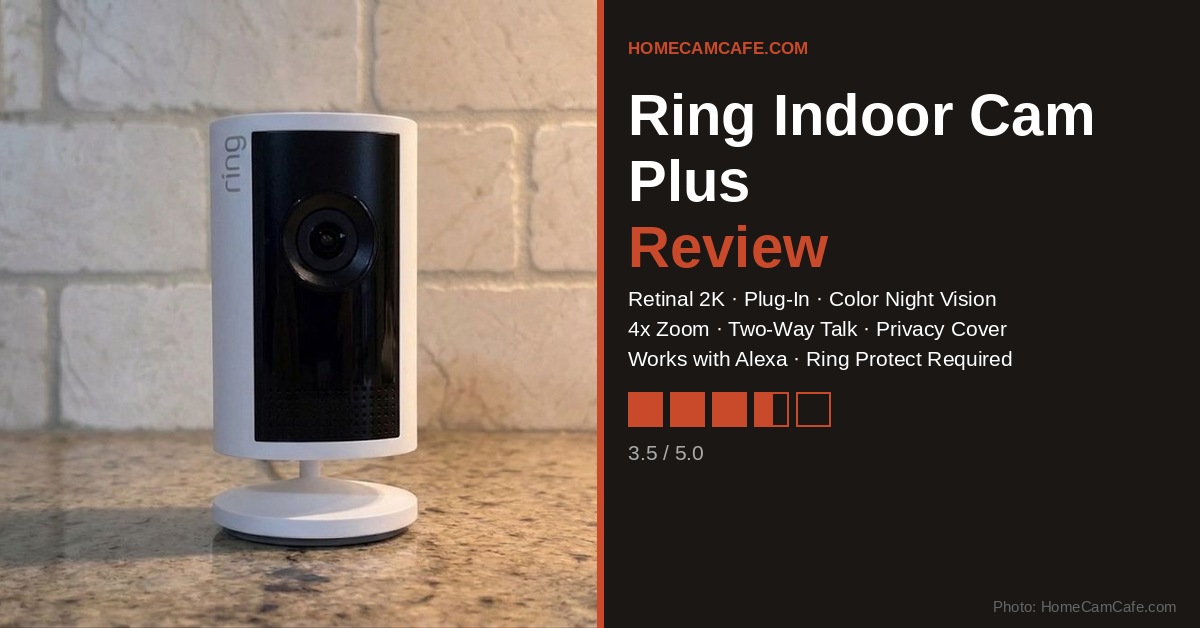
The Ring Indoor Cam Plus has a compact, upright cylindrical form factor that looks clean on a shelf or counter. The white finish blends into most rooms without drawing attention, and the swivel base gives you a reasonable amount of tilt to point the lens where you need it. Setup is straightforward: plug it in, open the Ring app, and follow the on-screen steps. In most cases you will be up and running in under ten minutes.
The included cable is 6.5 feet long, which is adequate for most counter or shelf placements. However, if you want to mount the camera higher on a wall or in a corner, Ring sells a 10-foot USB-C cable separately. Additionally, the camera ships with mounting hardware for wall or ceiling use, so placement options are flexible without requiring any additional hardware for the basics.
Video Quality
This is where the Indoor Cam Plus earns points. The Retinal 2K sensor produces crisp, detailed footage, and the difference over standard 1080p is noticeable when you zoom in. Ring pairs the resolution with up to 4x digital zoom, which lets you crop into a frame and still read text or identify faces with reasonable clarity. For an indoor camera at this price point, that is a solid combination.
The field of view sits at 115 degrees horizontal and 60 degrees vertical. That is a moderate coverage area — wide enough to cover a living room corner or a main entry hallway, but not so wide that you get a fisheye look or excessive distortion at the edges. In contrast to some ultra-wide indoor cameras that sacrifice detail for coverage, the Indoor Cam Plus strikes a sensible balance.
Night Vision: Low-Light Sight
Ring calls its night vision system Low-Light Sight, and in practice it performs well. With even a small amount of ambient light — a nightlight, a hallway lamp, or light bleeding under a door — the camera maintains full color video. That is a meaningful advantage over cameras that drop to black-and-white the moment the room dims. Furthermore, in complete darkness the camera falls back to crisp black-and-white infrared, so you are covered either way.
For most indoor use cases, such as a living room, a nursery, or a home office, the Low-Light Sight system means you will rarely see a purely monochrome image at night. That alone makes the night vision story here considerably better than what you get from basic 1080p Ring models.
The Privacy Lens Cover
The Indoor Cam Plus ships with a physical lens cover that slides across the front of the camera to block the lens. Ring markets this as a privacy feature, and the intent is reasonable: some households want the ability to physically block the camera rather than relying on a software toggle. However, in daily practice the cover feels awkward to use.
To block the lens you slide the cover manually, which means physically walking over to the camera every time you want to toggle privacy. There is no way to control it remotely or from the app. Additionally, it is worth noting that sliding the cover does not disable the microphone and you have to turn that off separately in the Ring app. For a feature that exists specifically to give you peace of mind about being monitored, the fact that audio keeps running is an odd design choice. Most users will likely ignore the lens cover entirely and rely on the in-app privacy settings instead.
Wi-Fi: 2.4GHz Only
The Indoor Cam Plus connects only to 2.4GHz Wi-Fi networks. There is no 5GHz support, which is a limitation worth flagging if your router is set up in a way that separates bands. For most homes, 2.4GHz works fine indoors and the band penetrates walls better than 5GHz and the bandwidth requirements of a single indoor camera are modest. Therefore, for the vast majority of users, this will not be a real problem in practice.
That said, it is a notable omission for a camera that Ring positions as a premium indoor model. Competing cameras in this price range increasingly offer dual-band support, and if you are running a congested 2.4GHz network with many devices, you may notice occasional buffering or delayed live view loading. If 5GHz support matters to you, the Indoor Cam Plus does not have it.
Subscription Required for Core Features
To save or review past footage, share video clips, or unlock AI-powered smart alerts (like person and package detection), you must pay for a Ring Protect Plan. Without a plan, the camera provides live view and real-time motion alerts only. Factor the ongoing subscription into your total cost before purchasing.
Ring Protect Plan Requirement
This is the most important thing to understand about the Ring Indoor Cam Plus: it is a subscription-dependent camera. Out of the box, you get live view, two-way talk, and real-time motion alerts. However, to save clips and go back to review what the camera captured, to share footage with others, or to access AI-powered features like person detection and smart alerts, you must subscribe to a Ring Protect Plan. None of those features are available on a free tier.
For existing Ring users who are already paying for Protect, this is not a new concern as the Indoor Cam Plus fits right into that ecosystem. In contrast, if you are new to Ring and hoping for a capable standalone camera without monthly fees, this one will frustrate you fairly quickly as the cost of the plan will quickly add up to exceed the price of the camera.
Smart Home Compatibility: Alexa, Google, and Apple
The Ring Indoor Cam Plus integrates seamlessly with Amazon Alexa, which is by far its strongest smart home story. You can pull up a live feed on any Echo Show device by voice, receive motion announcements through Alexa speakers, and build the camera into broader Alexa routines. For households already invested in the Amazon ecosystem, this works reliably and requires no extra configuration.
Google Home compatibility is a different story. You can technically link Ring to Google Assistant, but the integration is severely limited. Basic voice status checks work, however you cannot view a live feed on a Google Nest Hub display, use two-way talk through Google, or cast footage to a Chromecast device. In practice, if you run a Google Home household, you will still need the Ring app on your phone for anything useful. The connection exists on paper more than it does in practice.
Apple HomeKit support does not exist at all. Ring has never offered native HomeKit integration, and as of now there is no official workaround or timeline for adding it. This is a business decision rooted in Ring being an Amazon company, not a technical limitation. Unofficial workarounds like Homebridge can create a bridge, but they require running dedicated hardware and are not supported by Ring. As a result, if your home runs on HomeKit and Siri, the Indoor Cam Plus simply does not fit into that ecosystem without meaningful additional effort.
Amazon Ecosystem Only
The Ring Indoor Cam Plus works best with Amazon Alexa. Google Home integration is very limited (no live video, no two-way talk). Apple HomeKit is not supported at all, natively or officially. If your home runs on Google or Apple, this camera is not the right fit.
Who Should Buy It
The Ring Indoor Cam Plus is a good fit for Ring households that are already paying for a Protect Plan and want to add an indoor camera with better video quality than the standard Indoor Cam. The 2K resolution, color night vision, and 4x zoom are all solid upgrades. Additionally, the clean design and easy setup make it accessible for users who do not want to fuss with complex configuration.
It is a harder sell for anyone outside the Amazon ecosystem. Google Home users will find the integration too limited to be useful, and Apple HomeKit users will find no native support at all. Most importantly, if you are comparing indoor cameras on pure value, options from Tapo, Wyze, and eufy offer free local storage, dual-band Wi-Fi, and wider smart home compatibility without a mandatory subscription. For those buyers, the Indoor Cam Plus is hard to recommend over the alternatives.
Verdict: 3.5 / 5
The Ring Indoor Cam Plus delivers sharp 2K video and impressive color night vision, and it fits naturally into any Ring or Alexa setup. However, compared to competitors like Tapo, Wyze, and eufy, it asks you to pay more for less flexibility. Those cameras offer free local storage, broader smart home compatibility, and in most cases dual-band Wi-Fi, without locking core features behind a subscription. The Indoor Cam Plus is a reasonable choice if you are already committed to the Ring ecosystem — but if you are starting fresh, the competition offers better overall value.
Pros: Retinal 2K video, color Low-Light Sight night vision, 4x zoom, clean design, easy setup, strong Alexa integration
Cons: Subscription required for clip storage and AI features, 2.4GHz only, lens cover is impractical and does not silence the mic, no Apple HomeKit support, Google Home integration is too limited to be useful.
This review is part of our Ring Security Camera Reviews hub. See also: Ring Stick-Up Cam Review · Ring Outdoor Cam Plus Review · Ring Protect Plan Guide · How to Share Ring Camera Access
