
Adding a solar panel is one of the best upgrades you can make to a Wyze battery camera. Instead of climbing a ladder to recharge every few months, a solar panel keeps the battery topped off automatically. However, compatibility is narrower than most people expect. The official Wyze Solar Panel works with only three of this brand’s cameras, and popular models like the Cam v3, v4, OG, and Pan series are all excluded. This guide covers which cameras are compatible, which panel to buy, and what to do if your camera does not qualify.
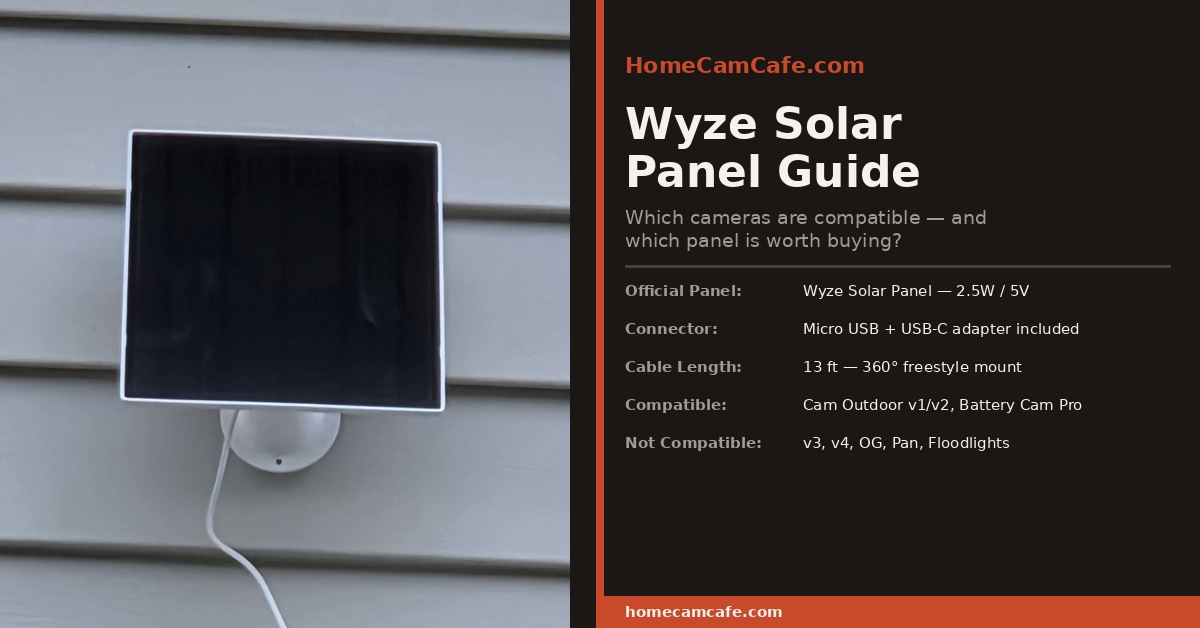
Which Wyze Cameras Work With a Solar Panel?
The official Wyze Solar Panel is compatible with exactly three cameras. Additionally, any quality third-party solar panel with a Micro USB or USB-C output will work with these same models. The compatible cameras are:
Solar Panel Compatible Wyze Cameras
- Wyze Cam Outdoor v1
- Wyze Cam Outdoor v2
- Wyze Battery Cam Pro
In contrast, the following Wyze cameras are not compatible with any solar panel, including the official Wyze panel, because they are wired cameras that run on continuous AC power and do not have a rechargeable battery to top off:
NOT Compatible With Any Solar Panel
- Wyze Cam v3 / v3 Pro
- Wyze Cam v4
- Wyze Cam OG / OG Telephoto
- Wyze Cam Pan v2 / v3 / Pan Pro
- Wyze Floodlight Camera / Floodlight Pro
- Wyze Video Doorbell (wired versions)
This is the most common source of confusion. The Cam v3 is Wyze’s best-selling camera, and many buyers assume a solar panel is an option for it. It is not, and there is no workaround, since wired cameras cannot store or use solar-charged power without a battery in the circuit.
The Official Wyze Solar Panel
The Wyze Solar Panel is Wyze’s first-party solution, and for most owners it is the simplest option. Here are the key specs:
| Spec | Detail |
|---|---|
| Output | 2.5W / 5V |
| Primary Connector | Micro USB (for Cam Outdoor v1/v2) |
| Adapter Included | USB-C adapter for Battery Cam Pro |
| Cable Length | 13 ft (4m) |
| Mount | 360° freestyle wall mount, included |
| Weather Rating | IP65 |
| Compatible Cameras | Cam Outdoor v1/v2, Battery Cam Pro |
At 2.5W, the official panel keeps the camera battery topped off rather than actively rapid-charging it. In good sunlight conditions, this is sufficient to maintain a full charge indefinitely. In low-light conditions or during winter months with fewer sunlight hours, the battery may still draw down slowly, though far more slowly than it would without any solar input. Furthermore, the 13-foot cable provides enough reach to position the panel in a sunnier spot than the camera itself occupies, which is useful for cameras mounted under a roofline or in partial shade.
One important note for first-time setup: Wyze recommends fully charging the panel’s internal circuit before connecting the camera for the first time. Connecting a depleted panel to the camera immediately can cause the charging process to fail to initiate. As a result, it is worth leaving the panel in direct sunlight for several hours before making the connection.
The Best Third-Party Alternative: BECOMFY 8W Panel
If you want more charging headroom than the official 2.5W panel provides, the BECOMFY 8W Solar Panel is a strong upgrade. It delivers more than three times the wattage of the official panel and includes triple output ports, specifically Micro USB, USB-C, and DC, making it broadly compatible with Wyze Cam Outdoor v1/v2 and Battery Cam Pro without needing an adapter swap. Here is how the two panels compare:
| Feature | Official Wyze Panel | BECOMFY 8W Panel |
|---|---|---|
| Output | 2.5W | 8W |
| Connectors | Micro USB (USB-C adapter included) | Micro USB, USB-C, DC (all built-in) |
| Cable Length | 13 ft | 10 ft |
| Weather Rating | IP65 | IP65 |
| Low-Light Performance | Adequate in full sun | Better in cloudy/low-sun conditions |
| Wyze-Specific Design | Yes (made by Wyze) | No (universal third-party) |
| Best For | Sunny climates, simple installs | Shadier spots, heavier usage, winter |
The BECOMFY panel is particularly useful for the Wyze Battery Cam Pro, which has a larger battery (6,200mAh) and draws more power than the Cam Outdoor models, especially when the spotlight and siren are used frequently. In addition, the triple-port design means you can use whichever output cable you already have on hand without searching for the right adapter. The tradeoff is a slightly shorter cable, at 10 feet versus 13, which is worth factoring in if the camera and the ideal panel position are far apart.
Installation Tips
Solar panel placement matters more than most people realize. A panel mounted in partial shade for half the day charges at a fraction of its rated output during those hours. For best results, follow these guidelines:
- Face the panel south (in the Northern Hemisphere) for maximum daily sun exposure.
- Angle it at roughly 30 to 45 degrees from horizontal. The 360° mount on both panels allows this adjustment.
- Avoid shadows from overhangs, trees, and neighboring structures, which are the most common reason a solar panel underperforms.
- Mount the panel above the camera where possible, so the cable runs cleanly downward to the camera port rather than looping or pulling.
- Seal the connection point lightly with self-fusing silicone tape in very wet climates for added moisture protection at the Micro USB or USB-C port.
Furthermore, both panels include wall-mount hardware for a permanent install. However, if you want flexibility to reposition the panel seasonally as the sun’s angle changes, a camera pole or adjustable arm mount gives you that option without drilling new holes.
Will a Solar Panel Keep My Wyze Camera Fully Charged?
Under ideal conditions, meaning direct sun for four or more hours per day, both panels will maintain a full charge on the Cam Outdoor v1/v2 and Battery Cam Pro. In practice, several factors affect how well this works:
Motion event frequency. A camera that triggers 50 times per day uses significantly more power than one that triggers five times. If your camera faces a busy street or a high-traffic area, a higher-wattage panel like the BECOMFY 8W option gives you more buffer.
Spotlight and siren usage. The spotlight on the Battery Cam Pro draws a meaningful amount of power. If it activates frequently at night, the official 2.5W panel may not fully replenish that draw by the following afternoon in cloudy conditions.
Season and latitude. In northern states during winter, available sunlight hours drop significantly. As a result, a panel that keeps the battery full in July may allow it to creep down slowly in December. This is normal behavior, not a defect. Additionally, a higher-wattage panel handles seasonal variation better than a lower-wattage one.
In most moderate climates with typical motion event loads, the official 2.5W panel performs well for the Cam Outdoor v1 and v2. For the Battery Cam Pro, particularly in cloudier climates or busy installations, the BECOMFY 8W panel is the more reliable long-term choice.
Frequently Asked Questions
Does the Wyze Solar Panel work with the Wyze Cam v3?
No. The Cam v3 is a wired camera that runs on constant AC power via a USB cable. It does not have a rechargeable battery, so a solar panel has nowhere to send its charge. Solar panels are only applicable to Wyze’s battery-powered cameras, specifically the Cam Outdoor v1/v2 and Battery Cam Pro.
Does the Wyze Solar Panel work with the Wyze Cam v4?
No. The Cam v4 is also a wired camera. It connects via USB and requires a continuous power source. There is no solar panel option for it.
Does the Wyze Solar Panel work with the Wyze Battery Cam Pro?
Yes. This is one of the three compatible cameras. The official Wyze panel includes a USB-C adapter specifically for the Battery Cam Pro, since that camera uses a USB-C charging port while the older Cam Outdoor models use Micro USB. The BECOMFY 8W panel includes a native USB-C port and requires no adapter.
Can I use a third-party solar panel with a Wyze camera?
Yes. Any solar panel that outputs 5V DC via Micro USB or USB-C will work with the compatible Wyze cameras. The official panel has no proprietary charging protocol, so third-party panels function identically as long as the voltage and connector match. Higher-wattage options like the BECOMFY 8W panel can actually outperform the official panel in real-world conditions.
Does adding a solar panel eliminate the need to charge the battery?
In most cases, yes. Under adequate sunlight, the panel maintains the battery at or near full charge continuously. However, extended periods of heavy cloud cover or very high motion event frequency can still allow the battery to deplete slowly. Most owners in moderate climates go a full year or more without needing to manually recharge after adding a solar panel.
Bottom Line
The official Wyze Solar Panel is a solid, plug-and-play option for Cam Outdoor v1/v2 owners and works well for the Battery Cam Pro in sunny climates. For the Battery Cam Pro in cloudier regions or high-traffic installations, the BECOMFY 8W panel delivers meaningfully better output and native USB-C support without the adapter. Either way, a solar panel is one of the best additions you can make to a Wyze battery camera. Just confirm your camera model is on the compatible list before ordering, since the v3, v4, OG, and Pan series do not qualify.
This article is part of our Wyze hub. For the full individual reviews see the Wyze Battery Cam Pro review and the Wyze Cam Outdoor review.
