
A good WiFi router is essential when using wireless security cameras. An insufficient signal will render a camera unreliable or completely useless — you’ll see constant buffering, missed motion alerts, and cameras that drop offline regularly. If you’re dealing with any of those problems, or you’re setting up cameras for the first time in a larger home, a mesh WiFi system is the best solution available today.
🔗 What is a mesh WiFi system?
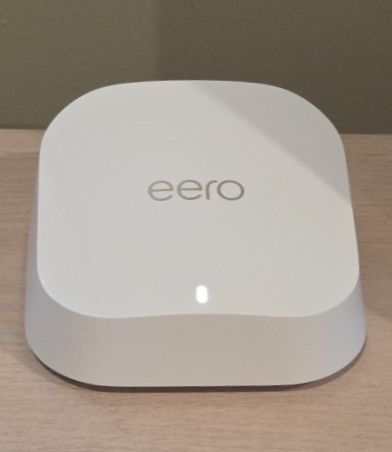
A mesh WiFi network consists of multiple router units — called nodes or points — placed around your home. They work together as a single network, passing your devices seamlessly from node to node as you move around. Unlike a traditional router with a range extender (which creates a separate, weaker network), mesh systems provide one unified network with consistent speed and signal throughout. For homes with multiple cameras spread across different areas, it’s the most reliable setup available.
Why Standard Routers Struggle with Security Cameras
Most standard routers are designed to cover a small to medium-sized home — typically up to 1,500 to 2,000 square feet. Anything larger, or any home with thick walls, multiple floors, or a large outdoor area, will have dead zones where signal drops off. Security cameras sitting in those dead zones will disconnect constantly.
The problem compounds when you add multiple cameras. Each camera maintains a constant connection to your network — unlike a phone that only needs bursts of bandwidth. Four cameras streaming simultaneously requires real, sustained bandwidth at all hours. A router that’s already struggling with range will buckle under that load. If your cameras keep going offline, check out our guide on why security cameras go offline and how to fix it for a full troubleshooting walkthrough.
How Many Mesh Nodes Do You Need?
The number of nodes you need depends on your square footage — and don’t forget to include outdoor areas when calculating, since that’s often where cameras are installed. A general rule of thumb:
Each mesh node covers a certain square footage that varies by manufacturer and model. Calculate your total coverage needed — inside and out — divide by the per-node coverage, and that’s how many you need. When in doubt, go with one more than you think you need. Dead zones near outdoor cameras are frustrating to fix after the fact.
The 2.4 GHz Consideration
Most home security cameras only support the 2.4 GHz band — not 5 GHz. Mesh systems typically combine both bands under a single network name, which is great for phones and laptops but can create a headache when setting up a camera for the first time. During setup, the camera needs your phone on the same 2.4 GHz band, and your phone will naturally prefer the faster 5 GHz band.
This is a solvable problem, but it’s worth knowing about before you buy. We cover all the workarounds in detail in our guide to connecting devices that insist on 2.4 GHz. The short version: some mesh systems like the Netgear Orbi let you separate the bands, which makes camera setup much easier.
Good news: Once your camera is set up and connected, the 2.4 GHz / 5 GHz band issue goes away entirely. The camera connects to the network via the cloud after initial setup, so the band restriction only matters during installation.
Our Mesh WiFi Recommendations for Security Camera Homes
These are the systems we’d recommend in 2026 for homes with security cameras. We’ve focused on reliability, band control flexibility, and value — the three things that matter most for camera setups.
Mesh vs. Range Extender — Which Is Better for Security Cameras?
A WiFi range extender is a cheaper way to boost signal in a weak area, and for a single camera in a specific dead zone it can absolutely do the job. But there are meaningful differences worth understanding:
The bottom line: if you have one or two cameras and a targeted dead zone problem, a range extender is a cost-effective fix. If you’re running three or more cameras around a larger property, a mesh system is the better long-term investment — you’ll spend less time troubleshooting dropped connections.
💡 Tips for Getting the Most Out of Your Mesh System
- Place nodes halfway between your router and weak areas — not inside the dead zone itself
- Include your outdoor camera locations when planning node placement — outdoor cameras are often the hardest to reach
- Some mesh nodes have Ethernet ports — use a wired connection for your primary node if possible for maximum stability
- Keep nodes away from microwaves, cordless phones, and thick metal objects that cause interference
- Tri-band systems dedicate a separate band for node-to-node communication, leaving more bandwidth available for your cameras
Mesh WiFi Is the Best Investment You Can Make for Home Security Cameras
If you’re running two or more cameras, or if any of your cameras are located more than 30 feet from your router, a mesh system will pay for itself in frustration saved. Our top pick is the Netgear Orbi for its band control flexibility and reliability. If simplicity matters more than settings, the eero Pro 6E is hard to beat. Either way, the days of the single router trying to cover an entire home and its cameras are over.
