
A PoE security camera is refreshingly simple once it is installed. One Ethernet cable carries the video data and the electrical power, so there is no separate outlet or low-voltage power adapter sitting next to the camera. However, if you are moving from battery or WiFi cameras into a wired setup, choosing the right PoE injector for security cameras is the piece that trips up most first-time buyers. Pick the wrong one and you end up with an underpowered camera, a flaky connection, or hardware you paid for and will never use.
For a single Tapo, Reolink, eufy, Ubiquiti, or similar wired IP camera, a PoE injector is usually the cleanest answer. It lets you keep your existing router or non-PoE switch and adds power to just one Ethernet run, so you are not replacing networking equipment just to install one camera. In this guide, we walk through how PoE injectors work, the standards that actually matter, when a PoE switch makes more sense, and which specific units we would recommend, including the one we run ourselves.
Rules of Thumb for Choosing a PoE Injector
- Buy a standards-based 802.3af or 802.3at injector for one camera, and start comparing PoE switches once you hit three or four cameras.
- Match the injector’s wattage to your camera’s actual power draw, not just the standard it advertises. Most single wired cameras draw well under 15W, so check your camera’s spec sheet first.
- Higher available wattage is fine, a standards-based device negotiates and draws only what it needs. Lower available wattage is not fine, an underpowered camera can reboot, lose infrared illumination, or fail outright once night vision or a motor kicks in.
- Passive injectors are cheaper, but they push a fixed voltage with no negotiation. Only pair a passive injector with a device that explicitly lists passive PoE support, otherwise you risk damaging the camera.
- Keep the cable run under 100 meters, or about 328 feet, from injector to camera. PoE delivery becomes unreliable past that distance regardless of which injector you buy.
- Injectors are not weatherproof. Mount them indoors, in a garage, attic, or utility closet, even if the camera itself is rated for outdoor use.
What Is a PoE Injector, and Why Does Your Camera Need One?
So what is a PoE injector, exactly? PoE stands for Power over Ethernet. Instead of plugging your camera into a wall outlet and separately running a network cable to it, PoE combines power and data onto a single Cat5e or Cat6 cable. A PoE injector is the piece of hardware that sits between your router or switch and the camera and actually adds that electrical power onto the cable. Most home routers do not supply power on their own, so an injector, or a PoE-capable switch, is required somewhere in the chain.
↓
Ethernet data cable
↓
PoE injector + AC power
↓
One Ethernet cable carrying power and data
↓
PoE security camera
The injector does not replace your router, and it does not assign IP addresses or record video. Its job is narrow: add power to the Ethernet line while letting the network traffic pass straight through. Most injectors have two RJ45 ports, one marked LAN or Data In that connects to your router or switch, and one marked PoE or Data and Power Out that connects to the camera. Additionally, most models include an indicator light showing that power is available or that a powered device has been detected.
PoE Injector vs. PoE Switch vs. PoE Router: Which Do You Actually Need?
This is where a lot of first-time buyers overspend or underbuy, so it is worth breaking down clearly.
PoE injector: A single-purpose device that adds power to one Ethernet run. It plugs into a wall outlet on one end and your existing non-PoE router or switch on the other. This is the right call if you are powering one or two cameras and already have a regular router or switch in place.
PoE switch: A network switch with PoE built into several or all of its ports. Instead of adding one injector per camera, a PoE switch powers every wired device connected to it from a single unit. As a result, this becomes the more economical and cleaner option once you are running three or more PoE devices, since you are not stacking multiple injectors and power bricks.
PoE router or NVR: Some higher-end routers, particularly in the Ubiquiti UniFi line, include one or two PoE ports built directly into the router itself. Likewise, many camera NVR systems power their own cameras through built-in PoE ports. Either can eliminate the need for a separate injector, but only for the devices plugged into those specific ports.
| Situation | Injector | PoE Switch | PoE NVR |
|---|---|---|---|
| One camera | Best fit | Usually excessive | Only if recording locally |
| Two cameras | Reasonable | Worth comparing | Depends on system |
| Four cameras | Possible, but cluttered | Usually better | Good for a dedicated system |
| Eight or more cameras | Not recommended | Best network option | Best all-in-one option |
802.3af vs. 802.3at vs. 802.3bt: What the Standards Actually Mean
The letters and numbers on a PoE product listing matter more than the brand name, since they tell you how much power the injector can deliver and whether it negotiates with the camera before applying it.
| Standard | Common Name | Max Power | Typical Camera Use |
|---|---|---|---|
| 802.3af | PoE | 15.4W | Basic fixed-lens bullet, dome, and turret cameras |
| 802.3at | PoE+ | 30W | Dual-lens cameras, stronger illumination, motorized zoom, and many PTZ models |
| 802.3bt Type 3 | PoE++ | 60W | High-power PTZ cameras and specialty devices |
| 802.3bt Type 4 | High-power PoE++ | 90 to 100W class | Large PTZ, heated housings, and commercial equipment |
For an ordinary home security camera, a 30W PoE+ injector is the safest general-purpose choice. It covers lower-power 802.3af devices while leaving headroom for cameras with stronger infrared LEDs, spotlights, or motorized functions.
Best PoE Injector for Security Cameras: Our Picks
We run both the Ubiquiti and TP-Link units below on our own PoE camera setups. The other three options are included based on their specs, standards support, and track record, and we will update this guide with hands-on notes as we test more of them ourselves. Here is how they compare at a glance before the individual notes.
| Product | Type | Power Output | Best For |
|---|---|---|---|
| Ubiquiti UACC-PoE+-2.5G | Single-port injector | 30W, 2.5GbE | One camera, future-proofed network speed |
| TP-Link TL-PoE160S | Single-port injector | 30W, Gigabit | One camera on a budget |
| TP-Link TL-SG1005P | 4-port active PoE+ switch | 65W total, 30W/port, Gigabit | Two to four standards-based cameras |
| MokerLink 18-Port PoE Switch | Managed rackmount switch | 250W total, Gigabit | Five or more cameras, whole-property setups |
| Molltto Window Pass-Through Cable | Ethernet cable coupler | N/A | Running cable through a window without drilling |
Best Overall: Ubiquiti PoE Injector (UACC-PoE+-2.5G)
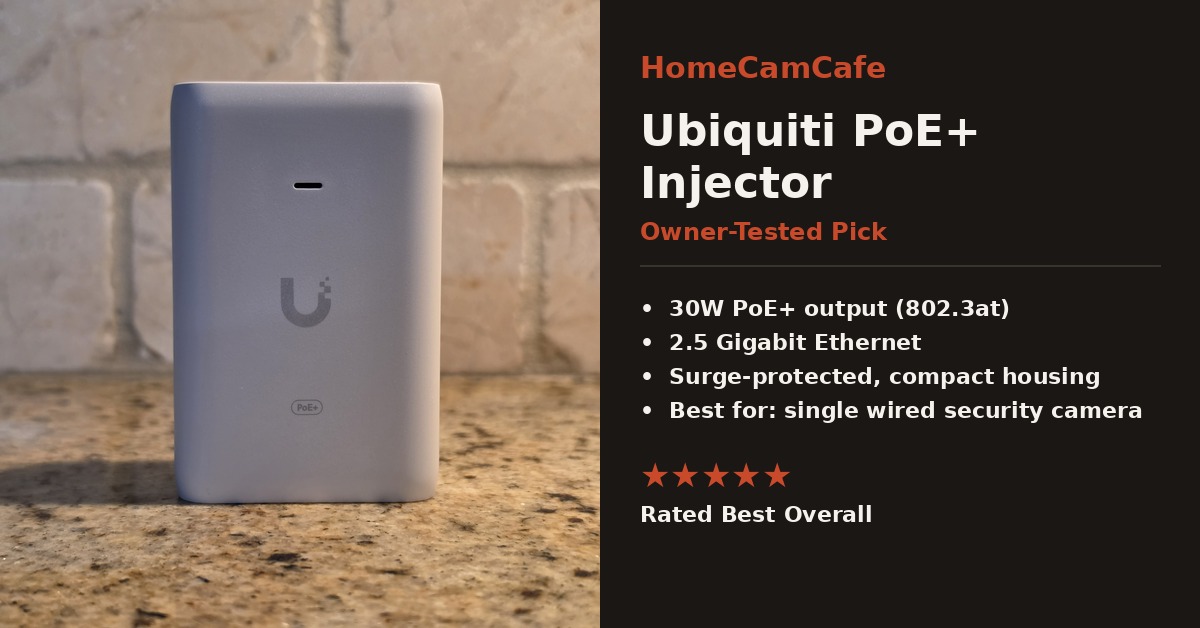
This Ubiquiti PoE injector is the one we would point most people toward first. It delivers a full 30 watts, which covers nearly any single wired security camera with room to spare, and it supports 2.5 Gigabit Ethernet, so your network is not the bottleneck even if you upgrade equipment later. Furthermore, in our own hands-on use the build quality feels noticeably sturdier than typical budget injectors, with a compact housing, clearly separated ports, and a surge-protected design. For the full hands-on breakdown, including how it has held up powering a dual-lens PoE camera with active spotlights and a siren, see our Ubiquiti PoE injector review.
Best for: a homeowner who wants a modern, compact PoE+ injector with extra network headroom. Skip it when: your network is strictly Gigabit and the TP-Link below is substantially cheaper for the same PoE class.
Best Budget Pick: TP-Link PoE Injector (TL-PoE160S)
For anyone who wants a reliable TP-Link PoE injector without spending as much as the Ubiquiti unit, the TL-PoE160S is the one to grab. It still supports the full 802.3at PoE+ standard at 30 watts, so power is not a compromise, and in our own use it has been plug-and-play with no configuration needed. In addition, it has held up reliably alongside a strong track record of consistent reviews from other camera and access point installs. We use this to power our Tapo C575D Dual Lens Camera, check our TP-Link PoE injector review.
Best for: one standards-based camera when Gigabit networking is sufficient. Skip it when: your camera specifically requires more than 30W.
Best for Two to Four Cameras: TP-Link TL-SG1005P
If you are adding two to four cameras but are not ready to commit to a full rackmount switch, this compact 5-port switch is a better fit than stacking individual injectors. It provides four active 802.3af/at PoE+ ports with a 65 watt shared budget, up to 30 watts per port, plus one non-PoE uplink port back to your router. Because it is fully standards-based, it works safely with any active PoE camera, unlike a passive injector, there is no compatibility gray area to check first.
Best for: a homeowner adding a few standards-based cameras who wants one clean power source instead of several injectors. Skip it when: you only have one camera, an injector is simpler, or you are planning to grow well past four cameras, in which case go straight to a larger switch like the MokerLink below. You can view the TP-Link TL-SG1005P listing for current specs and availability.
Best for Five or More Cameras: MokerLink 18-Port PoE Switch
Once you cross into five or more wired cameras, an injector-per-camera setup becomes both more expensive and messier than a proper PoE switch. The MokerLink 18-port switch provides 16 PoE+ ports at up to 250 watts of shared power, with two uplink ports for connecting back to your main router. As a result, this is overkill for a single camera, but for anyone building out a whole-property PoE system with an NVR and multiple cameras, it consolidates power and networking into one rackmountable unit instead of a tangle of separate injectors.
Best for: a large property or a camera system that may keep growing. Skip it when: you are installing one or two cameras with no expansion plans. See the MokerLink 18-port PoE switch for full port and power specs.
Bonus Pick: Molltto Window Pass-Through Cable
This one is not a power adapter, but it solves a problem nearly every PoE camera installer runs into at some point: how to get an Ethernet cable from inside the house to an outdoor camera without drilling a hole in the wall. This flat, ultra-thin coupler cable slides through a closed window or door frame, so you can route power and data outside temporarily or semi-permanently without any modification to your home. It is a small purchase, but it solves a real problem if you are testing a camera placement before committing to a permanent drilled entry point. Every extra connector is another potential point for moisture or signal loss, however, so treat it as a practical workaround rather than the ideal permanent installation. Find it here: Molltto window pass-through Ethernet cable.
How to Choose the Right Injector
1. Read the camera’s power specification. Look for a line such as 802.3af, 802.3at, 802.3bt, PoE, PoE+, PoE++, or a wattage figure, rather than choosing based on brand alone. One brand may sell low-power fixed cameras and high-power PTZ cameras with very different requirements.
2. Match or exceed the required PoE class. A PoE+ injector can normally power an 802.3af camera, since active standards negotiate the appropriate power. The reverse is not true: a 30W camera may not operate correctly from a basic 15.4W injector.
3. Check the data rate. Gigabit is more than enough for nearly every single security camera. A 2.5GbE injector is attractive for future reuse, but it does not improve image quality by itself.
4. Account for cable distance and quality. Standard Ethernet is generally designed for runs up to 100 meters, including patch cables. Long runs and poor copper-clad aluminum cable can cause voltage drop and unstable behavior, so use solid-copper Cat5e or Cat6 cable for permanent camera wiring.
5. Plan for nighttime power draw. A camera can consume more power after dark once infrared LEDs, spotlights, or motors activate. An installation that seems stable during daytime testing can start rebooting at night if the injector is undersized or the cable run is marginal.
Common PoE Injector Mistakes
- Buying passive PoE without realizing it. Passive hardware can continuously apply voltage and is less forgiving of mismatched equipment.
- Connecting the ports backward. The router or switch goes to Data In or LAN, the camera goes to PoE Out.
- Assuming the router already supplies power. Most home routers do not provide PoE on their own.
- Ignoring total power budget. Multi-port injectors and switches have both a per-port limit and a combined limit.
- Using cheap outdoor cable. Copper-clad aluminum cable and poorly terminated connectors can cause voltage drop and intermittent failures.
- Putting the injector outdoors. Keep it and its AC connection in a dry, ventilated location unless the product is specifically weather-rated.
PoE Injector vs. PoE Splitter
An injector adds power to Ethernet. A splitter does the opposite: it receives powered Ethernet and separates it into a data connection plus a low-voltage DC or USB output. Use an injector when your network has no PoE and the camera accepts PoE. Use a splitter when the cable already carries PoE but the connected device needs separate DC or USB power instead. A splitter is not normally needed for a true PoE camera, though it can be useful for repurposing a PoE cable to power a non-PoE device, as long as the splitter’s voltage and connector match that device exactly.
Frequently Asked Questions
Can a PoE injector damage a camera?
A standards-based active injector should negotiate with a compatible powered device before delivering full power. The bigger risk comes from passive PoE, incorrect voltage, or damaged cable, so always verify the camera and injector specifications match before connecting them.
Does a PoE injector slow down the camera?
A properly functioning Gigabit injector will not meaningfully limit a normal IP camera. An older 10/100 injector, however, can become a bottleneck in higher-throughput or multi-stream situations.
Can I use a PoE+ injector with an ordinary PoE camera?
Usually yes, as long as both products follow the IEEE active standards. The camera requests the power class it actually supports rather than being forced to consume the injector’s maximum rating.
Do I need Cat6 cable for a PoE camera?
No. Good solid-copper Cat5e is sufficient for most residential PoE camera installations. Cat6 can provide extra headroom and may be worth using for new permanent cable runs, but it is not required.
Where should the injector be installed?
Place it indoors, near the router, switch, patch panel, or cable entry point. It needs AC power and ventilation, and the long Ethernet run typically extends from the PoE output toward the outdoor camera.
Bottom Line
For one camera, the Ubiquiti UACC-PoE+-2.5G is the injector we would buy again without hesitation, and the TP-Link TL-PoE160S is the smartest budget alternative. Once you are running several cameras, skip the injector-per-device approach entirely and move to a PoE switch like the MokerLink. Whichever route you take, match the wattage to your camera’s actual draw, confirm passive versus active compatibility, and keep the injector itself indoors regardless of where the camera ends up.
Not sure if PoE or WiFi cameras are best for your home? See our PoE vs WiFi Camera Decision Guide. For the full individual reviews on wired camera options, see our Reolink camera reviews and eufy camera reviews. For more installation and setup help, see the how-to guides hub, and for other accessory recommendations, check the accessories hub.
