
The best PoE camera for outdoor security should do more than produce sharp video. It needs reliable detection, useful nighttime footage, dependable recording, and a network connection that doesn’t disappear when Wi-Fi gets congested. After installing and testing PoE security cameras from Reolink and TP-Link Tapo, we’ve found that the right choice depends heavily on what you’re trying to monitor.
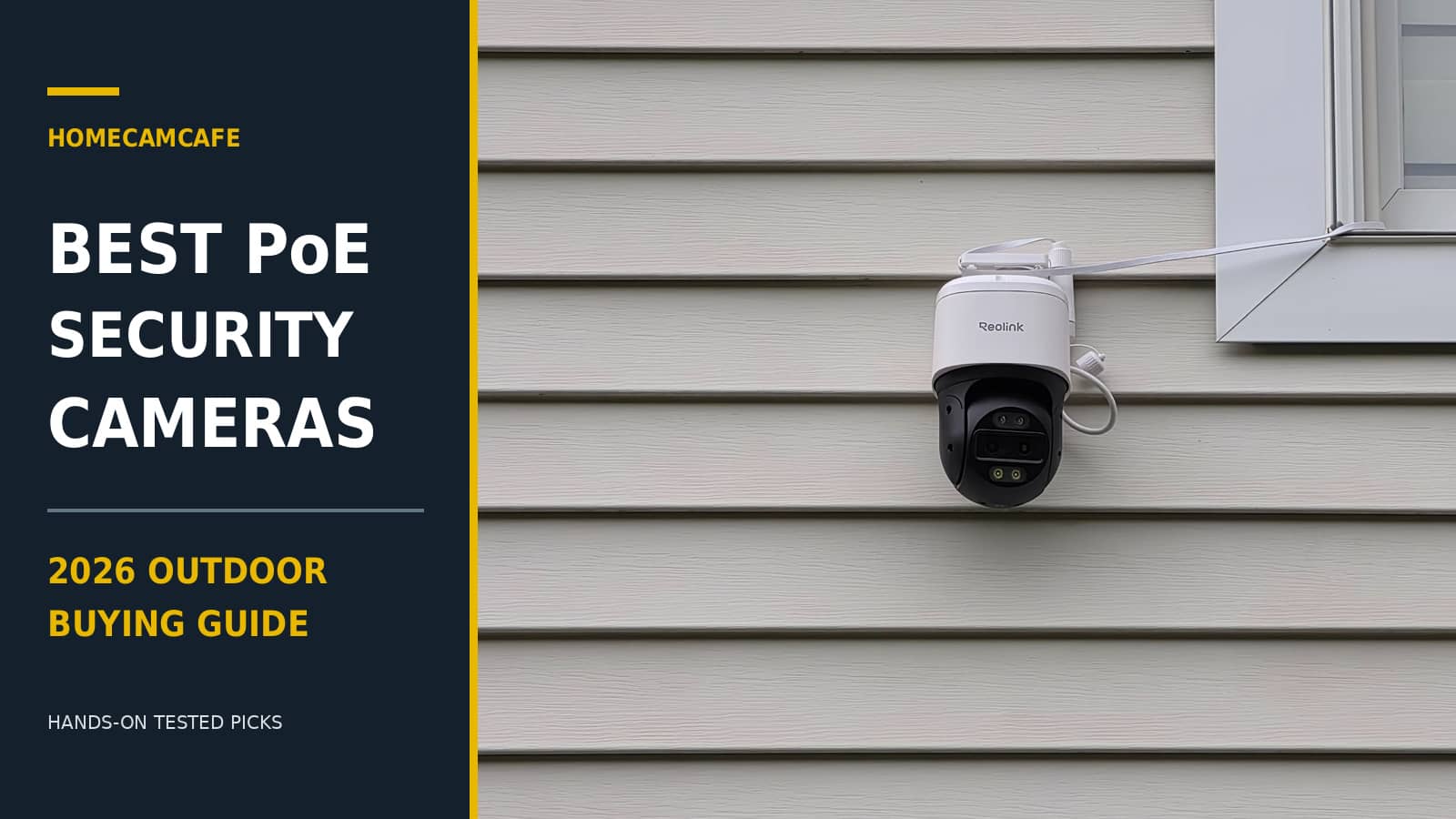
For 2026, our top recommendation is the Reolink TrackMix PoE. Its dual-lens design and automatic tracking make it especially useful for driveways, yards, and larger properties. The Tapo C575D is a close alternative, while the Reolink Duo 3 PoE is better suited to locations needing a wide, permanent view. We’ve also included a high-resolution fixed camera, a UniFi option, an inexpensive SANNCE 4K pan/tilt camera, and a complete Reolink system built around components we’ve personally used.
This guide combines our own installations and hands-on camera reviews with a smaller number of research-based recommendations. We’ll explain the strengths, limitations, and practical installation considerations for each selection so you can choose equipment that fits your property rather than simply buying the camera with the highest megapixel count.
Best PoE Camera for Outdoor Security: Quick Comparison
| Camera | Best For | Resolution | Our Experience |
|---|---|---|---|
| Reolink TrackMix PoE | Best Overall | 4K / 8MP | Hands-on tested |
| Tapo C575D | Best Dual 4K Alternative | Dual 4K lenses | Hands-on tested |
| Reolink Duo 3 PoE | Best Panoramic View | 16MP | Hands-on tested |
| Reolink RLC-1212A | Best Fixed Bullet | 12MP | Hands-on tested |
| Ubiquiti UniFi G6 Dome | Best for UniFi Protect | 4K / 8MP | Research-based |
| SANNCE I91FT | Best Budget 4K Pan/Tilt | 4K / 8MP | Research-based |
| Reolink RLK16-1200B8-A | Best Complete System | Eight 12MP cameras | Components tested |
Our recommendation: For a single outdoor location, start with the TrackMix PoE or Tapo C575D. For a wide driveway or broad frontage, consider the Duo 3 PoE. If you’re outfitting an entire house and want centralized recording, the Reolink RLK16-1200B8-A offers eight high-resolution bullet cameras and an NVR in one package.
1. Reolink TrackMix PoE: Best Overall PoE Security Camera
The Reolink TrackMix PoE earns our top recommendation because its feature set solves several common problems with fixed security cameras. Rather than requiring separate cameras for a wide view and a close-up, the TrackMix combines two lenses in one motorized housing. The camera can follow detected activity while presenting a closer view of the subject, making it particularly effective for yards with people, vehicles, and wildlife moving through different areas.
We installed the PoE TrackMix with a Reolink RLN8-410 NVR and spent weeks observing how it responds to activity across a large front yard. That experience matters because automatic tracking can look impressive in advertising but become frustrating if the camera constantly loses subjects or reacts to every moving shadow. In our testing, the TrackMix delivered useful tracking performance and handled a mix of moving subjects well.
Dual-Lens Tracking and Zoom
The TrackMix uses a wide-angle lens and telephoto lens, with 4K resolution and 6X hybrid zoom. Its motorized head can pan through approximately 355 degrees and tilt through 90 degrees. This allows the camera to follow people or vehicles traveling across a driveway instead of simply recording whatever passes through one fixed frame.
Reolink provides several tracking modes, including Digital Tracking First and Pan/Tilt Tracking First. We found the choice worthwhile because different yards produce different behavior. Digital Tracking First can reduce unnecessary motor movement, while physical pan/tilt tracking makes sense where a subject may move across a large area.
Person, vehicle, and animal detection are available without a monthly subscription. During our testing, detection was generally accurate, although the camera occasionally classified a distant or partly obscured person as an animal. That’s an example of why real-world testing matters more than a list of AI features.
Night Vision, Storage, and Installation
For nighttime recording, the TrackMix offers infrared illumination and spotlights for color footage. You can record to a microSD card or a compatible Reolink NVR, including continuous recording when configured appropriately. Our own setup uses both NVR and microSD storage, with the card serving as an additional recording option if the network connection to the NVR is interrupted.
The main installation consideration is size. This is a relatively substantial camera, and the mounting location needs to support its weight while allowing the head to rotate without hitting nearby walls, trim, or roof overhangs. It is better suited to a strong wall or soffit mounting position than a lightweight bracket attached to a questionable surface.
Pros: Effective dual-lens tracking, useful zoomed-in views, strong feature set, free smart detection, and flexible local recording.
Cons: Larger than a typical bullet camera, occasional AI classification errors, and more installation planning than a fixed camera.
Verdict: The TrackMix PoE is our preferred all-around choice for a homeowner who wants one camera to monitor a large outdoor area. It provides more flexibility than a conventional fixed camera and has performed well in our own installation.
View Reolink TrackMix PoE on Amazon →
Read our complete hands-on Reolink TrackMix review.
2. TP-Link Tapo C575D: Best Dual 4K PoE Alternative
The Tapo C575D is one of the strongest alternatives to the TrackMix and one of the outdoor cameras we’ve particularly enjoyed testing. Its two 4K lenses combine a fixed 170-degree wide-angle view with a moving telephoto view, giving you both the broad scene and a closer look at activity. If something enters the wide-angle picture, the second lens can automatically move toward the detected subject.
We installed the C575D above a garage and powered it over Ethernet using a TP-Link PoE injector. The wired arrangement delivered a responsive experience, with fast live-view loading and smooth controls. Compared with the wireless dual-lens Tapo C675D, the wired C575D felt noticeably more responsive in our installation.
Why the Two-Lens Design Works
One of the problems with a conventional pan/tilt camera is that when it turns to follow something, it stops showing whatever was previously in view. The C575D helps address that by retaining a wide fixed view while the second lens tracks activity. That is a particularly useful arrangement for driveways or front yards where more than one event may occur at once.
Both lenses offer 4K resolution, and the telephoto lens uses an 8mm focal length to capture more distant detail. The advertised 18X digital zoom should not be confused with 18X optical zoom; the useful increase in detail comes primarily from the separate telephoto lens rather than unlimited digital enlargement.
Flexible Connectivity and Storage
Unlike cameras that only accept Ethernet, the C575D supports PoE, conventional DC power, Ethernet networking, and Wi-Fi. For this buying guide, however, we’re recommending its PoE configuration. One cable provides power and a wired network connection, removing the need for a separate outlet near the camera.
The C575D supports a microSD card up to 512GB, with optional Tapo Care cloud storage. Person, vehicle, and pet detection are available without a subscription, and the camera supports RTSP and ONVIF Profile S for compatible third-party recording arrangements. Some dual-view functions may be limited when using a third-party NVR rather than the Tapo app.
Pros: Dual 4K lenses, wide fixed view, coordinated tracking, responsive wired operation, flexible power options, and no subscription needed for core detection.
Cons: Larger housing than a standard bullet camera, more moving parts, and potential limitations when integrating its dual-view capabilities with third-party NVR software.
Verdict: The Tapo C575D is an outstanding choice for homeowners who want high-resolution dual-lens coverage and prefer the Tapo app. It is close enough to the TrackMix that existing ecosystem preference could reasonably decide the purchase.
Read our hands-on Tapo C575D review.
3. Reolink Duo 3 PoE: Best for Wide Panoramic Coverage
The Reolink Duo 3 PoE serves a different purpose from the TrackMix and C575D. Instead of moving its head to follow activity, it combines two lenses into a single panoramic view spanning approximately 180 degrees horizontally. The result is an unusually wide image that can monitor a driveway, parking area, or broad frontage without the camera needing to turn.
We’ve installed and tested the Duo 3 PoE extensively, including nighttime operation and long-distance detection. Its panoramic format works particularly well when the priority is maintaining a constant view of a wide area rather than following one subject with a moving telephoto lens.
16MP Video and a Permanent Wide View
The Duo 3 records a stitched 16MP image at a maximum resolution of 7680 by 2160 pixels. That horizontal resolution is spread across a much wider view than a standard 4K camera, so the advantage is coverage rather than simply having a higher megapixel number. A single properly positioned Duo 3 can replace multiple narrow-angle viewpoints in some installations.
The fixed panoramic image is useful for reviewing events involving several people or vehicles because the camera doesn’t have to choose which subject to follow. You can look at the entire scene afterward. Conversely, the Duo 3 does not deliver the same targeted close-up behavior as a dual-lens tracking camera, so buyers who need detailed views of distant moving subjects may prefer the TrackMix.
Night Recording and PoE Reliability
The Duo 3 provides infrared night vision and spotlight-assisted color recording. It also supports person, vehicle, and animal detection, along with local recording to microSD or a compatible NVR. As with the other Reolink PoE cameras in this guide, the basic smart detection features do not require a cloud subscription.
We have also used the Duo 3 with a Ubiquiti PoE+ injector. In our installation, the injector powered the camera reliably without observed dropouts or unexpected reboots. That experience reinforces the benefit of selecting quality power equipment rather than concentrating solely on camera specifications.
Pros: Extremely wide coverage, detailed 16MP panoramic footage, no moving tracking head, local recording, and strong compatibility with Reolink NVR systems.
Cons: Panoramic framing isn’t ideal for every mounting position, the physical mount takes some adjustment, and distant subjects occupy a smaller part of the image than with a telephoto lens.
Verdict: For a long driveway, wide front yard, or location where missing activity outside the frame is your main concern, the Duo 3 PoE may be the better camera even though the TrackMix wins our overall recommendation.
View Reolink Duo 3 PoE on Amazon →
Read our complete Reolink Duo 3 PoE hands-on review.
4. Reolink RLC-1212A: Best High-Resolution Fixed Bullet Camera
Not every outdoor location requires panoramic coverage or automatic tracking. Sometimes the better choice is a conventional bullet camera with a fixed view, particularly when you already know exactly what needs to be monitored. The Reolink RLC-1212A is our higher-resolution recommendation for those installations.
We mounted the RLC-1212A outdoors and compared its footage directly with the older RLC-510A using the same NVR arrangement. The improvement was noticeable, especially when viewing distant objects and examining detail toward the far end of the driveway. The RLC-1212A’s 12MP resolution provides additional detail, while its wider field of view reduces the need to reposition the camera to capture the edges of the scene.
Where the RLC-1212A Makes Sense
This camera is particularly suitable for driveways, gates, side yards, and entrances where the monitored area is relatively predictable. A fixed bullet camera continues watching the same location regardless of activity elsewhere, which can be advantageous for documenting entrances and exits. There is no motorized tracking mechanism to move out of position, and the simpler form factor can be easier to accommodate under an overhang.
In our comparison, the RLC-1212A also held detail better at night than the RLC-510A. Although the higher resolution is useful, mounting position, viewing distance, lighting, and exposure settings still determine whether a recorded face or vehicle detail will be identifiable. More megapixels cannot compensate for a poor camera angle.
The main complaint from our installation concerned the mounting adjustment, which required more patience than the image quality itself. Once aimed correctly, however, the RLC-1212A provided a strong fixed view and became an easy camera to recommend for buyers who do not need automatic tracking.
Pros: Sharp 12MP footage, wider view than the RLC-510A, good detail at range, and conventional fixed-camera operation.
Cons: No automatic subject tracking, less flexibility than a panoramic camera, and a mount that may take extra adjustment.
Verdict: Choose the RLC-1212A when image detail and a permanent viewing angle matter more than pan/tilt features. It is a worthwhile step up from Reolink’s older basic bullet cameras.
View Reolink RLC-1212A on Amazon →
See our hands-on RLC-1212A review and comparison.
5. Ubiquiti UniFi G6 Dome: Best for UniFi Protect Users
The Ubiquiti UniFi G6 Dome is aimed at a different type of buyer. Rather than functioning primarily as an independent camera with a consumer-focused app and removable microSD storage, it is designed to work as part of the UniFi Protect ecosystem. For someone already using UniFi networking and Protect recording hardware, that integration may be a bigger advantage than any individual camera feature.
We have not personally tested the G6 Dome, so this recommendation is based on Ubiquiti’s published specifications and its fit within the UniFi platform. The camera offers 4K video from an 8MP sensor, built-in infrared illumination, smart object detection, and a rugged dome housing. Its IP66 weather rating and IK10 impact-resistance rating make it appropriate for exposed outdoor mounting locations within the manufacturer’s installation requirements.
Why Choose a UniFi Camera?
UniFi Protect is appealing when you want multiple cameras managed through one dedicated recording environment. Users can build a surveillance system around compatible UniFi consoles and recording equipment, with centralized management and playback. For homeowners or small businesses already invested in UniFi infrastructure, the G6 Dome fits naturally into that arrangement.
Its fixed lens has a published horizontal field of view of approximately 110 degrees, and the camera supports smart detection for people, vehicles, and animals. Ubiquiti also lists advanced recognition capabilities, although availability and processing requirements depend on the intended Protect recorder and software version.
The important purchasing consideration is the ecosystem. A PoE switch supplies the camera with electrical power and connectivity, but a switch by itself is not a substitute for a compatible UniFi Protect recording environment. Someone starting from scratch needs to account for the total cost of the Protect equipment as well as the camera.
Pros: 4K video, rugged dome construction, centralized Protect management, and a strong fit for existing UniFi installations.
Cons: Requires compatible UniFi Protect infrastructure for its intended recording experience, no pan/tilt tracking, and potentially higher total system cost for new users.
Verdict: The G6 Dome is a compelling option for buyers committed to UniFi Protect. For someone wanting a simple standalone outdoor camera, we’d favor one of the Reolink or Tapo models we’ve tested.
View Ubiquiti G6 Dome on Amazon →
6. SANNCE I91FT: Best Budget 4K PoE Pan/Tilt Camera
The SANNCE I91FT is an interesting alternative for buyers who want a 4K outdoor PoE camera with motorized movement without stepping up to a premium dual-lens model. Unlike basic fixed bullet cameras, the I91FT can pan 350 degrees horizontally and tilt 90 degrees vertically, allowing users to reposition the viewing area remotely. That flexibility makes it worth considering for patios, side yards, and smaller driveways where a fixed camera might leave blind spots.
We haven’t personally tested the I91FT, so this recommendation is based on SANNCE’s published specifications rather than our own installation experience. Its feature set is appealing for a budget-oriented PoE model. The camera uses an 8MP sensor to record 3840 × 2160 video, a 2.8mm lens with a stated 105-degree field of view, and infrared illumination rated for distances up to approximately 98 feet.
Pan/Tilt Control and Night Vision
The I91FT’s motorized housing allows the camera to look across different portions of a property without physically adjusting its mount. This is useful when checking several areas from the app, although remote pan/tilt control should not be confused with automatic subject tracking. SANNCE does not clearly establish TrackMix-style tracking functionality in its published specifications, so we would treat the I91FT primarily as a remotely adjustable camera rather than a tracking specialist.
For nighttime monitoring, the camera uses eight infrared illuminators with a manufacturer-rated range of 30 meters. It also advertises smart vehicle detection and two-way audio. The IP66 weather-resistant housing is suitable for outdoor installations within the stated operating conditions, although the plastic construction is less substantial than some premium metal camera housings.
PoE Power, microSD Storage, and ONVIF
One of the I91FT’s practical advantages is its support for standard IEEE 802.3af PoE. A compatible injector or switch can provide power and network connectivity through a single Ethernet cable. Alternatively, the camera accepts 12V DC power, which provides flexibility when an existing installation already has a suitable power supply.
Local recording is supported through a microSD card up to 256GB, and the camera supports ONVIF. SANNCE specifically lists compatibility with its N98PBD and N96PBK recorders. ONVIF support also makes it worth evaluating for a third-party recording system, although integration of individual detection and control features can vary by recorder.
Pros: 4K resolution, motorized 350-degree pan and 90-degree tilt, infrared night vision, standard PoE power, microSD recording, and ONVIF support.
Cons: No confirmed automatic subject tracking, plastic housing, and no firsthand performance testing by HomeCamCafe.
Verdict: The SANNCE I91FT offers an appealing combination of 4K video, remote pan/tilt control, and local storage for buyers seeking an economical outdoor PoE camera. We still prefer the Reolink TrackMix for proven tracking performance, but the I91FT provides a simpler alternative when budget and remote camera positioning are the main priorities.
7. Reolink RLK16-1200B8-A: Best Complete PoE Security Camera System
Buying an individual PoE camera and installing a complete home surveillance system are different projects. If you’re covering several entrances, a driveway, backyard, garage, and side yards, a complete wired system can be more economical and easier to manage than purchasing everything separately. Our recommendation is the Reolink RLK16-1200B8-A, a package built around eight 12MP B1200 bullet cameras and an RLN16-410 network video recorder.
This selection is supported by our firsthand experience with the system’s components. We own and have used the Reolink cameras and NVR equipment included in this arrangement, so our recommendation isn’t based solely on a manufacturer’s description. The complete package brings those components together for buyers who want to install a centralized PoE surveillance system from the outset.
Eight 12MP PoE Bullet Cameras
The RLK16-1200B8-A includes eight B1200 cameras with 12MP resolution, providing considerably more detail than older 4MP and 5MP surveillance systems. The cameras use fixed lenses, making them suitable for monitoring defined areas such as entrances, driveways, walkways, and garage approaches. Each camera receives power and transmits video over Ethernet, eliminating the need to install an electrical outlet at every mounting position.
The cameras offer person, vehicle, and pet detection, along with infrared and spotlight-assisted color night vision. These features make the system more versatile than basic older NVR kits that relied largely on general pixel-based motion detection. Detection zones and notification settings remain important, particularly when cameras face public roads, trees, or other areas with frequent activity.
Having eight cameras does not necessarily mean they should all be positioned at the same height or aimed in the same way. For example, a camera above a garage might cover the driveway, while another near a side entrance can be aimed more narrowly to capture people approaching the door. Placement often matters more than the total number of cameras installed.
RLN16-410 NVR with 4TB Storage
The included RLN16-410 NVR is the central recording component. Instead of depending exclusively on individual camera memory cards, footage from multiple cameras can be stored on the recorder’s internal hard drive. The package includes 4TB of storage and supports continuous recording as well as scheduled or event-based recording configurations.
We appreciate the practicality of centralized recording because it makes footage from several cameras easier to manage and review. Our experience with Reolink NVR equipment also reinforces an important benefit of a wired system: the cameras can continue sending footage over the local network without relying on wireless coverage around the house.
The 16-channel recorder also leaves room to add compatible Reolink cameras later. That can be useful if you decide to supplement the included fixed bullet cameras with a TrackMix for a larger yard or a Duo 3 for panoramic coverage. Camera compatibility and supported features can depend on the recorder’s hardware generation and firmware, so the precise combination still matters.
Installation and Storage Considerations
The biggest undertaking with an eight-camera PoE system is usually running Ethernet cable, not configuring the cameras. You’ll need to plan routes from each mounting location back to the recording equipment, protect outdoor connectors, and keep cable runs within supported Ethernet distances. Testing all eight cameras before permanent installation can save substantial time if a cable or connector turns out to be defective.
Storage capacity also deserves consideration. Eight cameras recording continuously at 12MP can consume a significant amount of hard-drive space, particularly at higher bitrates. The number of days retained will depend on compression, recording settings, frame rate, and activity. A 4TB drive is a useful starting point, but it should not be assumed to provide a specific retention period without calculating your recording requirements.
One advantage of a complete kit is that buyers receive a consistent group of cameras and a recorder designed for the same ecosystem. That simplifies purchasing decisions and can reduce the configuration work compared with combining equipment from several manufacturers. The tradeoff is that every included camera has the same general fixed-bullet design, which may not be ideal for locations requiring tracking or panoramic coverage.
Pros: Eight 12MP cameras, 16-channel NVR, 4TB included storage, centralized recording, smart detection, spotlight-assisted color night vision, and room for expansion.
Cons: Considerable Ethernet installation work, storage consumption from eight high-resolution streams, and less flexibility than selecting different camera styles for every location.
Verdict: The Reolink RLK16-1200B8-A is our choice for a complete PoE security camera system. Its combination of eight high-resolution cameras, local recording, and an expandable NVR makes it suitable for homeowners who want comprehensive wired coverage. Having firsthand experience with the included camera and recorder components gives us additional confidence in recommending this arrangement.
View Reolink 12MP PoE System on Amazon →
Building Your Own PoE System Instead of Buying a Kit
A complete package isn’t always the right answer, particularly when different sections of your property have different surveillance requirements. A driveway may benefit from the TrackMix, a broad front yard from the Duo 3, and a narrow side entrance from a fixed bullet camera. Buying those cameras individually can produce better coverage than installing the same camera model everywhere.
For a custom Reolink installation, one option is the Reolink RLN16-410 network video recorder. This is a standalone NVR rather than a package of cameras, so you select the compatible cameras that fit each location. Match the recorder’s hardware generation and supported camera features to the equipment you intend to use, especially when combining cameras of different ages.
There is an important tradeoff with custom systems: compatibility becomes your responsibility. Reolink cameras generally offer the simplest experience with compatible Reolink recorders. Cameras from other brands may be accessible through network protocols such as ONVIF, but that does not guarantee full support for every smart detection feature, dual-lens view, audio function, or playback option. Testing one third-party camera before buying several is a sensible approach.
For households that already have Ethernet wiring or a central network closet, a custom system may be especially attractive. You can build the coverage gradually, choose better cameras where they’re needed, and avoid spending premium-camera money on locations where a basic fixed lens would work just as well.
What Is PoE and Why Use It for Outdoor Security Cameras?
Power over Ethernet, usually abbreviated PoE, allows a compatible network device to receive electrical power and data through the same Ethernet cable. Instead of installing a separate electrical outlet near an outdoor security camera, you run an Ethernet cable from a suitable power source, such as a PoE switch, injector, or compatible NVR port.
For permanent outdoor surveillance, this can be a major advantage. The camera doesn’t depend on Wi-Fi coverage, and it doesn’t require periodic battery charging. A wired connection can also be more predictable when streaming high-resolution video continuously, especially across a property with thick exterior walls, multiple access points, or numerous wireless devices.
PoE is not completely immune to outages. A camera still needs electricity, and the network equipment powering it can fail or lose power. If recording during short utility outages is important, consider placing the PoE switch and NVR on an appropriately sized uninterruptible power supply. Backup power does not eliminate all possible failures, but it can help keep local recording running during brief interruptions.
PoE, PoE+, and Power Requirements
Not every PoE device has the same power requirements. Standard IEEE 802.3af PoE supplies less power than 802.3at PoE+, and higher-powered equipment may need even greater capacity. Many conventional fixed security cameras operate on standard PoE, while cameras with powerful motors, heaters, illuminators, or additional hardware may require a higher power class.
Before ordering an injector or switch, confirm the camera’s supported PoE standard and maximum power draw. With a multiport PoE switch, check both the rating of each port and the total power budget shared across all ports. Having eight PoE-capable ports doesn’t guarantee that a switch can supply the maximum rated power to eight demanding cameras simultaneously.
PoE Injector vs. PoE Switch vs. NVR
A PoE injector adds power to one Ethernet connection, making it an economical choice when installing a single camera. We have personally used both Ubiquiti and TP-Link injectors, including the TP-Link TL-PoE160S with our Tapo C575D and the Ubiquiti UACC-PoE+-2.5G with our Duo 3 PoE. Both worked well in their respective installations.
A PoE switch is more practical when you need to power several cameras from one central location. It simplifies cabling and makes it easier to manage power without buying a separate injector for every camera. An NVR with built-in PoE ports can also power compatible cameras, although exact wiring options and third-party camera support depend on the recorder.
For an expanded discussion, see our PoE injectors for security cameras guide, our TP-Link TL-PoE160S hands-on review, and our Ubiquiti PoE injector review.
Outdoor PoE Camera Installation: What Matters Most
Choosing a camera is only half the job. The installation determines how useful the footage will be, and a poorly positioned premium camera can easily produce worse evidence than a properly mounted budget camera. Before drilling holes or routing cable, connect the camera indoors and confirm that it powers up, connects to the network, displays live video, and records correctly.
Plan the Viewing Angle Before Running Cable
Start by deciding exactly what the camera must capture. A driveway camera may need to show the vehicles, approach path, and entry area. A side-yard camera might need a narrow view of a gate, while a camera over the garage may benefit from a wide panoramic image. Evaluate the desired scene during both daylight and nighttime conditions before finalizing the mounting position.
For tracking cameras, leave enough clearance for the head to rotate. Avoid mounting a TrackMix or C575D so close to a wall or overhang that its movement is restricted. For fixed cameras, experiment with the viewing angle to reduce wasted image space from nearby walls, decorative trim, or large sections of empty sky.
Use Outdoor-Rated Cable and Protect Connectors
Ethernet cable intended for outdoor exposure should have appropriate weather and UV resistance. Where the cable passes through walls, use cable rated for the installation environment and follow applicable electrical and building requirements. Keep low-voltage runs separated from mains electrical wiring as required by local codes.
Just as important, protect the Ethernet connector at the camera. Many outdoor security cameras are weather-resistant, but an exposed RJ45 connection can still corrode if water gets into the mating surfaces. Whenever possible, place the connection inside an appropriate weather-resistant junction box or protected cavity. Manufacturer-supplied waterproof connector covers should be installed correctly, and exposed wiring should include a drip loop where appropriate.
Our Reolink Duo 3 installation review discusses several practical details from our own setup, including cable protection and testing the camera before mounting it outdoors.
Consider the Camera’s Nighttime Environment
Infrared illumination is useful in dark locations, but reflections from nearby surfaces can ruin an otherwise good night image. White soffits, walls, window glass, and other surfaces close to the lens can reflect infrared light back into the camera. Spiderwebs and flying insects near the lens may also trigger alerts or dominate the nighttime picture.
Try to position the camera so its infrared LEDs have an unobstructed view of the monitored area. If the camera uses spotlights for color night vision, think about whether those lights will shine into windows or neighboring properties. A well-placed camera should capture useful activity without creating unnecessary glare or disturbance.
Do You Need 4K, 12MP, or 16MP?
Resolution matters, but it should not be the only reason to buy a security camera. Higher-resolution footage can provide more detail when reviewing a person, vehicle, or distant object, provided the camera’s lens, sensor, lighting, compression, and viewing angle support that level of detail. A 16MP panoramic camera spreads its pixels across a very wide scene, while a telephoto lens concentrates detail into a narrower area.
Our experience comparing the Reolink RLC-1212A and RLC-510A showed that the move from 5MP to 12MP produced a meaningful improvement in usable detail. At the same time, our use of the TrackMix and Duo 3 illustrates why camera design matters. The TrackMix can follow a person and provide a close-up, whereas the Duo 3 keeps its entire wide scene in view. Neither approach is universally better.
For a small entrance or side walkway, a fixed camera can still be sufficient. For a long driveway or large front yard, we would lean toward the extra detail and more advanced coverage offered by our leading models. The goal should be capturing usable evidence at the actual distance you care about, not winning a megapixel contest.
Local Storage, NVRs, and Subscription Fees
One of the strongest reasons to consider PoE security cameras is the ability to record locally. Many Reolink and Tapo cameras support microSD recording, and compatible NVR systems offer centralized storage without requiring a cloud subscription. This differs from some battery-camera ecosystems where access to useful recorded history depends heavily on a paid plan.
Local storage is not automatically a complete backup strategy, however. A microSD card inside a stolen or destroyed camera may disappear along with the footage. An NVR located elsewhere in the house can reduce that exposure, although it introduces its own risks, including hard-drive failure and power outages. For critical footage, consider how recordings will be backed up or exported.
Continuous recording is another consideration. A PoE camera with an NVR can often record throughout the day rather than saving only detected events. That can be valuable when smart detection misses an incident or an event begins before the trigger occurs. The tradeoff is greater storage consumption, which must be balanced against the desired footage-retention period.
For more on choosing local recording instead of recurring fees, read our best security cameras without a subscription guide.
Frequently Asked Questions About PoE Security Cameras
Are PoE cameras better than Wi-Fi security cameras?
PoE cameras are often the better choice for permanent outdoor installations because they provide a wired network connection and power through a single cable. Wi-Fi cameras can be easier to install when running Ethernet is impractical, but their performance depends on wireless signal quality, congestion, and nearby interference. For locations where continuous recording and connection stability are priorities, we generally prefer PoE.
Can a PoE camera work without the internet?
Many PoE cameras can record locally to a microSD card or compatible NVR without a working internet connection, provided the local network and recording equipment remain operational. Remote viewing through a manufacturer’s app may require internet access, and individual features vary. An internet outage does not necessarily mean local recording must stop.
Can I connect a PoE camera directly to my router?
Only if the router’s Ethernet port is designed to supply the required PoE power, which most ordinary home routers do not provide. Otherwise, you can use a compatible PoE injector or PoE switch between the router and camera. An NVR with powered camera ports is another option when supported by the camera.
Do PoE security cameras require an NVR?
No. Several of the cameras in this guide can record to a microSD card and operate as standalone devices with appropriate PoE power and network connectivity. An NVR becomes more attractive when you’re running several cameras, want centralized recording, or need extended continuous footage retention. UniFi Protect cameras have different ecosystem requirements, so verify the recorder arrangement for that platform.
How far can a PoE security camera be from the switch?
For standard copper Ethernet, 100 meters, or approximately 328 feet, is the usual maximum channel length. The practical limit can depend on cable quality, installation conditions, and power demand. Longer distances may require additional network equipment, fiber connections, or other purpose-designed solutions. Avoid assuming that a thin or poor-quality cable will reliably power a demanding outdoor camera at the maximum distance.
Can I mix Reolink, Tapo, SANNCE, and Ubiquiti cameras?
It depends on the recording software and compatibility of each individual camera. Some Reolink, Tapo, and SANNCE models may support third-party recorders through standards such as ONVIF or RTSP, but functionality is not guaranteed across brands. Ubiquiti’s UniFi Protect ecosystem has its own device and recording requirements. Do not assume that sharing an Ethernet connector means two cameras are interchangeable within the same NVR.
Which PoE camera is best for a driveway?
For a driveway with vehicles and people moving across a large area, our preference is the Reolink TrackMix PoE. If the driveway is wide and you want a permanent view of the entire scene, the Reolink Duo 3 PoE may be better. For a narrow, predictable camera angle where image detail matters most, the RLC-1212A is another strong option.
Final Verdict: Which PoE Camera Should You Buy?
After using multiple PoE cameras in actual outdoor installations, our first choice for most homeowners is the Reolink TrackMix PoE. Its dual-lens tracking system, flexible recording options, and ability to follow activity across a large area make it a particularly capable all-around security camera. Its size and moving components require some installation planning, but the results justify the added complexity when you need broad, active coverage.
The Tapo C575D is a close second and an excellent choice for buyers who want dual 4K lenses with a permanent wide-angle view. We were impressed by its responsiveness over PoE and its coordinated tracking behavior. Meanwhile, the Reolink Duo 3 PoE is our preference for wide locations where a fixed panoramic image is more valuable than automatic tracking.
For conventional fixed-camera coverage, we’d favor the Reolink RLC-1212A when additional detail is important. The SANNCE I91FT adds an economical 4K pan/tilt alternative, while existing UniFi Protect users should consider the G6 Dome. For buyers outfitting an entire property, the Reolink RLK16-1200B8-A is our preferred complete system, combining components we’ve personally used with the convenience of a packaged eight-camera installation.
Ultimately, the best PoE security camera is the one that captures the right scene, records reliably, and fits the rest of your system. Getting the placement, power, and storage arrangements right is at least as important as choosing the camera with the most impressive specifications.
For more firsthand testing and installation details, see our Reolink TrackMix PoE review, Tapo C575D review, and Reolink Duo 3 PoE review. You can also browse our Reolink camera reviews for additional models, comparisons, and practical installation guidance.
