
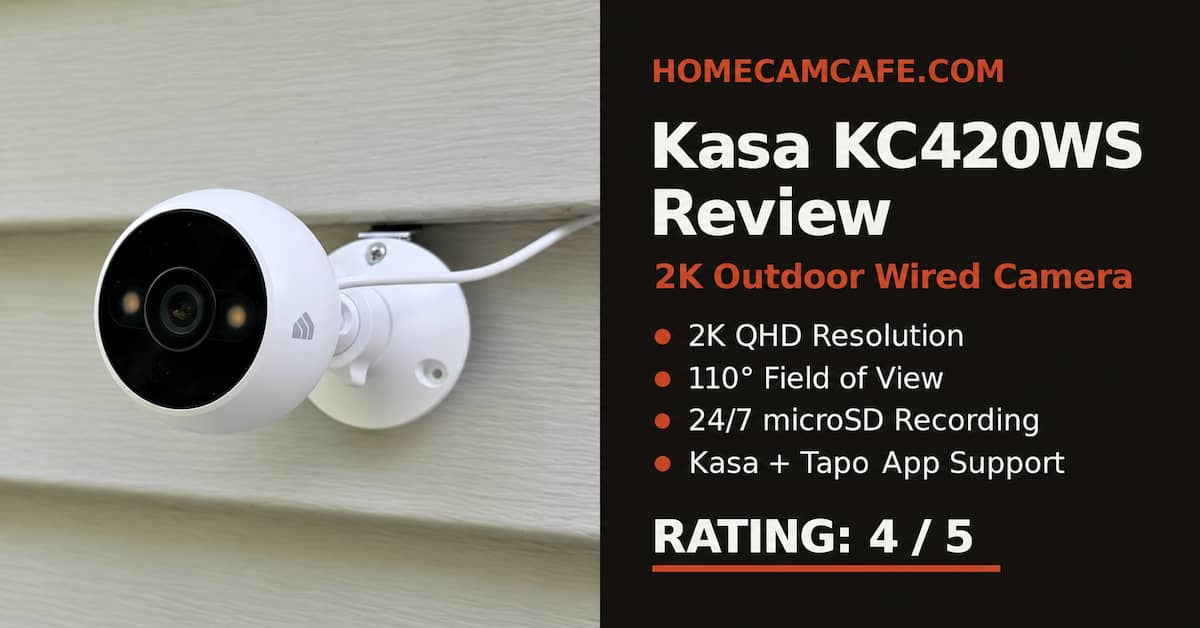
The Kasa KC420WS is an older-style wired outdoor camera in the best sense: it stays powered, records real 24/7 video to a microSD card, and does not require a subscription for person detection or local playback. Among Kasa outdoor camera models, it stands out for maintaining a continuous local timeline instead of saving only short motion clips. I own this camera, and that recording capability matters more to me than the 2K label.
Check the current price on Amazon
That makes the KC420WS a strong choice for a driveway, side yard, garage, or entrance where missing the seconds before a motion alert is unacceptable. The tradeoffs are physical rather than digital: the attached power cable is awkward to route through a wall, the power adapter needs weather protection, and the 110-degree field of view is narrower than many newer outdoor cameras.
HomeCamCafe Rating: 4/5
Quick verdict: The KC420WS is a very good subscription-free camera for a fixed outdoor view. Its continuous microSD recording, fast alerts, useful person detection, and strong low-light performance outweigh its dated power-cable design. Buy it for recording reliability, not maximum coverage or an elegant installation.
Best for: A permanent mounting location with a nearby protected outlet and a clear, defined area to monitor.
Table of Contents
KC420WS Specs at a Glance
| Feature | KC420WS |
|---|---|
| Resolution | 2K / 4MP, 2560 × 1440 |
| Lens | 3.18mm, f/1.6 |
| Field of view | 110° |
| Night vision | 850nm infrared plus dual 3000K white LEDs, rated to 98 ft |
| Detection | Motion, sound, person detection, and activity zones |
| Local storage | microSD up to 256GB, sold separately |
| Recording | Continuous 24/7 or event recording |
| Weather rating | IP65 camera body; power adapter is not weatherproof |
| Network | 2.4GHz Wi-Fi |
| Other features | Two-way audio, built-in siren, Alexa and Google Assistant support |
What the KC420WS Does Better Than Most Cameras
True 24/7 Local Recording
This is the KC420WS feature I would buy it for. Insert a compatible microSD card and the camera can record continuously, giving you a full timeline rather than a collection of triggered clips. If person detection starts a second late or misclassifies an event, the video is still on the card.
That is different from battery cameras that sleep between events and different from cameras that reserve continuous recording for a paid cloud plan or separate recorder. The KC420WS supports cards up to 256GB. A high-endurance card is the right choice because ordinary cards are not designed for constant rewriting. The SanDisk 256GB High Endurance microSD card is built for the repeated writes produced by continuous security-camera recording. Our guide to choosing a microSD card for a security camera explains what endurance ratings and capacities matter.
Strong Low-Light Performance
The f/1.6 lens and starlight sensor make good use of limited ambient light. In a yard with a porch light, streetlight, or nearby landscape lighting, the camera can preserve useful color and detail before it needs to rely heavily on its own lights. When the scene is darker, it can use conventional infrared or activate its two warm-white LEDs for color night footage.
TP-Link rates both the infrared and white-light night vision to 98 feet. Treat that figure as a best-case illumination range rather than a promise that faces will be identifiable at 98 feet. Recognition distance depends on lighting, mounting angle, subject movement, and how large the person appears in the 2K frame.
Useful Free Alerts Without a Long Cooldown
Person and motion alerts do not require a paid plan. Notifications arrive quickly, and the camera can notify again when fresh activity occurs instead of imposing the long cooldown periods common on some battery-powered systems. Activity zones and sensitivity controls help prevent every moving branch from becoming a phone alert.
The distinction is what appears in the notification. Without Kasa Care, you receive the alert but not a rich snapshot preview. The locally recorded footage remains available from the camera’s microSD timeline, but you need to open the app to review it.
Kasa Camera in the Tapo App: What Works and What Does Not
Kasa and Tapo are both TP-Link brands, and the KC420WS can be managed through the Tapo app. With Tapo 3.0 or newer, you can import existing devices through Me → Link Tapo with Kasa or set up the KC420WS directly by selecting Kasa when adding a device. Account linking requires both apps to use the same TP-Link ID.
This integration does not currently extend to Tapo Care. When I attempted to add the KC420WS to my Tapo Care subscription, the app reported that Kasa devices are not compatible with the subscription at this time but may be supported later. For now, Kasa Care and its cloud recordings remain separate in the Kasa app.
This arrangement is still messier than it should be. A home with newer Tapo cameras can view and control the KC420WS from the same app, but cloud playback and subscription management remain split. If you are weighing cloud service against local storage, see our Tapo Care vs microSD storage guide.
Installation: The Cable Is the Real Weak Point
The camera includes an attached 10-foot USB power cable. That sounds convenient until you want to route it through a soffit or wall. The USB-A plug at the adapter end is much thicker than the cable, so a concealed installation requires a hole large enough for the entire connector rather than a small opening for a thin low-voltage wire.
The power adapter creates the second installation issue. The camera body is IP65 rated, but the included AC adapter is not weatherproof. It needs an indoor outlet, a properly covered outdoor receptacle, or a suitable weatherproof enclosure. Do not leave the adapter exposed merely because the camera itself is designed for rain.
Once the power route is solved, the fixed camera mount is simple and stable. The 110-degree viewing angle deserves planning before drilling. It covers a driveway, gate, patio, or side yard well, but it is not an ultra-wide camera. Mount it too close to a wall or aim it too far toward one side and blind spots become noticeable. Use the live view while holding the camera at the proposed position before committing to the screw holes.
Kasa Outdoor Camera Video Quality and Everyday Use
The 2560 × 1440 image is a useful step above 1080p. Daytime video has enough detail for clothing, packages, vehicle type, and activity around a normal residential property. Digital zoom helps when reviewing a nearby subject, although it cannot create license-plate detail that was not captured in the original frame.
At night, the starlight sensor is the standout. A modest amount of ambient light produces a better image than the spec sheet suggests. The built-in white LEDs can improve color and identification, but they also make the camera more visible and may reflect from nearby siding, soffits, or spiderwebs. Infrared is less conspicuous and often preferable when the camera is mounted close to a wall.
The wired power supply also improves daily reliability. There is no battery percentage to watch and no sleep cycle that delays recording. The camera can remain ready for back-to-back alerts and continuous video. It still depends on 2.4GHz Wi-Fi, so a weak outdoor signal can affect live view and remote access even while the camera has power.
What I Like and What I Would Change
What I Like
- Real 24/7 local recording without a subscription
- Free person detection and fast repeat alerts
- Good 2K daytime detail
- Strong starlight and low-light performance
- Infrared and color night-vision options
- Works in the Tapo app alongside newer TP-Link cameras
- No battery wake-up delay or charging schedule
What I Would Change
- The bulky USB plug complicates concealed cable routing
- The included power adapter cannot be left exposed outdoors
- The 110° view requires more careful placement
- Local-only notifications do not include snapshot previews
- 2.4GHz Wi-Fi only
- Tapo app support does not extend to Tapo Care on this camera
Who Should Buy the Kasa KC420WS?
Buy it if you want a fixed outdoor camera that records continuously to its own microSD card, you have a practical route to protected AC power, and you prefer avoiding a mandatory monthly plan. It is especially well suited to a driveway, front walk, side gate, or garage where the complete timeline matters more than an ultra-wide view.
Skip it if you need battery or solar power, dual-band Wi-Fi, a panoramic view, pan-and-tilt coverage, or a tiny cable pass-through. If your priority is affordable indoor pan-and-tilt coverage instead, see my hands-on Kasa Spot Pan Tilt EC70 review, then check the current EC70 listing on Amazon. A newer Tapo model may integrate more cleanly with the current ecosystem, but many battery models still cannot match the KC420WS for conventional full-frame 24/7 recording.
For more alternatives that retain useful local recording without a required monthly plan, see our guide to the best security cameras with no subscription. Our guide to local versus cloud security camera storage also explains the theft and backup tradeoffs.
Frequently Asked Questions
Can the Kasa KC420WS record 24/7 without a subscription?
Yes. Install a compatible microSD card up to 256GB and enable continuous recording. No cloud subscription is required for local 24/7 recording or local playback.
Does the KC420WS work in the Tapo app?
Yes. TP-Link lists the KC420WS as supported in Tapo app version 3.0 or later. You can link an existing Kasa account or add the camera directly under the Kasa device category.
Can the KC420WS use Tapo Care?
No, not in my testing. The KC420WS can appear and operate in the Tapo app, but it cannot be enrolled in Tapo Care. Kasa Care remains separate, and its cloud recordings must be viewed through the Kasa app. Do not buy the KC420WS assuming it will join an existing Tapo Care plan.
Do free KC420WS notifications include a picture?
No. Without a compatible cloud subscription, the camera can send motion or person alerts, but rich notification snapshots are not included. Open the app and use the microSD timeline to review the locally recorded footage.
Is the KC420WS power adapter weatherproof?
No. The camera is IP65 weather resistant, but TP-Link specifies that the included power adapter requires a weatherproof outdoor outlet or protected indoor connection.
Does the KC420WS use 5GHz Wi-Fi?
No. The camera connects to 2.4GHz Wi-Fi only. That frequency usually provides better range through exterior walls, but setup must be completed on a compatible 2.4GHz network.
Final Verdict
HomeCamCafe Rating: 4/5
The Kasa KC420WS remains easy to recommend when continuous local recording is the priority. The image is sharp enough for normal residential coverage, the starlight sensor performs well in limited light, and free person alerts make the camera useful without a subscription.
Its weaknesses are clear: the USB connector makes a clean cable route harder, the adapter needs protection, and 110 degrees is no longer especially wide. Solve those installation issues and the KC420WS delivers something many newer cameras still do not: a complete 24/7 local video record with no recurring bill.
Related reading: Kasa Spot Pan Tilt EC70 Review · Best Security Cameras With No Subscription · Tapo Care vs MicroSD Storage · Best MicroSD Cards for Security Cameras
