
An Arlo solar panel can make owning a battery-powered security camera considerably easier, especially when the camera is installed high on a wall or somewhere that requires a ladder to reach. Instead of periodically removing the camera to recharge its battery, a compatible solar panel supplies supplemental power throughout the day. The challenge is finding the right panel, because Arlo has introduced several different charging connections across its camera generations. Choosing the wrong accessory can leave you with a panel that fits your mounting location but cannot charge your camera.
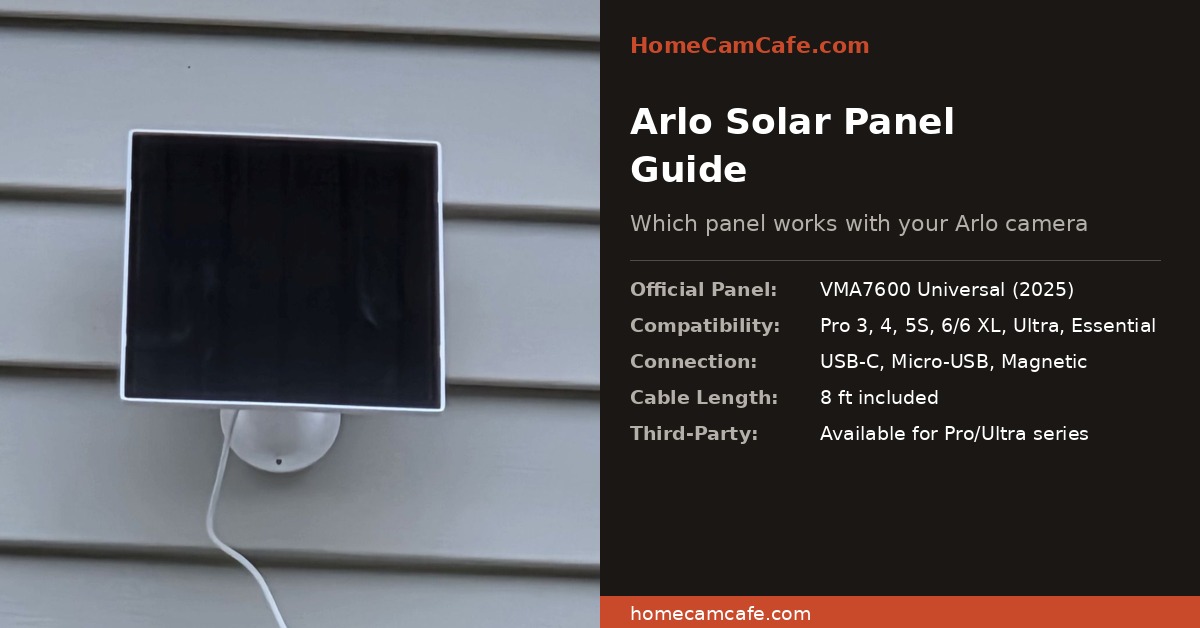
This Arlo solar panel compatibility guide covers the official VMA7600, VMA5600, VMA6600, VMA3600, and older VMA4600 chargers. We’ll explain which models work with Arlo Pro, Ultra, Essential, and Go cameras, including newer products such as the Arlo Pro 6. We’ll also examine third-party alternatives, proper installation, expected charging performance, and common problems that can prevent solar charging from working. The goal is to help you select a compatible accessory without paying for features you don’t need.
Arlo Solar Panel Compatibility Chart
Arlo solar panel compatibility depends primarily on the specific camera model and its charging connection. Older cameras may use Micro-USB, several Pro and Ultra models use a magnetic charging connector, and newer cameras use USB-C. Fortunately, Arlo’s VMA7600 universal panel accommodates many of these differences through interchangeable adapter cables. The following chart summarizes the official panel options for the major camera families.
| Arlo Camera | Compatible Solar Panels | Connector |
|---|---|---|
| Pro 6 / Pro 6 XL | VMA7600 | USB-C |
| Pro 5S / Pro 4 / Pro 3 | VMA7600, VMA5600 | Magnetic |
| Ultra / Ultra 2 | VMA7600, VMA5600 | Magnetic |
| Ultra 3 / Ultra 3 XL | VMA7600 | USB-C |
| Essential / Essential XL 3rd Gen | VMA7600 | USB-C |
| Essential Outdoor / XL 2nd Gen | VMA7600, VMA6600 | USB-C |
| Essential / Essential Spotlight / XL 1st Gen | VMA7600, VMA3600 | Micro-USB |
| Go 2 | VMA7600, VMA5600 | Magnetic |
| Pro 3 Floodlight | VMA7600, VMA5600 | Magnetic |
| Pro 2 / Original Pro / Original Go | VMA4600 | Micro-USB |
Compatibility note: This table reflects Arlo’s published accessory compatibility rather than assuming that cameras with similar connectors can share any charger. For example, the original Essential camera and Arlo Pro 2 both have Micro-USB connections, but Arlo specifies different legacy panels for those camera families. Always check the camera’s exact model number, particularly when purchasing refurbished equipment or third-party accessories. Arlo maintains an official solar panel compatibility reference for additional confirmation.
Arlo VMA7600 Universal Solar Panel: Best Overall Compatibility
The Arlo VMA7600 is the most versatile official solar charger in the company’s current accessory lineup. It includes interchangeable USB-C, Micro-USB, and magnetic charging adapters, allowing one panel design to serve numerous generations of cameras. That makes it particularly appealing for households using a combination of older and newer Arlo equipment. Rather than purchasing separate panel types as cameras are upgraded, owners can use the appropriate adapter for supported models.
The VMA7600 supports a broad selection of cameras, including the Pro 3, Pro 4, Pro 5S, Pro 6, Ultra series, supported Essential cameras, Go 2, and Pro 3 Floodlight. It comes with an adjustable mounting bracket and charging cable, providing flexibility when choosing the panel’s location. The panel can be positioned toward sunlight while the camera remains aimed at the area that needs monitoring. This separation is important because an ideal camera angle rarely guarantees ideal solar exposure.
For someone purchasing a new Arlo solar panel today, the VMA7600 is usually the first model worth considering. Its broader compatibility is useful even when the current camera supports an older, less expensive charger, especially if camera upgrades are planned. That said, universal does not mean it works with every Arlo product ever released. Original Pro and Pro 2 owners, for instance, should consult the legacy accessory requirements rather than assuming the VMA7600 supports them.
Arlo VMA7600 Universal Solar Panel
Our preferred official choice for broad compatibility across current Arlo camera families. The included adapter system makes it more flexible than older single-connector panels.
Arlo VMA5600 Solar Panel: A Good Choice for Magnetic-Connector Cameras
The VMA5600 is designed for Arlo cameras that use the magnetic charging connector found on several Pro and Ultra models. Compatible cameras include the Pro 3, Pro 4, Pro 5S, Ultra, Ultra 2, Go 2, and Pro 3 Floodlight. These magnetic connectors make outdoor charging convenient because the charging cable attaches to the appropriate contacts rather than plugging into a conventional USB port. However, this connection is not interchangeable with the USB-C charging system found on newer cameras such as the Pro 6 and Ultra 3.
There is little reason to replace a properly functioning VMA5600 if it is already charging a compatible camera effectively. It provides the same general benefit as other Arlo solar chargers by replenishing battery power during suitable daylight conditions. Where the decision becomes more interesting is a new purchase, because the VMA7600 offers additional compatibility without restricting you to magnetic-connector models. If the VMA5600 is substantially less expensive, though, it may still represent good value for a camera you intend to keep.
Buyers should also consider whether they might upgrade their cameras within the next few years. An inexpensive magnetic-only panel could become less useful when moving to a newer USB-C camera, whereas the universal panel offers greater flexibility. This does not make the VMA5600 a poor product; it simply has a narrower purpose. For owners of supported Pro 3 through Pro 5S cameras, it remains a legitimate official Arlo accessory.
Arlo VMA5600 Magnetic Solar Panel
A model-specific option for compatible magnetic-connector cameras, including several Pro and Ultra generations. Compare its current price with the VMA7600 before purchasing.
Arlo Essential Solar Panels: Understanding the Different Generations
The Essential series deserves special attention because Arlo has used the Essential name across several camera generations with different charging arrangements. The first-generation Essential models use Micro-USB, while the second- and third-generation outdoor cameras use USB-C. As a result, shopping for an accessory described only as an “Arlo Essential solar panel” can be misleading. Identifying the camera generation is more useful than relying on the product-family name alone.
VMA3600 for First-Generation Essential Cameras
The VMA3600 was developed for the original Essential, Essential Spotlight, and Essential XL Spotlight cameras. It uses Micro-USB and is intended for those first-generation Essential models rather than the Pro or Ultra camera families. Owners of these cameras can also consider the VMA7600 universal panel, which supports the same Essential models through its adapter system. The best choice depends on the accessory’s availability, price, and whether broader compatibility is worthwhile.
VMA6600 for Second-Generation Essential Cameras
Arlo introduced the VMA6600 for the Essential Outdoor HD and 2K cameras in the second-generation lineup, including the corresponding XL versions. Unlike the older VMA3600, this accessory uses USB-C charging, reflecting the connection change introduced with that generation. The VMA7600 is also compatible with these cameras, giving buyers a choice between a dedicated Essential panel and a more versatile universal accessory. If you own a third-generation Essential camera, the VMA7600 is the official option identified in Arlo’s compatibility information.
The VMA6600 makes particular sense for an owner who already has a compatible second-generation Essential camera and does not anticipate switching to another Arlo camera family. There’s no need to pay extra for broader adapter compatibility if the dedicated panel meets your needs and costs less. On the other hand, the VMA7600 may be a better long-term purchase if you expect to replace or expand your camera system. Comparing current prices for both official products is worthwhile because accessory pricing can change considerably.
Arlo VMA6600 Essential Solar Panel
An official USB-C solar charging option for compatible second-generation Arlo Essential Outdoor cameras. A useful alternative to the VMA7600 when you don’t need universal compatibility.
Owners replacing an original Essential camera should be careful not to assume their existing solar panel will work with the replacement. The cameras may look similar and share the same branding, but their charging systems have changed. Before ordering, check whether the product is identified as first, second, or third generation and confirm the exact model number. This small step can prevent buying an accessory that cannot be used with the camera.
Which Solar Panel Works With the Arlo Pro 6?
The Arlo Pro 6 and Pro 6 XL use USB-C charging and support the VMA7600 Universal Solar Panel. This is an important distinction from the Pro 3, Pro 4, and Pro 5S, which use magnetic charging connections. Someone upgrading from a Pro 4 may already own a perfectly good VMA5600, but that panel is not an appropriate direct replacement charger for the Pro 6. The newer universal panel addresses this compatibility difference with its included USB-C adapter.
Solar charging is particularly useful when the Pro 6 is mounted above a garage, near a roofline, or on a wall that is difficult to access. Instead of periodically removing the camera for charging, the panel can help maintain battery power as long as sunlight and camera usage remain within reasonable limits. However, the presence of a solar panel does not guarantee that the battery will remain fully charged throughout the year. Extended cloud cover and frequent recordings can still require occasional manual charging.
For most Pro 6 owners, the official VMA7600 is the most sensible starting point because it eliminates uncertainty about compatibility. Third-party USB-C panels may be tempting, particularly when sold in multi-packs, but the exact camera model should be explicitly supported by the manufacturer. A matching connector alone is not sufficient evidence that a solar charger is suitable. Our Arlo Pro 6 review covers the camera itself in more detail.
Can You Use a Third-Party Solar Panel With Arlo Cameras?
Third-party Arlo solar panels are widely available and may be considerably less expensive than official accessories. Some manufacturers offer larger panels, longer cables, and multi-packs intended for installations involving several cameras. These can be attractive features when the cameras are mounted around a house and purchasing an individual official panel for each location becomes expensive. The tradeoff is that compatibility claims deserve closer scrutiny, particularly for recently released camera models.
Many aftermarket panels are advertised for Arlo Pro 3, Pro 4, and Pro 5S cameras using magnetic connectors. Other products target the Essential family or newer USB-C cameras, but these are not automatically interchangeable. Even when a charging connector physically fits, differences in electrical output or accessory recognition can affect whether the camera charges properly. A product should specifically identify the supported camera model rather than simply claim to work with Arlo cameras generally.
Before purchasing, check the manufacturer’s compatibility list, electrical specifications, cable length, weather resistance, and return policy. Reviews describing several weeks or months of actual charging performance are more informative than comments based solely on initial setup. It is also worth checking whether the supplied cable reaches a genuinely sunny mounting position, because a low-priced panel mounted in permanent shade is unlikely to be a bargain. For buyers who prefer the least complicated choice, an official Arlo panel remains the safer starting point.
How Much Sun Does an Arlo Solar Panel Need?
Arlo solar panels are intended primarily for maintenance charging, meaning they replenish energy consumed by the camera rather than rapidly recharge an exhausted battery. Their effectiveness depends on direct sunlight, panel orientation, seasonal conditions, and the amount of power the camera uses. A camera overlooking a quiet side entrance may require very little replenishment, while one monitoring a busy driveway could record many events each day. The same panel can therefore produce different battery results depending on where and how the camera is used.
In the Northern Hemisphere, a south-facing installation is often a useful starting point because it generally provides favorable sun exposure throughout the day. East- and west-facing positions can also work, particularly when a southern location is blocked by trees, walls, or roof overhangs. The more important consideration is the amount of unobstructed sunlight reaching the panel during useful daylight hours. A panel facing the correct direction but sitting under deep shade may accomplish very little.
Weather and seasonal conditions also affect the amount of charging available. Short winter days, prolonged cloudy periods, snow accumulation, and heavy tree cover can reduce solar production, while frequent live viewing and motion recordings increase the camera’s energy requirements. During these periods, the battery may gradually decline even though the panel is functioning properly. That is why solar charging is best understood as a way to reduce battery maintenance rather than eliminate it under every possible condition.
How to Install an Arlo Solar Panel
Installing an Arlo solar panel is generally a manageable project, but choosing the correct mounting location matters more than many buyers realize. The camera must be positioned for useful surveillance, while the solar panel needs adequate sunlight, and those two locations may not be the same. Planning the cable route before drilling mounting holes helps avoid awkward installations and unnecessary tension on the charging connector. It also makes future adjustments easier if seasonal shade becomes a problem.
Choose the Best Mounting Position
Begin by observing the intended mounting area at several points during the day to identify where sunlight is strongest. Pay attention to nearby trees, gutters, rooflines, and other structures that may cast shadows across the panel. A small amount of additional cable routing may be worthwhile if it allows the panel to receive several more hours of direct sunlight. Avoid assuming that a location is suitable simply because it looks bright in the early afternoon.
Attach and Aim the Panel
Install the supplied mounting bracket using fasteners appropriate for the wall, fascia, or other supporting surface. The bracket should be secure enough to withstand outdoor wind and weather without gradually changing position. Once mounted, adjust the panel angle toward the strongest available sunlight and tighten the adjustment hardware. If mounting on vinyl siding or another specialized surface, consult our security camera mounting guide for additional installation considerations.
Connect and Secure the Charging Cable
Use the charging adapter specified for your camera model and make sure the connection is properly seated. Route the cable away from sharp edges, moving parts, and areas where water might accumulate around the connector. Leave enough slack to avoid pulling on the connection, and use a drip loop where appropriate to help direct rainwater away. After installation, check the battery status in the Arlo app over several days to confirm that the solar panel is keeping up with camera usage.
Why Is My Arlo Solar Panel Not Charging?
If an Arlo solar panel stops charging, the panel itself is not necessarily defective. Inadequate sunlight, loose connections, unusually heavy camera activity, and battery charging limitations can all contribute to poor results. The best approach is to check the installation and operating conditions before replacing the accessory. These troubleshooting steps apply broadly to Arlo solar chargers, although individual models may have different charging requirements.
Insufficient Sunlight or a Dirty Panel
First, check whether the panel receives direct sunlight during a meaningful portion of the day. Tree branches, roof overhangs, seasonal shadows, and even nearby structures can reduce charging more than expected. Dirt, pollen, and leaves may also accumulate on the surface and should be removed according to the manufacturer’s cleaning recommendations. If the panel remains shaded for much of the day, relocating it is likely to be more effective than repeatedly adjusting camera settings.
Loose or Incorrect Charging Connection
A solar panel can generate power without successfully delivering that power to the camera if the cable or adapter is not connected correctly. Inspect the connection for dirt, moisture, corrosion, or signs of damage, and confirm that the adapter matches the camera model. This is particularly important with the VMA7600 because it includes several interchangeable charging adapters. Follow Arlo’s safety and cleaning instructions before disconnecting or reconnecting weather-exposed charging hardware.
Camera Battery Draining Faster Than It Charges
A busy camera can consume more power than a solar panel supplies, even when the panel is functioning normally. Frequent motion notifications, long recordings, repeated live viewing, and certain advanced features can substantially increase energy use. Review your camera’s activity zones and detection settings to reduce unnecessary recordings without compromising coverage of important areas. If the battery stabilizes after reducing unwanted activity, the problem may have been an unfavorable power balance rather than a defective panel.
Low Battery or Temperature Restrictions
Arlo’s solar panels are intended for trickle charging rather than quickly restoring a fully discharged battery. If the camera battery is already very low, charging it normally before reconnecting the solar accessory may provide better results. Battery charging can also be restricted by temperature, especially in very cold or unusually hot environments. Check the operating and charging limits for your specific camera before concluding that the solar panel has failed.
Third-Party Panel Compatibility Problems
Charging trouble that begins immediately after installing an aftermarket panel may indicate a compatibility issue. Some products advertise support for broad camera families without clearly identifying the generations or specific models they have been tested with. Compare the panel’s stated compatibility against the camera’s model number and electrical requirements rather than relying on the connector shape. If uncertainty remains, testing with an officially supported Arlo accessory can help isolate the problem.
Arlo Solar Panel Frequently Asked Questions
Does an Arlo Solar Panel Charge the Camera at Night?
No, the solar panel produces charging power from sunlight and does not provide meaningful charging after dark. The camera continues operating from its internal rechargeable battery during nighttime hours. Energy replenished during the day helps offset the power consumed overnight and during periods without sufficient sunlight.
Can an Arlo Solar Panel Fully Recharge an Empty Battery?
Arlo designs its panels for maintenance charging, not rapid recovery of a deeply depleted battery. A camera with a nearly empty battery may need to be charged using its normal charging equipment before relying on solar power. Once the battery has been restored, the panel can help maintain its charge under suitable conditions.
Does the Arlo Pro 6 Work With Older Magnetic Solar Panels?
The Pro 6 uses USB-C rather than the magnetic connection found on several earlier Pro cameras. An older VMA5600 magnetic-only panel is therefore not directly compatible with the Pro 6. The VMA7600 universal panel is officially supported and includes the appropriate adapter for the newer camera.
Can One Arlo Solar Panel Charge Two Cameras?
The official Arlo solar panels discussed here are designed for charging a single compatible camera. Splitting one panel’s output between two cameras is not an officially supported arrangement and could create charging problems. If you have multiple outdoor cameras, individual compatible panels are the more dependable approach.
Do Arlo Solar Panels Require an Arlo Secure Subscription?
No, solar charging is a hardware function and does not depend on subscribing to Arlo Secure. A compatible camera and solar panel can maintain battery charging independently of cloud recording subscriptions. However, other camera features may still require an Arlo plan depending on the model and how it is used.
Which Arlo Solar Panel Should You Buy?
For most owners of current Arlo cameras, the VMA7600 Universal Solar Panel is our preferred choice because it supports a wide variety of models and charging connections. Its included adapters offer more flexibility than older, model-specific chargers, particularly for households that may replace cameras over time. The VMA5600 remains a sensible choice for supported magnetic-connector cameras when the price is attractive, while Essential 2nd Gen owners should also consider the VMA6600. Owners of legacy Pro, Pro 2, and original Go cameras should look specifically at the VMA4600 rather than assuming newer panels will work.
Regardless of which model you select, successful solar charging depends on more than compatibility alone. Proper sunlight exposure, secure cable connections, reasonable camera activity, and an appropriately charged battery all contribute to good results. A correctly installed panel can substantially reduce how often you need to remove and recharge an outdoor Arlo camera, but occasional intervention may still be required. The best purchase is the panel that matches your camera, reaches a sunny location, and offers the right balance of price and future compatibility.
Bottom Line
The Arlo VMA7600 is the best starting point for most buyers because it supports numerous current camera models with USB-C, Micro-USB, and magnetic charging adapters. The VMA5600 is still useful for supported magnetic-connector models, while the VMA6600 is worth considering for compatible second-generation Essential cameras. Verify the exact camera model before ordering, and remember that solar charging reduces battery maintenance rather than guaranteeing unlimited power.
More Arlo and Security Camera Resources
For additional Arlo information, visit our Arlo Security Camera Hub, where we cover cameras, features, and accessories across the product family. You can also read our Arlo Pro 6 review for more information about the newer Pro generation or our Arlo Essential Indoor Pan Tilt review for another camera option. If you’re planning an outdoor installation, our security camera mounting guide provides additional advice about selecting a secure and practical mounting location.
