
A Reolink Cloud subscription is not required to use most Reolink cameras, but there is another issue buyers need to understand first: many models are not compatible with Reolink Cloud at all. Cloud support depends on the exact camera model, your country or region, the available plan series, and sometimes how the camera is connected. This guide explains the current Reolink Cloud plans, subscription costs, compatibility rules, free features, and local-storage alternatives.
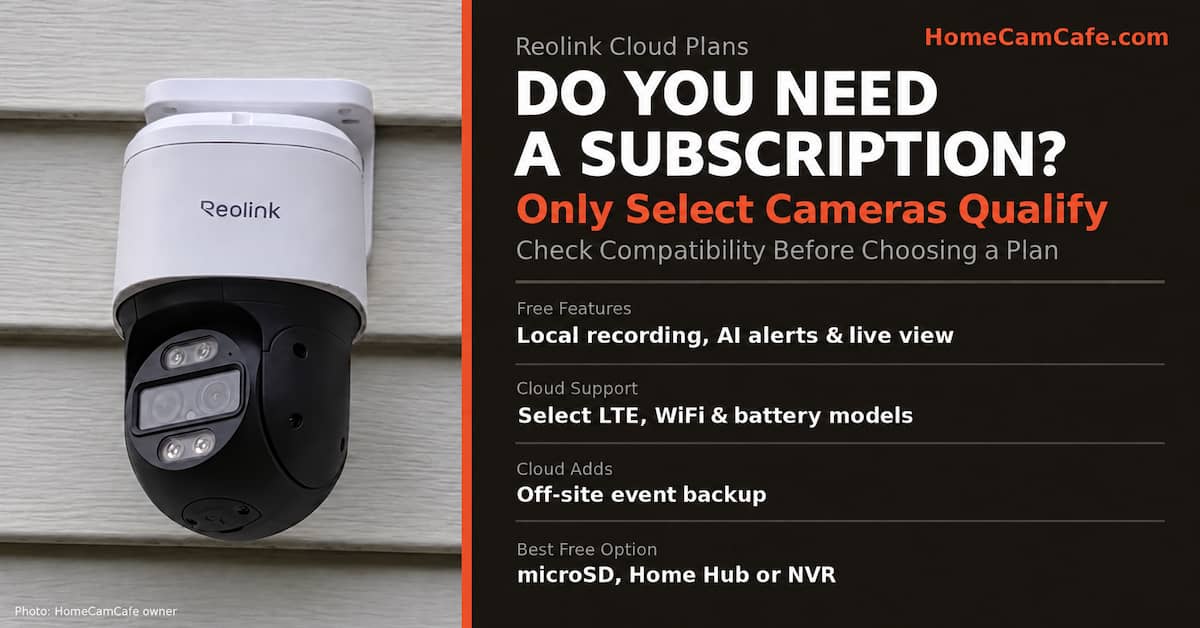
Table of Contents
The short answer: Reolink does not require a subscription for live viewing, basic notifications, or supported local recording. Reolink Cloud is optional off-site storage, and only cameras shown as compatible for your region and selected plan can use it.
Do Reolink Cameras Require a Subscription?
No. Reolink does not lock a compatible camera’s basic operation behind a monthly fee. You can use live view, receive standard text alerts, and use the camera’s supported local-storage features without subscribing.
The wording is important because Reolink sells many types of cameras. Features such as person, vehicle, animal, or package detection vary by model. So do microSD capacity, FTP support, two-way audio, continuous recording, and compatibility with a Home Hub or NVR. These are hardware and firmware differences, not features universally unlocked by a paid plan.
On a camera that includes them, these functions generally remain available without Reolink Cloud:
- Live viewing through the Reolink app or desktop client
- Standard text-based motion notifications
- On-device smart detection supported by that model
- Recording to an installed microSD card
- Recording to a compatible Reolink Home Hub or NVR
- Remote playback of locally recorded footage when the device is online
A subscription mainly adds off-site storage for supported event recordings. That can protect evidence if a camera and its memory card are stolen or damaged.
Check Reolink Cloud Compatibility Before Comparing Plans
This is the most important part of the guide. Reolink Cloud is not a universal service for every Reolink camera. A plan cannot make an unsupported model compatible. This is in contrast to competitors such as Tapo, Ring and eufy where cloud storage is fairly universal for all camera models.
Reolink currently instructs customers to open its live Cloud plan page, select the correct country or region, and check the applicable-device list. If your exact model does not appear, it does not support Cloud under that plan.
Do not rely only on a product-family name. The Reolink TrackMix, for example, is sold in battery, LTE, Wi-Fi, wired LTE, and PoE versions. Cloud eligibility can differ between those versions. The same problem appears across other Reolink families that share a name but use different power and network connections.
| Situation | What It Means for Cloud |
|---|---|
| Model appears on the live plan page | It may use Cloud with the listed plan in the selected region. |
| Model is not listed | It does not support Cloud under that plan, even if a similar model does. |
| Camera is added to a Home Hub | Reolink says cameras added to its Home Hub series do not support Cloud. |
| Battery camera is added to an NVR | Cloud is not supported while it is added to the NVR. |
| Compatible PoE or plug-in Wi-Fi camera with an NVR | Cloud may work through supported HyBridge mode or a direct router connection when the camera is also configured as a standalone device. |
Our own account illustrates the problem. The RLC-510A, RLC-1212A, Duo 3 PoE, and RLN8-410 system we use did not present a Cloud video-storage option when we checked. That account experience should not be treated as a permanent list for every region. Reolink changes compatibility, and its live plan page is the final check.
If a listed camera refuses to bind, update its firmware before concluding that it is unsupported. Reolink specifically identifies outdated firmware as a possible reason an otherwise compatible camera will not connect to Cloud.
Reolink Cloud Plans and Subscription Cost
Reolink divides its Cloud offering into Classic and Upgraded plan series. The plan shown to you depends on your region and compatible device. Some cameras, including certain doorbells and LTE TrackMix models, require an Upgraded plan rather than a Classic plan.
The table below reflects the United States plan page we checked in September 2026. The monthly figures shown are the effective monthly costs with annual billing and the promotional discounts displayed at that time. Reolink can change discounts, plan names, device limits, and regional availability, so confirm the live total before subscribing.
| Series | Plan | History | Devices | Effective Monthly Cost |
|---|---|---|---|---|
| Classic | Basic LTE | 7 days | 1 | Free one-time offer |
| Classic | Standard LTE | 30 days | Up to 5 | $5.83 |
| Classic | Premier LTE | 30 days | Up to 10 | $8.75 |
| Upgraded | Single-Device LTE 30D | 30 days | 1 | $5.50 |
| Upgraded | Standard LTE Pro | 30 days | Up to 5 | $22.25 |
| Upgraded | Premier LTE Pro | 30 days | Up to 10 | $39.50 |
The Basic LTE option is not a permanent free plan. It can be claimed once per account, so it functions more like a trial. Also note the large price difference between similarly sized Classic and Upgraded plans. You cannot always choose the cheaper series because the camera determines which series is available.
Reolink Cloud Storage Is Not a Cellular Data Plan
The Mangools reports show meaningful search interest in both Reolink Cloud plans and Reolink data plans, but these are different products.
- Cloud storage stores supported motion-event recordings on Reolink’s servers.
- A cellular data plan provides the mobile-network connection used by an LTE camera.
An LTE camera may need cellular service to get online and a separate Cloud subscription if you want off-site video storage. Paying for data does not automatically include Cloud recording. Likewise, a Cloud plan does not provide the cellular connection.
If cloud.reolink.com shows cellular or LTE data plans but no Cloud video-storage choice, check the selected region, sign-in status, exact camera model, and applicable-device list. Do not purchase a plan based only on a similar product name.
What a Paid Reolink Subscription Adds
For a compatible camera, Reolink Cloud provides off-site storage for motion-triggered event clips. It is not a replacement for continuous NVR recording. If you need around-the-clock footage, use a model and local-storage system that support 24/7 recording.
The main benefit is redundancy. A recording stored only on the camera can disappear if the camera is stolen, the memory card fails, or the device is destroyed. A successfully uploaded Cloud event remains accessible during the plan’s retention window.
Reolink’s rich notifications require more explanation than the old free-versus-paid summary suggested:
- Text only: standard push notification with no subscription.
- Text plus static image: available on supported models through a free subscription, currently limited to 25 images per day.
- Text plus animated GIF: requires a paid subscription and is limited to supported models.
That means thumbnail alerts are not a universal free feature across the entire Reolink lineup. Check whether your camera supports rich notifications before treating them as part of the plan value.
Local Storage Alternatives Without a Monthly Fee
For most HomeCamCafe readers, local recording is the better default. It avoids recurring charges, can support much longer retention, and works with many Reolink cameras that have no Cloud option.
The right method depends on the camera:
- A high-endurance microSD card is the least expensive choice for a camera with a card slot.
- A Reolink Home Hub centralizes compatible Wi-Fi camera recordings inside the home.
- A Reolink NVR is the strongest fit for multiple wired cameras and continuous recording.
Card limits vary. Some current cameras accept 512GB cards, while other models are limited to 256GB or less. Confirm the specification for your exact camera rather than applying one capacity to the whole brand. Our security-camera microSD card guide explains capacity and endurance considerations.
The Reolink Argus 4 Pro is a good example of the local-first approach. It records to microSD and can work with supported Reolink hub hardware without requiring a Cloud subscription.
When Reolink Cloud Is Worth Paying For
A paid Reolink subscription makes the most sense when all three conditions are true:
- Your exact camera and region are supported.
- The available plan price is reasonable for the number of cameras you need.
- Off-site event backup solves a real risk that local storage does not.
Good use cases include a camera mounted where it could be stolen, a remote property where local recovery would be difficult, or an entrance where preserving evidence matters more than keeping costs at zero.
Cloud is harder to justify when the camera is already protected by a hidden NVR, you need continuous footage instead of short event clips, or your model is not eligible. In those cases, a memory card, Home Hub, or NVR provides more useful recording capacity without an ongoing Cloud charge.
How Reolink Compares With Other Subscription Systems
Reolink’s biggest advantage is that supported local recording and on-device features remain useful without a subscription. Ring is much more dependent on a plan for saved event video. Current Nest cameras provide limited recent event history without a plan, while longer retention and additional features require Nest Aware.
Wyze and Tapo are closer to Reolink because both support local recording on compatible cameras. The key difference is that Reolink’s Cloud eligibility is unusually model-specific, so checking compatibility deserves more attention than it does with many competing brands. See our Wyze subscription guide and Tapo Care plans guide for those comparisons.
Bottom Line
Most Reolink owners do not need a subscription, and many Reolink cameras cannot use Cloud even if the owner wants it. Start by checking your exact model on the live plan page for your region. If it qualifies, Cloud can provide valuable off-site protection for event recordings. If it does not qualify, or if you need continuous recording, use microSD, a compatible Home Hub, or an NVR instead.
Frequently Asked Questions
Does Reolink have a monthly fee?
Only if you choose an optional Cloud storage plan or need a separate cellular data plan for an LTE camera. Basic camera operation and supported local recording do not require a monthly Reolink Cloud fee.
Which Reolink cameras support Cloud storage?
Compatibility depends on the exact model, region, and available plan. Open Reolink’s live Cloud plan page, select your country or region, and check the applicable-device list. If your exact model is missing, it does not support Cloud under that plan.
Do Reolink PoE cameras support Cloud?
Do not assume that every PoE camera supports Cloud or that none do. The camera itself must be listed as compatible. A supported PoE camera used with an NVR may need HyBridge mode or a direct router connection so it can also operate as a standalone device.
Can a camera connected to Reolink Home Hub use Cloud?
No. Reolink says cameras added to the Home Hub series do not support its Cloud service. The hub is a local-storage alternative rather than a bridge to Reolink Cloud.
Is the Reolink Basic plan permanently free?
The Basic LTE offer shown during our September 2026 check could be claimed once per account. It should be treated as a trial, not permanent free Cloud storage.
Does Reolink Cloud record continuously?
No. Reolink Cloud is designed for supported event recordings. Use compatible microSD, Home Hub, or NVR recording when you need continuous video.
Why do I only see Reolink data plans?
Cellular data and Cloud video storage are separate services. Check that you are signed in, have the correct region selected, and own a camera listed for a Cloud storage plan. A cellular plan by itself does not include Cloud recording.
This guide is part of our Security Camera Subscription Plans section and also included in our Reolink reviews hub.
