
Tapo Care (also written as TapoCare) has changed substantially in 2026, replacing the legacy Tapo Care Basic and Tapo Care Premium tiers with three US subscription levels: Tapo Cloud, Tapo Cloud Advanced, and Tapo Cloud Advanced AI. The least expensive plan provides 30 days of cloud event history for one or two devices. The two higher levels cover unlimited compatible devices, extend video history to 180 days, and, at the top level, add the Aireal suite of cloud-based AI tools.
The subscription remains optional. A compatible Tapo camera can still provide live view, notifications, two-way audio, local recording, and supported on-device detection without Tapo Care. The real question is whether off-site Tapo Care cloud storage, longer retention, or advanced AI analysis solves a problem that a microSD card or an indoor Tapo H500 hub does not.
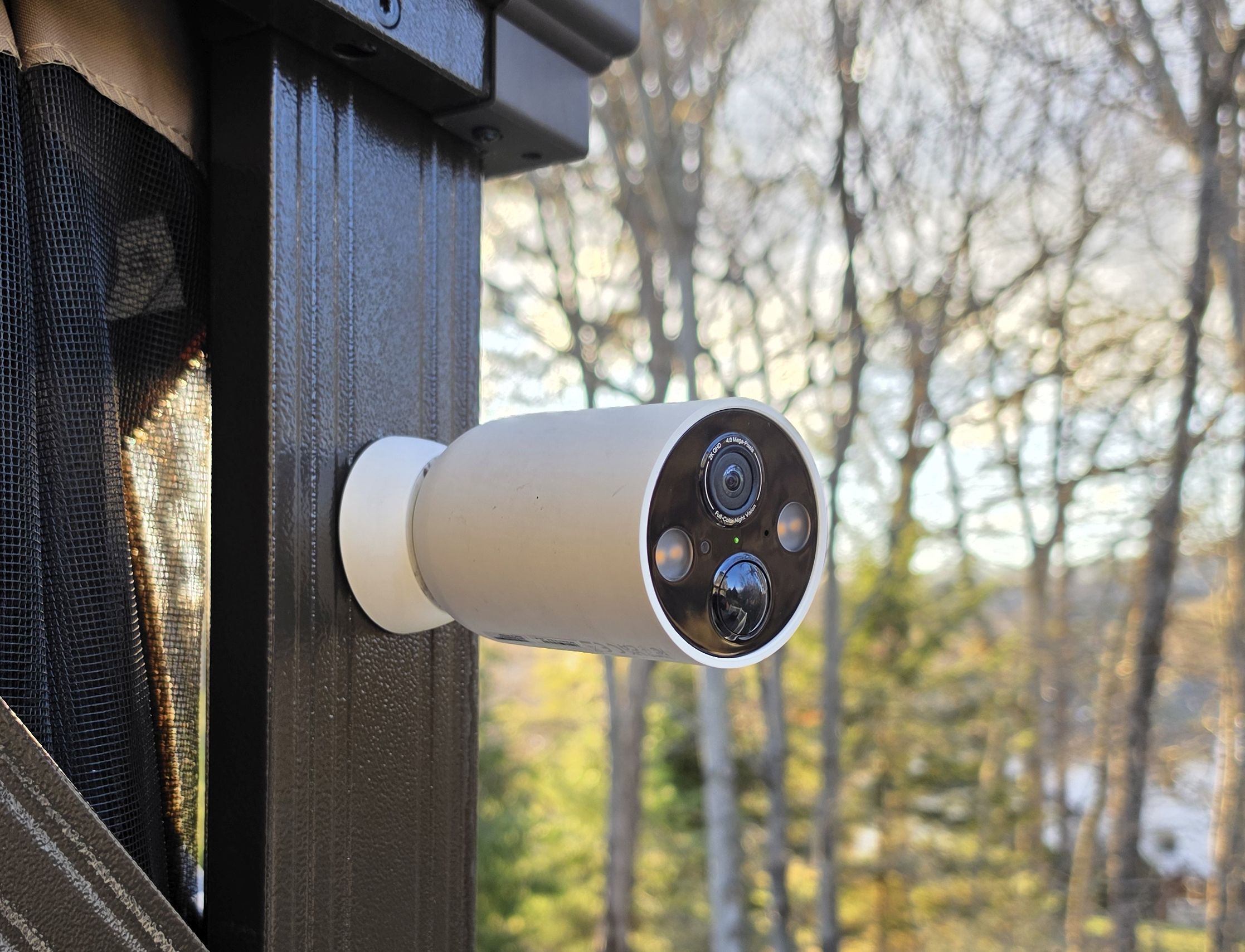
Quick Answer: Tapo Cloud ($3.49/mo) is enough for one or two cameras when you mainly want off-site clips and snapshot alerts. Cloud Advanced ($11.99/mo) is the practical choice for a larger system or 180-day retention. Cloud Advanced AI ($19.99/mo) is for people who will use cloud facial recognition, natural-language video search, intelligent summaries, and the full Aireal assistant, though multi-camera owners can also get subscription-free local facial recognition by buying the indoor Tapo H500 hub.
What Tapo Cameras Include for Free
Tapo does not require a subscription for basic camera operation. Compatible models such as the Tapo C120 and Tapo C615F provide live view, instant notifications, two-way audio, activity zones, motion detection, and local storage without a paid plan. Many recent cameras include free person, pet, and vehicle detection onboard, while package, sound, and other detection types depend on the model.
Recent Tapo cameras commonly accept microSD cards up to 512GB, and supported cameras can also record indoors to a Tapo H500 Smart HomeBase equipped with a 2.5-inch SATA SSD or hard drive. Local recordings can normally be reviewed remotely in the Tapo app while the camera is powered and online. You do not need cloud storage simply to watch a saved local clip away from home.
Our Tapo camera storage guide (microSD vs. H200/H500 Hub vs. Cloud) breaks down the hardware recording options and channel limits, and our guide on selecting the right microSD card for a security camera covers which high-endurance cards hold up to continuous loop recording.
Tapo Care Cost and Plan Comparison
Current US Tapo Care cloud storage price tiers start at $3.49 per month or $34.99 per year for Tapo Cloud. The Tapo Care price for Cloud Advanced is $11.99 per month or $119.99 per year, while Cloud Advanced AI costs $19.99 per month or $199.99 per year.
| Plan | US Price | Devices | Cloud History | Best For |
|---|---|---|---|---|
| Tapo Cloud | From $3.49 monthly $34.99 annually |
Up to 2 | 30 days (up to 2K) | Small installations |
| Tapo Cloud Advanced | $11.99 monthly $119.99 annually |
Unlimited compatible devices | Up to 180 days (up to 4K) | Larger systems and longer retention |
| Tapo Cloud Advanced AI | $19.99 monthly $199.99 annually |
Unlimited compatible devices | Up to 180 days (up to 4K) | Aireal and cloud AI features |
Check before paying: TP-Link says prices, promotions, and plan availability can differ between the Tapo app and web portal. Existing subscribers on legacy Tapo Care Basic or Premium plans may also retain an older plan until they cancel or switch. Compare both checkout methods using your TP-Link ID.
What Tapo Cloud Includes
The entry plan stores eligible event clips for 30 days at up to 2K resolution for one or two cameras. It also provides rich notifications with snapshots, Smart Filters, weekly reports, and smarter event organization. The snapshot is useful because you can judge an alert without opening the app and waiting for the live feed.
Cloud recording is off-site. If a thief removes an outdoor camera and takes the memory card, clips uploaded before the camera went offline remain in the Tapo account. This is the strongest reason to subscribe when the camera is mounted within reach.
What Tapo Cloud Advanced Adds
Cloud Advanced changes both scale and retention. It covers unlimited compatible devices under one subscription, stores supported video at up to 4K, and extends event history from 30 days to as long as 180 days. It also adds improved playback controls and enhanced event organization.
TP-Link also associates 24/7 cloud video storage with Cloud Advanced on supported equipment. Do not assume every camera can upload continuously. Battery cameras, unsupported models, connection speed, and individual recording settings can limit availability. Confirm the feature on the exact camera before choosing the plan for continuous recording.
What Tapo Cloud Advanced AI Adds
Cloud Advanced AI includes Cloud Advanced storage and adds TP-Link’s full Aireal AI suite. Instead of merely classifying an event as a person or vehicle, Aireal is designed to explain activity, summarize groups of recordings, and find clips from natural-language requests.
| Advanced AI Feature | What It Does |
|---|---|
| Intelligent Summaries and Daily Summary | Condenses recorded activity into readable overviews. |
| Video Recap | Creates a shorter review of important recorded events. |
| AI Video Search | Finds relevant footage using conversational descriptions. |
| Cloud Facial Recognition | Identifies recognized people where the feature is supported and legally available. |
| Risk Level Assessment | Evaluates recorded activity to help prioritize events. |
| Intelligent Notifications | Adds context intended to make alerts more useful. |
| AI Chat | Lets you ask Aireal questions about cameras and recorded events. |
Where Aireal is available, subscribers to Tapo Cloud or Cloud Advanced (and eligible free accounts during the initial rollout) receive limited Aireal Chat access, initially published at up to 50 chats per day, though TP-Link notes lower-tier limits may vary based on service usage. Cloud Advanced AI increases the allowance to 250 chats per day and unlocks the complete AI feature suite. Each message counts as one chat, may contain up to 250 characters, and the allowance resets on a rolling 24-hour cycle beginning with the first message.
If the main feature tempting you toward Cloud Advanced AI is Facial Recognition rather than conversational AI chat, keep in mind that you can get local facial recognition with zero monthly fee by pairing your cameras with the indoor TP-Link Tapo H500 Smart HomeBase. In our hands-on testing with eight Tapo cameras, the H500’s AI Empowerment feature accurately recognized enrolled household faces even at 11:00 PM at night across up to six camera channels, though its general object classification still has occasional quirks (such as misidentifying a passing car as an animal).
Compatibility matters: Aireal features depend on the camera, firmware, account, and region. Cloud facial recognition is unavailable or restricted in some jurisdictions (including Illinois and Texas). Treat the plan description as the maximum feature set, not a promise that every Tapo camera receives every function.
How Tapo Care Trials, Billing, and Device Transfers Work
Understanding how TP-Link manages subscriptions at the account level prevents billing surprises when you add, replace, or remove cameras:
- One active subscription per TP-Link ID: Each TP-Link account can hold only one active Tapo Care plan at a time. If you have three cameras, you cannot stack two 1-camera Tapo Cloud plans on the same account; upgrading to Cloud Advanced covers all compatible cameras under one login.
- 30-day free trial per eligible camera: New compatible cameras typically qualify for a 30-day free trial. In the US, activating the trial requires a payment method and converts automatically to a paid recurring plan unless canceled before the trial period ends.
- Swapping cameras on Tapo Cloud: If you replace a camera on a 1-device or 2-device Tapo Cloud plan, you do not need to buy a new subscription. Open the Tapo app, go to Me > Tapo Care > Select Camera, and transfer the active slot to the replacement camera.
- Canceling does not prorate partial billing cycles: If you cancel a monthly or annual subscription through Apple App Store, Google Play, or the Tapo web portal, your cloud storage remains active through the end of the current paid period rather than issuing a partial refund.
Local Storage vs. Tapo Care
| Consideration | Local Storage | Tapo Care |
|---|---|---|
| Ongoing fee | None after buying microSD or H200/H500 hub storage | Monthly or annual |
| Remote playback | Normally available while the camera or hub is online | Available even after the camera goes offline |
| Camera stolen or damaged | Card in camera may be lost (indoor H200/H500 hub keeps clips inside) | Previously uploaded clips remain off-site |
| Internet outage | Compatible cameras continue recording locally | New uploads require internet connectivity |
| Advanced AI | Model-dependent onboard detection (plus 6-channel facial AI on H500) | Full Aireal cloud AI requires Advanced AI tier |
The strongest setup uses both forms of storage. A high-endurance microSD card can keep recording during an internet interruption, while cloud storage preserves eligible event clips away from the camera.
Note that if your primary reason for considering Tapo Care is preventing a thief from stealing an outdoor camera along with its microSD card, or unlocking facial recognition across multiple cameras, you can avoid the monthly fee by installing an indoor hub. In our Tapo H500 Smart HomeBase review, we installed a 256GB 2.5-inch SATA SSD behind the hub’s magnetic side lid to store clips from eight cameras safely inside the house. You can also compare all three hardware and cloud options in our Tapo SD card vs. H500/H200 Hub vs. Cloud comparison.
The Tapo D225 illustrates why local and cloud storage complement each other. It can record locally to a compatible microSD card or an indoor Tapo hub, including continuous recording when properly hardwired, while optional Tapo Care preserves eligible event clips off-site in the cloud.
Which Tapo Care Plan Should You Choose?
Choose Tapo Cloud if you have one or two exposed cameras and want an inexpensive off-site copy, 30 days of history, and snapshot alerts.
Choose Cloud Advanced if you have several cameras, want up to six months of event history, require up to 4K cloud storage, or have a compatible installation that can use continuous cloud recording.
Choose Cloud Advanced AI if you specifically want Aireal’s conversational video search, daily summaries, and intelligent alerts. At $80 more per year than Cloud Advanced, it only makes sense if you will use Aireal search and summaries regularly rather than just needing facial recognition (which the Tapo H500 hub handles locally).
Who Should Skip Tapo Care?
Skip the subscription if your camera is in a protected location, you are satisfied with local playback and the free detection supported by your model, and you do not need an off-site copy. A plug-in camera such as the Tapo C120 used with a microSD card in a garage, kitchen, or indoor room already includes free person, pet, and vehicle detection and gains little from a cloud plan. Similarly, households with four or more outdoor cameras that simply want indoor theft-protected recording and facial recognition can buy the Tapo H500 Smart HomeBase once instead of paying an annual subscription.
Bottom Line
Tapo Care now ranges from basic cloud backup to a whole-home AI service. Tapo Cloud is a sensible, inexpensive safeguard for one or two vulnerable cameras. Cloud Advanced offers the strongest practical value for a multi-camera system because it combines unlimited device coverage with 180-day retention. Cloud Advanced AI is a premium upgrade for people who want Aireal to search, summarize, and interpret their footage. None of the plans replaces the value of local microSD or Tapo H500 hub recording, and none is required for a compatible Tapo camera to perform its core security functions.
Frequently Asked Questions
Does Tapo Care have an AI plan?
Yes. Tapo Cloud Advanced AI includes Aireal AI Chat, intelligent summaries, video recap, AI video search, intelligent notifications, risk assessment, and cloud facial recognition where supported.
Can I get Tapo facial recognition without paying for Tapo Care?
Yes. Select cameras like the Tapo C260 include onboard facial recognition, and the indoor Tapo H500 Smart HomeBase adds local facial recognition (AI Empowerment) to up to six connected Tapo camera channels with no monthly fee.
How long does Tapo Care keep cloud recordings?
Tapo Cloud keeps eligible event clips for 30 days. Cloud Advanced and Cloud Advanced AI extend retention to as long as 180 days.
How many cameras does Tapo Care cover?
Tapo Cloud covers up to two devices. Cloud Advanced and Cloud Advanced AI cover unlimited compatible devices under one subscription.
Do Tapo cameras work without Tapo Care?
Yes. Supported Tapo cameras provide live view, notifications, two-way audio, local microSD or hub recording, and model-specific smart detection without a subscription.
Can Tapo microSD recordings be viewed remotely?
Normally, yes. The owner can review local recordings in the Tapo app while the camera is online. Tapo Care adds an off-site copy that remains available after the camera is disconnected, damaged, or stolen.
Does the Tapo Care trial automatically become paid?
TP-Link’s current US plan guide says the 30-day trial converts to a paid subscription unless canceled in advance. Review the terms shown for your account before activating because trial behavior can vary by region and offer.
Related: TP-Link Tapo Security Camera Reviews, TP-Link Tapo H500 Review, Best Security Cameras Without a Subscription, Tapo C120 Review, and How to Share a Tapo Camera.
