
The Wyze Cam Pan v4 is the most capable budget pan/tilt camera on the market right now, and it is not particularly close. For anyone researching a Wyze Cam Pan v4 review, the headline is this: Wyze finally made the jump to 4K, added dual-band Wi-Fi 6, bolted on an on-device AI tracking chip, and kept the price squarely in budget territory. The result is a camera that blows away options that cost considerably more.
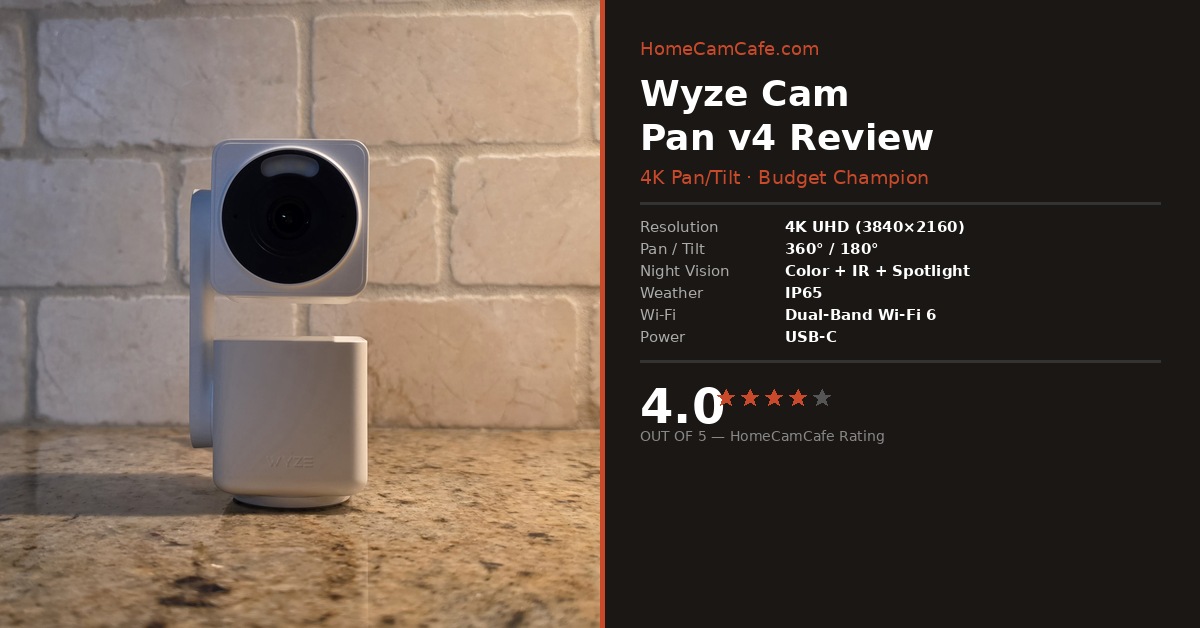
HomeCamCafe Verdict — 4.0 / 5
The Wyze Cam Pan v4 delivers 4K video clarity, snappy AI-powered pan/tilt tracking, color night vision, and IP65 outdoor protection at a price that makes nearly every competitor look overpriced. Motion detection accuracy is inconsistent at times, and Wyze Cam Plus is required to unlock the best AI features. Even so, the value and specs on offer are exceptional for the category.
Wyze Cam Pan v4: Key Specs
| Spec | Detail |
|---|---|
| Resolution | 4K UHD (3840 × 2160) |
| Field of View | 105.4° |
| Pan / Tilt Range | 360° horizontal / 180° vertical |
| Night Vision | Infrared + color with spotlight |
| Wi-Fi | Dual-band Wi-Fi 6 (2.4 GHz + 5 GHz) |
| Weather Resistance | IP65 |
| Digital Zoom | 8× |
| Power | USB-C (flat cable, 5V/2A) |
| Local Storage | MicroSD (up to 256 GB) |
| Smart Home | Amazon Alexa, Google Assistant |
| Dimensions | 62.5 mm (H) × 55 mm (W) × 125 mm (D) |
Image Quality: A Genuine Leap Forward
The single biggest story with the Wyze Cam Pan v4 is the move to 4K UHD resolution, and the results are immediately noticeable. In direct comparison to the Wyze Cam Pan v3’s 1080p output, the v4’s footage is sharper, richer, and considerably more useful when you need to zoom in on a detail. Faces are legible at distances where older Wyze cameras would have returned a blurry smear. License plates, which are practically a benchmark test for any security camera, read clearly out to a meaningful range under good lighting conditions.
Color accuracy is strong in daylight. The wide dynamic range handles challenging scenes, for example a subject near a bright window, without blowing out the background or crushing the shadows. Furthermore, the 105.4° field of view is well matched to the pan/tilt range: because the camera can reposition itself, you do not need an ultra-wide lens to cover a large space. The combination works well in practice.
Night performance is one of the more pleasant surprises. The motion-activated spotlight kicks in quickly and delivers genuine color night vision rather than the monochrome infrared look that many budget cameras still rely on. As a result, footage taken after dark is far more identifiable than you would expect from a camera at this price. Infrared mode, available when the spotlight is off, remains clean and usable.
Wyze Cam Pan v4 in Action
The clip below shows the Wyze Cam Pan v4 capturing real 4K footage at home. The subject is a parrot, which gave the camera’s AI tracking a proper workout.
Pan/Tilt Performance: Smooth, Fast, and Accurate
The v4’s pan and tilt mechanism is one of the most responsive in the budget category. Manual control through the Wyze app is smooth, with very little lag between your swipe and the camera’s movement. The 360° horizontal range combined with the full 180° vertical range means, in practice, a single v4 can cover an entire room without dead spots.
AI-powered object tracking is where the new on-device chip earns its place. When a person, pet, or vehicle enters the frame, the camera locks on and follows with noticeably less hesitation than the v3 managed. The tracking is smooth rather than jerky, and it does a reasonable job distinguishing subjects from incidental movement like a curtain shifting in the breeze. In addition, custom waypoints let you pre-set positions the camera can return to on command, which is a genuinely useful feature for anyone using the camera to monitor specific areas on a schedule.
Motion zones allow you to restrict detection to a defined area of the frame, which reduces false alerts considerably. Combined with the tracking chip’s ability to prioritize person, pet, or vehicle detections, the notification quality is meaningfully better than what budget cameras typically deliver.
Setup and App Experience
Setup on the v4 is notably cleaner than on older Wyze cameras. Bluetooth pairing through the Wyze app replaces the QR code scanning process, and the whole procedure takes only a few minutes from unboxing to live view. Dual-band Wi-Fi 6 support is a meaningful upgrade: the 5 GHz band option provides faster, more stable streaming for those whose routers support it, and the improved protocol handles high-4K data throughput better than the single-band 2.4 GHz setups on earlier models.
The Wyze app is consistent and well organized. Live view loads quickly, and the controls for pan/tilt, motion zones, waypoints, and notifications are all logically placed. The app supports up to 32 cameras, so the v4 fits neatly into a larger Wyze ecosystem if you are already invested in it. Additionally, Alexa and Google Assistant integration works reliably for voice-activated live view on compatible displays.
One feature worth calling out: the v4 listens for smoke and CO alarm patterns and sends an alert if it detects one. For an indoor camera particularly, this is a useful safety layer that goes beyond standard motion detection.
Storage and Subscription: What You Actually Need
The Wyze Cam Pan v4 supports local MicroSD recording up to 256 GB, which means you can have continuous or event-based recording without paying for a cloud subscription. For basic motion detection alerts, the free tier is functional. However, to access the full AI detection capabilities, including person, pet, and vehicle filtering plus the richer descriptive alert notifications, a Wyze Cam Plus subscription is required.
This is the most significant caveat in an otherwise compelling package. In contrast to some competitors that include a basic AI tier for free, Wyze gates the best features behind the subscription. That said, Wyze Cam Plus is relatively affordable, and if you are already using other Wyze cameras, the per-camera cost is easy to justify. The camera is still usable without it; you simply get less from the AI chip.
Build Quality and Placement Options
The v4 is finished in textured matte white plastic, which looks clean on a shelf or counter. Build quality is solid for the price point. The IP65 weather resistance rating makes it genuinely suitable for outdoor use, covering dust ingress and water jets from any direction. As a result, a single v4 can move from a living room shelf to a covered porch without requiring a different camera.
The universal mount supports upside-down and wall or ceiling installation, which adds flexibility for awkward spaces. Power runs through a flat USB-C cable, and a pigtail connector design makes routing the cable around corners easier than a straight plug would. The physical privacy mode, toggled through the app, rotates the lens to a covered position rather than just disabling the feed in software, which is a reassuring touch.
What the Wyze Cam Pan v4 Gets Wrong
No camera at this price point is without trade-offs, and the v4 has a few worth noting. Motion detection accuracy is inconsistent. In real-world use, the camera occasionally misses events or fires alerts for motion that does not warrant them. The on-device AI chip helps, and Cam Plus improves things further, but the detection is not as reliable as what you get from more expensive platforms like Arlo or Google Nest. For a camera that leads with AI tracking as a headline feature, that is a meaningful gap.
The field of view at 105.4° is also on the narrower side for an indoor pan/tilt camera. In practice the motorized coverage largely compensates, but a wider lens would make the camera more effective in smaller rooms where you want a static wide shot rather than active tracking. Additionally, the fixed pigtail power cable makes a clean installation slightly more difficult than a recessed USB-C port would. Wyze’s history with security vulnerabilities is worth keeping in mind for indoor use, and there is no Apple HomeKit support.
The Wyze Cam Pan v4 is available on Amazon as a
single unit
or as a
2-pack
for households that want to cover multiple areas without buying into a more expensive ecosystem.
How the Wyze Cam Pan v4 Compares
| Camera | Resolution | Pan/Tilt | Outdoor | Free AI |
|---|---|---|---|---|
| Wyze Cam Pan v4 | 4K | 360° / 180° | Yes (IP65) | Limited |
| Wyze Cam Pan v3 | 1080p | 360° / 180° | Yes (IP65) | Limited |
| Tapo C216 | 2K | 360° / 114° | No | Yes |
| Arlo Essential Pan Tilt 2K | 2K | 340° / 140° | No | Limited |
Who Should Buy the Wyze Cam Pan v4
The Wyze Cam Pan v4 is the right choice for anyone who wants the clearest possible image from a budget pan/tilt camera. It is particularly well suited for large rooms, open floor plans, or covered outdoor spaces where a single camera needs to cover a lot of ground. Pet owners and parents monitoring a nursery will appreciate how reliably the AI tracking keeps the subject in frame.
In contrast, buyers who are deep in the Apple ecosystem and need HomeKit should look elsewhere. Similarly, those who want the full AI feature set without any ongoing subscription cost may find a camera with a more generous free tier more appealing. For everyone else, however, the v4 represents the most camera per dollar in the pan/tilt category.
Final Verdict: 4.0 / 5
The Wyze Cam Pan v4 is, most importantly, one of the best value pan/tilt cameras available. The 4K jump from the v3 is substantial and immediately visible in everyday footage. The pan/tilt mechanism is responsive, color night vision is effective, and IP65 protection makes it useful indoors and out. Motion detection accuracy holds it back from a higher score: it is good enough for most households, but not as consistent as pricier alternatives. For the specs and the value on offer, a 4.0 is well earned.
This review is part of our Wyze Camera Hub. For the previous generation, see our Wyze Cam Pan v3 review.
