
Choosing the right Google Nest Cam mount is more involved than it looks, because the mount system Nest uses depends entirely on which camera you own. The battery-powered Nest Cam attaches via a magnetic base plate, while the wired indoor models use a proprietary hinge-and-base system. As a result, third-party mounts are not interchangeable between models, and picking the wrong one means starting over. This guide covers the best verified options for both the Nest Cam battery (outdoor and indoor) and the Nest Cam Indoor wired, organized by use case so you can find the right fit quickly.
How Google Nest Cam Mounting Works
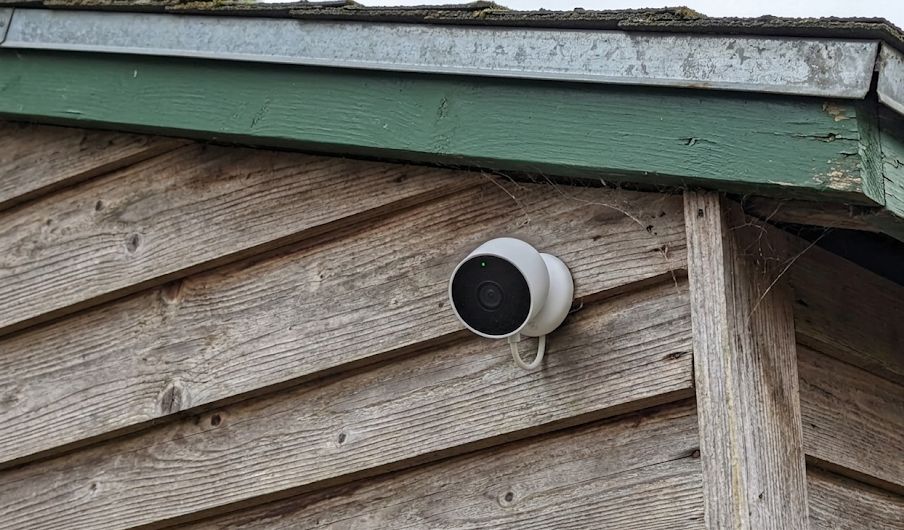
The Nest Cam (battery) uses a magnetic wall plate system. Google includes a basic metal plate in the box, and the camera snaps to it magnetically. The design makes installation fast, but it also creates a real security problem when the camera is mounted outdoors or above six feet: the camera can be removed just as easily by someone else. That is why Google officially recommends an anti-theft mount for any elevated outdoor placement.
The Nest Cam Indoor (wired, 2nd and 3rd gen) works differently. It ships with an integrated hinge-base that lets you tilt the camera without tools, along with a separate mounting plate and screws for permanent wall or ceiling installations. Third-party wall mounts for the wired indoor model use the same magnetic base-plate interface, giving you more flexible positioning on flat surfaces without drilling into your wall.
Importantly, the Nest Cam battery system is not compatible with standard 1/4″-20 tripod mounts. Unlike cameras from Wyze or Reolink that expose a universal tripod thread, Nest cameras rely entirely on their magnetic plate interface. Therefore, all third-party mount options covered below are designed specifically for the Nest platform.
Best Mounts for Nest Cam (Battery)
Best Overall: Wasserstein Anti-Theft Mount
The Wasserstein Anti-Theft Mount for Google Nest Cam (Battery) is the most important upgrade you can make if your camera is mounted outdoors or anywhere above waist height. It carries Made for Google certification, meaning Wasserstein built it in direct partnership with Google and it has been tested for full compatibility with the Nest Cam battery platform.
The mount works by anchoring a security chain under the magnetic plate and locking it in place with Torx screws. Without the included Torx tool, the camera cannot be removed from the outside. In addition to theft prevention, the mount includes a hood that shields the lens from direct sun glare and rain, which is a meaningful benefit for any outdoor installation. Installation takes around fifteen minutes with the included toolkit. For two cameras, the 2-pack version provides better value when covering the front and back of a house simultaneously.
One compatibility note worth knowing: the anti-theft mount is designed specifically for the Nest Cam Outdoor and Indoor (battery) models. It does not fit the Nest Cam Outdoor (wired, 2nd gen) or the Nest Cam IQ Outdoor.
Best No-Drill Option: Wasserstein Gutter Mount
Gutter mounting is one of the most underrated installation strategies for outdoor security cameras. It positions the camera at eave height, provides a wide downward view of the yard or driveway, and requires zero drilling into siding or brick. The Wasserstein 2-in-1 Gutter Mount for Google Nest Cam (Battery) clamps directly onto a standard residential gutter, and the camera snaps onto the included magnetic base plate.
The “2-in-1” designation refers to a secondary bracket that accommodates a compatible Wasserstein solar panel alongside the camera. If you want continuous power without running a cable, pairing this gutter mount with a solar panel is a clean, no-hole solution. See our Google Nest solar panel guide for wattage options and full compatibility details. The mount is built from weather-resistant materials rated for outdoor use and adjusts for camera angle once the clamp is set. Many installers find this the easiest mount to deploy on a rental property or anywhere drilling is not an option.
Best Adjustable Wall Mount: 2-Pack Adjustable Bracket
When a permanent screw-in installation is appropriate but you want maximum flexibility in positioning, this 2-pack adjustable wall mount bracket for Nest Cam (Battery) is a well-regarded third-party option. It provides a full 360-degree swivel and 90-degree tilt, so you can dial in the viewing angle after installation rather than trying to get it exactly right while you are on a ladder.
The bracket is made from aluminum alloy and ABS plastic, rated for both indoor and outdoor use, and rust-resistant. Each pack includes two mounts along with screws and wall anchors, making it a practical choice for covering two locations at once. The threaded connection locks the camera firmly against bumps or wind while still allowing easy removal for recharging. For a corner installation or a wide driveway that requires an angled view, this mount is considerably more versatile than the stock plate that ships with the camera.
Budget Alternative: OLAIKE Anti-Drop Anti-Theft Cover
For a lower-cost anti-theft option, the OLAIKE Anti-Drop and Anti-Theft Mount for Nest Cam (Battery) covers both drop and theft protection at a lower price point than the Wasserstein Made for Google version. The OLAIKE design wraps the camera in a protective ABS housing and includes a security chain cable that anchors to the wall mount plate.
One important distinction between the OLAIKE and the Wasserstein anti-theft mount is the night vision question. The OLAIKE unit has been specifically redesigned to avoid placing reflective material over the infrared emitters, addressing a criticism of earlier third-party covers that created a white haze over night vision footage. However, if budget is not a constraint, the Made for Google certification on the Wasserstein unit provides a higher baseline of confidence in compatibility. The OLAIKE is specifically designed for the Nest Cam Outdoor and Indoor battery 2nd gen models.
Best Mount for Nest Cam Indoor (Wired)
MagitcSee Adhesive Metal Wall Mount
The Nest Cam Indoor (wired) ships with its own base and wall-mount hardware, but the placement options are limited to wherever you can run the attached USB-C cable. The MagitcSee adhesive metal wall mount for Nest Cam Indoor Wired (2nd gen) gives you additional flexibility by providing a sturdy bracket that attaches via adhesive or screws and holds the camera securely on walls or ceiling surfaces.
The mount ships as a 3-pack, which is useful if you want to pre-position brackets in multiple rooms and move the camera between them. Installation is straightforward: attach the bracket to the wall using the included adhesive pad or screws, then slot the camera in and adjust the viewing angle. The metal construction keeps the camera stable against accidental nudges. This approach works particularly well for renters who want a damage-free installation that can be fully reversed, and for anyone who repositions their indoor camera seasonally. The mount is designed specifically for the Nest Cam Indoor wired 2nd generation platform.
Mount Compatibility Quick Reference
| Mount | Compatible With | Install Type | Made for Google |
|---|---|---|---|
| Wasserstein Anti-Theft (single) | Nest Cam Battery | Wall screw-in | Yes |
| Wasserstein Gutter Mount | Nest Cam Battery | No-drill gutter clamp | Yes |
| 2-Pack Adjustable Bracket | Nest Cam Battery | Wall screw-in, 360°/90° tilt | No |
| OLAIKE Anti-Theft Cover | Nest Cam Battery (2nd gen) | Wall screw-in | No |
| MagitcSee Adhesive Metal Mount | Nest Cam Indoor Wired (2nd gen) | Adhesive or screw-in | No |
What to Know Before You Buy
Confirm your Nest Cam model first. The battery model and wired indoor model use different magnetic base interfaces, and mounts are not cross-compatible. Specifically, the battery-model mounts listed here do not fit the Nest Cam IQ Outdoor or the original first-generation wired Nest Cam Indoor. Check the product description carefully before ordering.
Height matters for anti-theft mounts. Google’s own guidance recommends using an anti-theft mount for any placement above six feet. At that height, the magnetic hold alone is insufficient to resist a deliberate grab, and the camera can be pulled free and pocketed in seconds. Furthermore, the anti-theft mount’s lens hood provides a secondary benefit by reducing sun flare, which can wash out daytime footage on south-facing installations.
Consider the gutter mount for battery cameras. In addition to the no-drill convenience, gutter placement solves one of the Nest Cam battery’s biggest limitations: reaching the camera to recharge. A gutter-mounted camera is far easier to remove and re-attach for charging than one that has been screwed tightly into brick at ten feet. If you pair it with a solar panel, the recharging issue largely disappears.
The wired indoor model can use the stock hardware for most situations. Google includes a wall plate and self-tapping screws with the Nest Cam Indoor, and for most flat wall or ceiling placements that hardware works fine. However, a third-party magnetic mount is worth considering when outlet placement forces a compromise in camera position, or when a damage-free installation is required.
Bottom Line
For the Nest Cam battery, start with the Wasserstein Anti-Theft Mount if the camera will be outdoors or above six feet. For a no-drill eave installation, the Wasserstein Gutter Mount is the cleanest option. For the Nest Cam Indoor (wired), the MagitcSee adhesive bracket adds placement flexibility without permanent wall damage. In all cases, confirm your exact Nest Cam model against the product compatibility list before purchasing, as Nest’s non-universal mount system makes model matching essential.
For a broader look at mount types and the universal 1/4″-20 standard, see the security camera mount guide. For coverage of mount guides for other brands, see the Ring camera mount guide and the Wyze camera mount guide. For a full review of the Nest Cam Indoor, see the Google Nest Cam Indoor (Wired, 3rd Gen) review and for step-by-step instructions on detaching any Nest Cam from its stand or wall plate, see the guide to removing a Nest Cam from its mount.
