
The Blink Sync Module XR is a meaningful upgrade over the Sync Module 2 for some users and a pointless purchase for others. Whether it’s worth buying depends almost entirely on what cameras you have and where they’re installed. This guide covers exactly what changes between the two modules, who should upgrade, and how to migrate your existing cameras over in a few minutes with no disruption to your system.
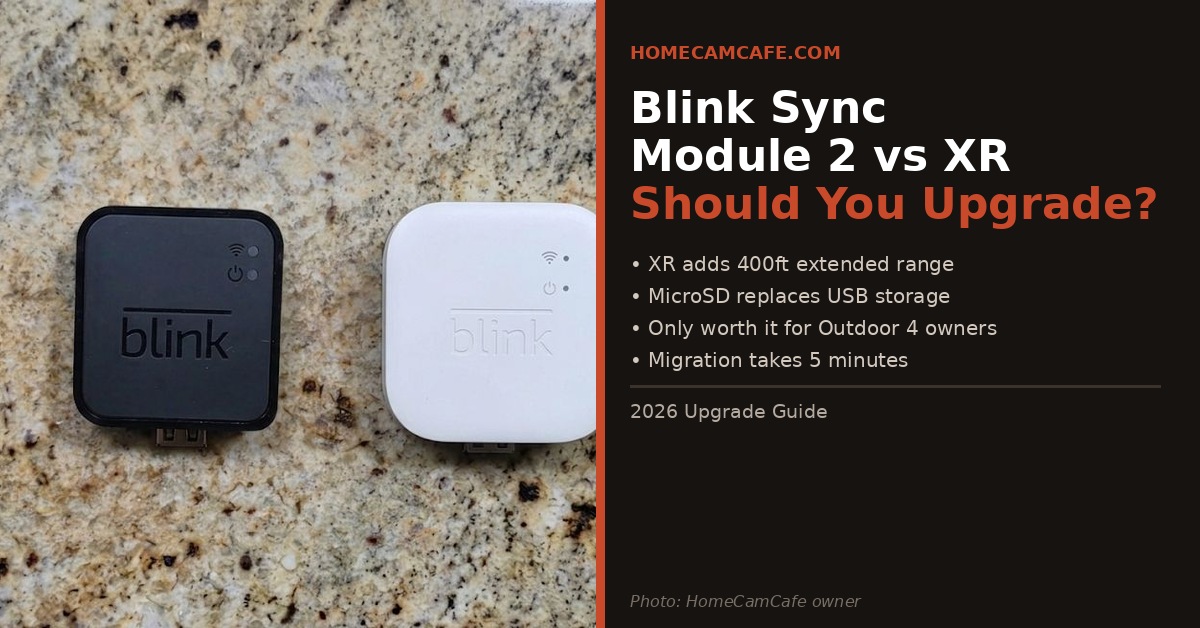
What Changes Between Sync Module 2 and Sync Module XR
The Sync Module XR adds three things the Sync Module 2 doesn’t have. First and most significantly, extended range for Blink Outdoor 4 cameras — up to 250 feet in XR mode and 400 feet in XR+ mode using a proprietary 900MHz radio. Second, the storage slot changes from a USB flash drive to a microSD card, which is more compact and less likely to get knocked loose. Third, the power connector upgrades from micro USB to USB-C.
Everything else stays the same. Both modules connect up to 10 Blink devices, both support local storage up to 256GB, both work with the full range of Blink cameras, and both operate on 2.4GHz Wi-Fi only. The XR does not improve video quality, does not add new app features, and does not affect how non-Outdoor 4 cameras perform in any meaningful way.
| Feature | Sync Module 2 | Sync Module XR |
|---|---|---|
| Extended Range | No | Up to 400ft (Outdoor 4 only) |
| Local Storage | USB flash drive up to 256GB | MicroSD card up to 256GB |
| Power Port | Micro USB | USB-C |
| Devices Supported | Up to 10 | Up to 10 |
| Wi-Fi | 2.4GHz only | 2.4GHz only |
| Compatible Cameras | All Blink cameras | All Blink cameras |
| Price | ~$34.99 | ~$69.99 |
Should You Upgrade?
The answer depends entirely on whether you have Blink Outdoor 4 cameras and whether any of them are struggling with Wi-Fi range.
Upgrade if: You have one or more Blink Outdoor 4 cameras that are at the edge of your Wi-Fi range, frequently dropping offline, or installed in locations like a shed, gate, or driveway entrance that are beyond reliable Wi-Fi coverage. The XR’s 900MHz extended range radio penetrates walls and environmental obstacles significantly better than Wi-Fi, and real-world users report dramatically improved connection reliability after switching. Additionally, if you find USB flash drives sticking out of your current module inconvenient or prone to being knocked out, the microSD slot is a cleaner solution.
Skip the upgrade if: You don’t have any Blink Outdoor 4 cameras, or all your cameras are well within Wi-Fi range and connecting reliably. The XR provides zero benefit to cameras other than the Outdoor 4 in extended range mode — your Blink Indoor, Mini, Video Doorbell, and older Outdoor cameras will perform identically on the XR as they do on the Module 2. Paying an extra $35 for a USB-C port and a microSD slot doesn’t justify the cost if range isn’t your problem.
XR range trade-off: Extended range mode reduces video resolution. XR mode (up to 250ft) caps at 720p. XR+ mode (up to 400ft) drops to 360p and disables two-way audio. Use standard Wi-Fi mode wherever signal is adequate and reserve XR modes only for cameras that genuinely can’t reach the router.
How to Migrate from Sync Module 2 to Sync Module XR
Migrating is straightforward and takes about five minutes. You don’t lose any cameras or settings — you’re just moving them from one hub to another within the same Blink app account.
Migration Steps
- Insert a microSD card into the Sync Module XR before setup if you want local storage. Format it when prompted in the app.
- Plug in the Sync Module XR using the included USB-C cable and power adapter.
- Open the Blink app, tap the plus icon to add a new device, and select Sync Module. Scan the QR code on the bottom of the XR.
- Connect the XR to your Wi-Fi network when prompted.
- Once the XR is online, go to each camera in the app, tap its settings, and select Change System to move it from the old Sync Module 2 system to the new XR system.
- For Outdoor 4 cameras you want to use in extended range mode, select XR or XR+ mode in the camera’s connection settings after moving it to the XR system.
- Once all cameras are moved, deactivate and unplug the old Sync Module 2.
Keep the Module 2 as a backup: Don’t throw it away. If the XR ever has a problem, you can plug the Module 2 back in and move cameras back to it in minutes. It’s small enough to tuck in a drawer and worth keeping on hand.
What Happens to Your Local Storage
Your old USB flash drive from the Sync Module 2 won’t fit the XR’s microSD slot, so you’ll need a new microSD card. Pick up a Class 10 or UHS-1 rated card — a 128GB card is plenty for most setups and keeps costs low. Your old clips on the USB drive are still accessible by plugging it directly into a computer.
Cloud storage settings and Blink Subscription Plan features carry over automatically when you move cameras to the new system — nothing changes on the cloud side. For more on how Blink handles local vs cloud storage, see our Blink Sync Module placement and setup guide.
Where to Buy
The Blink Sync Module XR is available on Amazon as a standalone purchase or bundled with a Blink Outdoor 4 camera. If you’re upgrading specifically for extended range and don’t yet have an Outdoor 4, the bundle is better value. The Blink Sync Module 2 remains available and is still the right choice if extended range isn’t a factor for your setup.
If 400 feet of coverage still isn’t enough for a difficult placement, such as a detached structure or the edge of a large property, Blink also makes a longer-range option, the Sync Module XR+, which extends coverage up to 2,700 feet in open air. See our full Blink Sync Module XR+ review for real-world range testing and setup notes.
Bottom Line
Upgrade to the Sync Module XR if you have Blink Outdoor 4 cameras that are struggling with Wi-Fi range or installed beyond reliable coverage. The 900MHz extended range radio is a genuine improvement that solves a real problem. Skip the upgrade if all your cameras connect reliably on Wi-Fi — the XR offers nothing meaningful for non-Outdoor 4 cameras or cameras already within good Wi-Fi range. Migration takes five minutes and your existing cameras and settings carry over cleanly.
Frequently Asked Questions
Will my existing Blink cameras work with the Sync Module XR?
Yes. The Sync Module XR is compatible with all Blink cameras. However extended range functionality is only available for Blink Outdoor 4 cameras. All other cameras connect via standard Wi-Fi just as they did with the Sync Module 2.
Do I need to re-add all my cameras after switching to the XR?
No. You move cameras between systems within the Blink app using the Change System option in each camera’s settings. You don’t need to physically reset or re-add the cameras from scratch.
Can I use my old USB flash drive with the Sync Module XR?
No. The Sync Module XR uses a microSD card slot, not a USB port. You’ll need a new microSD card up to 256GB. Your old clips on the USB drive are still accessible by plugging it directly into a computer.
Does the Sync Module XR improve video quality?
No. Video quality is determined by the camera, not the sync module. In fact extended range modes on the XR reduce resolution — XR mode caps at 720p and XR+ mode at 360p. Standard Wi-Fi mode maintains full camera resolution.
Should I keep my old Sync Module 2 after upgrading?
Yes. Keep it as a backup. If the XR has any issues you can plug the Module 2 back in and move cameras back to it in minutes. It’s small and worth keeping on hand rather than discarding.
This article is part of our Blink Camera Reviews & Guides.
