
For this Blink Mini Pan-Tilt Camera review, I tested the complete plug-in indoor camera in my home. The camera gives you a way to look around a room from the Blink app, and the 360 Pan and saved Default View made that genuinely useful in my test. It is easy to set up and fits comfortably into a Blink household. Just understand what it cannot do: video resolution is limited to 1080p, movement is manually controlled, and the camera will not automatically follow someone across the room. I rate it 4.0 out of 5.
View the Blink Mini Pan-Tilt Camera →
Blink Mini Pan-Tilt Camera Design and Setup
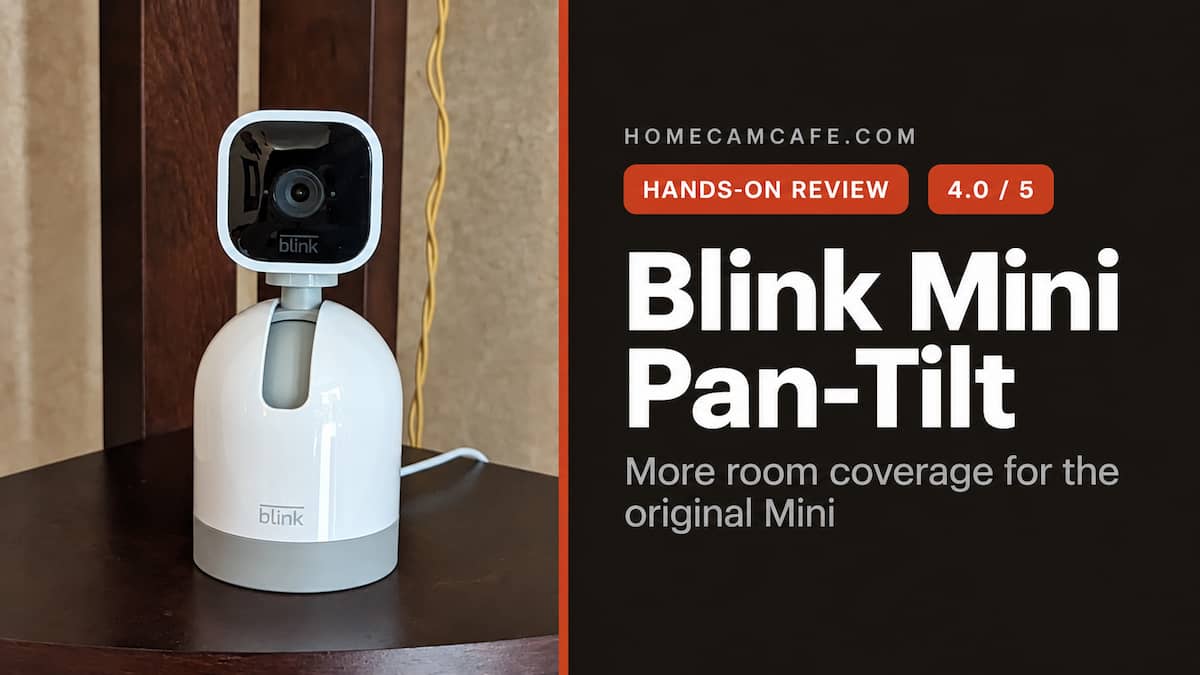
The Blink Mini Pan-Tilt Camera combines a compact square camera with a rounded motorized base. The lens sits high enough above the base to tilt through a useful vertical range, while the entire upper section rotates horizontally. You can see the size and shape in my own photo above. The linked package includes the camera, motorized base, USB cable, and power adapter, so everything needed for a basic tabletop installation is in the box.
Setup was easy in my test. I attached the included camera to the motorized base, connected the short cable between the two pieces, and plugged the power cable into the base. After powering on, the camera calibrated its movement and the Blink app displayed the directional controls. I then selected a default viewing position and tested the full room sweep.
If you have set up another Blink camera, the app portion should feel familiar. The camera does need physical clearance. Set it on a shelf, counter, or table where it can turn without striking a wall or another object. The base also has a threaded connection for an appropriate third-party wall or ceiling fixture. The complete camera is for indoor use.
For detailed installation instructions, calibration help and common fixes, see our Blink Mini Pan-Tilt Mount setup guide.
Setup tip: Let the unit finish calibrating before testing the directional controls. If its travel seems restricted, first check that the camera is attached in the correct orientation and has room to move.
Pan, Tilt, and the 360 Pan Feature
The reason to choose this camera over a fixed Blink Mini is the ability to change where it points. In Live View, the Blink app displays controls for left, right, up, and down. A tap makes a small adjustment, while holding an arrow keeps the camera moving. During my test, that let me check a different part of the room without walking over to reposition the camera.
Blink specifies 350 degrees of horizontal travel and 125 degrees vertically. The lens shows about 110 degrees at any one position. So the camera can look around most of a room, but it cannot show or record every direction at once. This distinction matters if you want continuous coverage of more than one doorway.
The feature I enjoyed most was 360 Pan. I selected it from the app’s More menu, and the camera swept across the room before returning. It is a convenient way to take a quick look when I am away. I also liked Default View, which lets me save the position I want the camera to return to after moving it. I would set that view toward the area I most want to monitor, then pan around only when I need to inspect something else.
There is an important limit: the camera does not automatically track motion. It will not follow a person or pet after an alert, and there is no scheduled patrol. Pan and tilt are controls you use while watching Live View. If movement takes place outside the direction the lens faces, the motor will not turn to find it. For recording a critical entrance, aim the saved view at that entrance rather than relying on the ability to pan later.
Video Quality and Night Vision
The Blink Mini Pan-Tilt Camera records in 1080p and has a 110-degree field of view, infrared night vision, and two-way audio. Daytime video is clear enough for checking activity across a typical room, though it does not provide the fine detail of newer 2K or 4K indoor cameras. The real advantage here is not extra resolution; it is the ability to reposition the view from the phone.
At night, the camera switches to a standard black-and-white infrared image. It covered the room adequately in my use, but there is no color night mode. Two-way talk is available from Live View and works well enough for a short conversation with someone in the room. For a closer look at the same camera hardware without pan-and-tilt control, see my hands-on Blink Mini review.
This is an indoor, plug-in camera, so plan its location around an outlet. It is a natural fit for a living room, kitchen, or similar space where you want to check more than one angle on demand. It is less suitable for a spot where the lens must watch two separate areas continuously.
Motion Alerts, Recording, and Storage
The camera provides motion detection and alerts, but it should not be mistaken for a motion-following camera. It detects activity in the scene it currently sees and does not swing around to search the rest of the room when motion occurs. This is the biggest practical difference between this product and some newer pan-and-tilt cameras.
There is also no memory card slot in the camera. For saved clips, Blink offers cloud recording with a subscription or local clip storage through a compatible Sync Module 2 with a USB drive when the camera is not covered by a plan or trial. The storage hardware and subscription are separate from the camera package. Our Blink subscription guide explains the current options in more detail.
If you already have Blink cameras and a recording arrangement, the Mini Pan-Tilt fits into that familiar setup. If this is your first Blink device, decide how you will save video before buying. Live viewing and the ability to pan are useful, but they do not replace a recording plan when you need to review an event later.
Blink Mini Pan-Tilt Camera Specs at a Glance
| Feature | Details |
|---|---|
| Package | Blink Mini Pan-Tilt Camera, USB cable, and power adapter |
| Video | Up to 1080p; 110-degree lens field of view |
| Movement | 350-degree horizontal, 125-degree vertical; app controlled |
| Room sweep | 360 Pan command in Blink Live View |
| Automatic tracking | No |
| Night view and audio | Infrared night vision and two-way audio |
| Clip storage | Blink cloud plan or compatible Sync Module 2 with USB drive |
| Placement | Indoor use; plug-in power |
Owner’s Notes After Using the Blink Mini Pan-Tilt
- The room sweep is the standout control. It let me inspect different parts of the room without moving the camera by hand.
- Save a useful Default View. After looking around, I want the camera pointed toward the area I care about most.
- Allow space for the camera to turn. The complete unit is taller than a regular Mini, and nearby walls can limit movement.
- Do not expect automatic tracking. Movement is controlled from Live View; a detected person will not cause the camera to follow them.
- Decide how to store clips. There is no built-in memory card slot, so recording requires a supported Blink storage option.
Who Should Buy the Blink Mini Pan-Tilt Camera?
I would consider it for someone who wants a complete plug-in indoor camera with the ability to look around a room through the Blink app. It is particularly appealing if you already use Blink and want this camera to sit alongside your other devices. The installation was easy in my experience, and I found the app controls and room sweep useful rather than gimmicky.
It also works well as a camera for occasional check-ins. When you open Live View, you can decide which corner of the room to inspect. That flexibility is the reason to choose it over a fixed Mini. If you spend most of your time viewing a single angle, the motorized capability may be less valuable.
Who Should Skip It?
Skip this camera if you need the lens to follow people automatically, want higher than 1080p resolution, or expect built-in microSD recording. You should also choose another model if you need outdoor coverage. For a different indoor approach, see our Tapo C210 review; for a more advanced pan-and-tilt camera, read our Tapo C260 review.
Also keep the model names straight when shopping: the product reviewed here is the complete Blink Mini Pan-Tilt Camera shown in the linked listing. The newer Mini 2 and Mini 2K+ are different products and are not compatible with this camera’s motorized base.
Verdict: 4.0 / 5
The Blink Mini Pan-Tilt Camera is a capable, easy-to-use indoor camera that let me inspect much more of a room from my phone. I liked the simple setup, 360 Pan, and saved Default View. Its 1080p video, manual-only movement, and separate clip-storage requirements keep it from a higher rating. For Blink owners and anyone who wants to look around an indoor room on demand, it is a useful complete camera.
View the Blink Mini Pan-Tilt Camera →
For more owner-tested Blink coverage, visit our Blink camera reviews and guides. You can also compare other models in our pan-and-tilt camera guide.
