
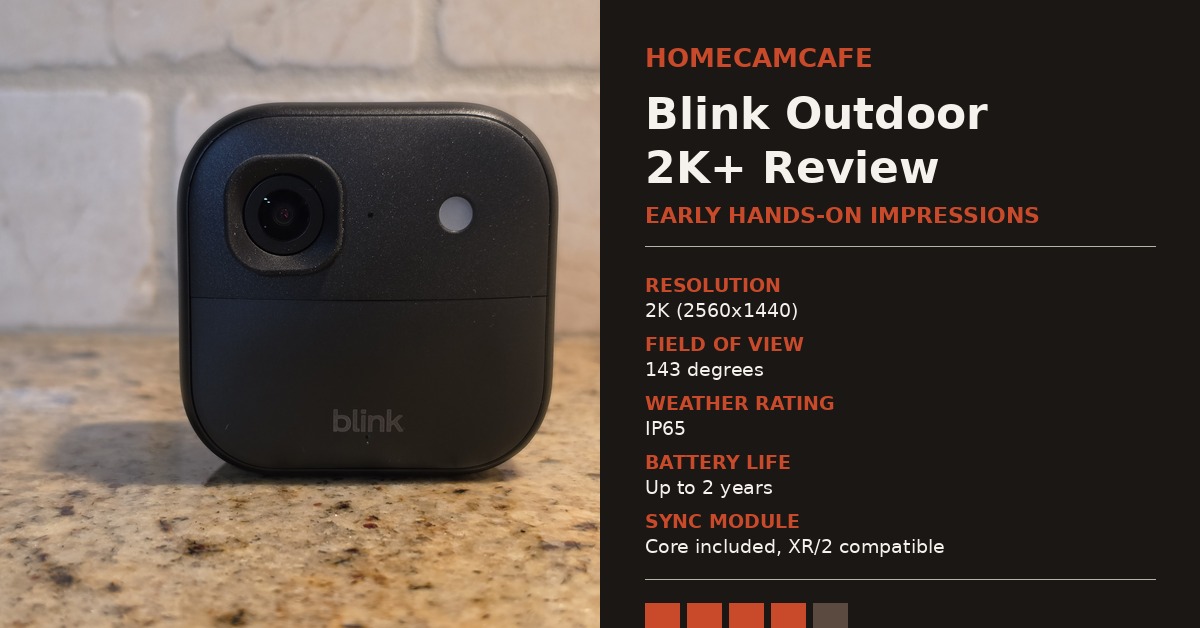
This Blink Outdoor 2K+ review is based on hands-on testing both indoors and outdoors, starting mounted on a shelf watching my parrot before moving the camera to its permanent spot outside. Combined with years of running the Blink Outdoor 4 and Outdoor (3rd Gen), that testing gave a clear picture of where the Blink Outdoor 2K+ improves on its predecessors and where the upgrade matters less than Blink’s marketing suggests.
Check Current Price on Amazon →
Quick Answer: The Blink Outdoor 2K+ (rated 4.0 / 5) delivers a noticeable jump in daytime sharpness (2560 x 1440 resolution) and clearer noise-cancelling two-way audio compared to the 1080p Outdoor 4, while reusing existing Blink mounts and AA lithium batteries. However, its low-light color mode still requires porch or streetlight illumination, the bundled Sync Module Core lacks a USB port for free local storage unless you pair the camera with a Blink Sync Module 2, and smart AI person and vehicle alerts remain locked behind a monthly paywall, unlike competing cameras from TP-Link Tapo, Reolink, and Aosu.
Blink Outdoor 2K+ Review: What’s New Compared to the Outdoor 4 and Outdoor 3
The headline upgrade is right there in the name. The Blink Outdoor 2K+ (model BCM00900U) jumps from the Outdoor 4’s 1080p sensor to a 4-megapixel 2560 x 1440 resolution at up to 24 frames per second. Inside the Blink app, Video Quality offers three selectable tiers: Best (2K / 1440p at 24 fps), Standard (1080p at 24 fps), and Saver (720p at 15 fps). Because Blink’s two-year battery life estimate is benchmarked at the default 1080p Standard setting, that three-tier menu lets you run full 2K clarity where detail matters most or step down to Standard if you want to stretch battery life further in a high-traffic zone.
One optical specification change to keep in mind is the lens coverage. The Blink Outdoor 2K+ has a 135-degree diagonal field of view (115 degrees horizontal by 62 degrees vertical), which is slightly narrower than the 143-degree diagonal view on the Outdoor 4, though still wider than the 110-degree lens on the older Outdoor (3rd Gen). In real-world use, 135 degrees is wide enough to cover most driveway and entryway angles without needing a second camera to fill in the corners. More importantly, the resolution jump is not a marginal step up. Compared to both my Outdoor 4 and my older Outdoor 3, the improvement in sharpness is noticeable right away, particularly around fine detail like feathers, text on delivery boxes, and edges that used to blur together on the 1080p sensors. If picture quality has been the main thing holding you back from Blink, this is the camera that addresses it.
In addition to 2K resolution, Blink added 4x digital zoom and a redesigned speaker grille for improved two-way audio with active noise cancellation. Standard 850nm infrared night vision, used whenever ambient light is too low for the color mode, covers the same practical 30-foot range you would expect from the Outdoor 4, generally enough to identify a person or vehicle a driveway’s length away rather than resolve fine facial detail at distance. Voices through the camera come through noticeably clearer and with less wind static than on my Outdoor 4, which is a welcome upgrade for anyone who uses the talk-back feature at the front door rather than treating it as an afterthought.
| Specification | Blink Outdoor 2K+ | Blink Outdoor 4 | Blink Outdoor (3rd Gen) |
|---|---|---|---|
| Max Video Resolution | 2K QHD (2560 x 1440) at 24 fps | 1080p FHD (1920 x 1080) | 1080p FHD (1920 x 1080) |
| App Resolution Modes | Best (2K), Standard (1080p), Saver (720p) | Enhanced (1080p), Best, Saver | Best, Standard, Saver |
| Field of View | 135° diagonal (115° H x 62° V) | 143° diagonal | 110° diagonal |
| Low-Light & Night Vision | Color Vision in low light + 850nm IR | 850nm IR black-and-white only | 850nm IR black-and-white only |
| Two-Way Audio & Zoom | Noise-cancelling two-way audio + 4x zoom | Standard two-way audio | Standard two-way audio |
| Smart AI Detection (Person / Vehicle) | Paid Blink subscription required | Paid Blink subscription required | General motion only (no AI) |
| Bundled Hub in Starter Kit | Sync Module Core (no local storage port) | Sync Module Core or Sync Module 2 (by kit) | Sync Module 2 (USB local storage) |
| Sync Module XR Extended Range | Pairs on standard Wi-Fi only (no XR range mode) | Supported (up to 250-400 ft on XR) | Pairs on standard Wi-Fi only |
| Power & Rear Port | 2 AA 1.5V lithium + USB-C (Solaris compatible) | 2 AA 1.5V lithium + USB-C (Solaris compatible) | 2 AA 1.5V lithium + Micro-USB |
| Dimensions & Weather Rating | 70 x 70 x 41 mm, 5.0 oz, IP65 (-4°F to 113°F) | 70 x 70 x 41 mm, 3.9 oz, IP65 (-4°F to 113°F) | 71 x 71 x 31 mm, 1.7 oz, IP65 |
Blink Outdoor 2K+ Design and Mount Compatibility
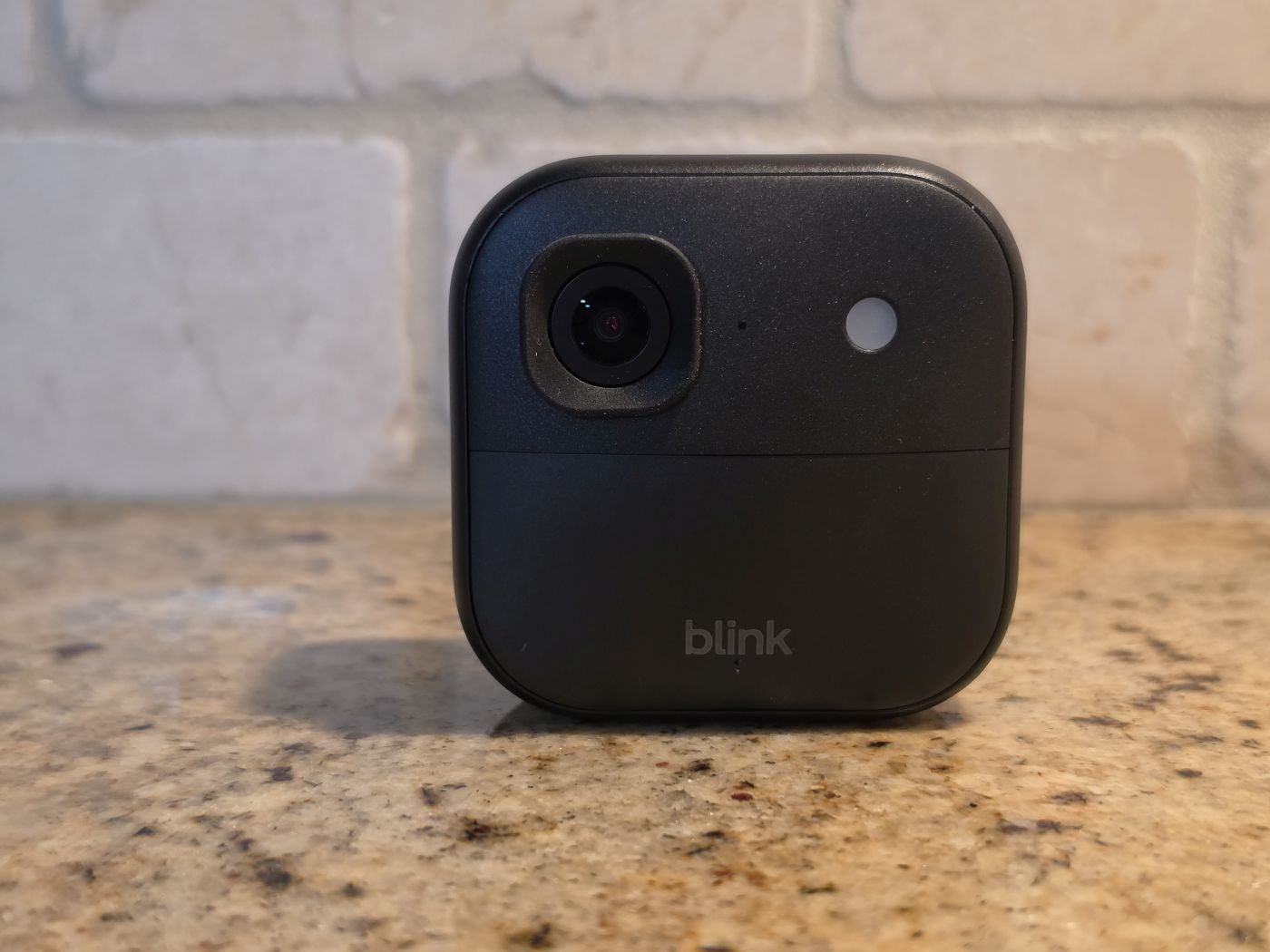
Physically, the Blink Outdoor 2K+ is nearly identical to the Outdoor 4. It measures 70mm x 70mm x 41mm (2.76 x 2.76 x 1.62 inches) and weighs right around 5.0 ounces with batteries installed, which is a small enough footprint to tuck under an eave or onto a corner post without drawing much attention. The housing uses the same matte plastic Blink has used across its recent generations (available in black or white), with a rounded square profile, the lens and status LED on the upper portion, and a horizontal seam that splits the front face from the lower half where the Blink logo sits. It carries the same IP65 weatherproof rating (-4°F to 113°F operating range) as the Outdoor 4, runs on the same two AA 1.5V non-rechargeable lithium batteries, and snaps onto the exact same mounting hardware, so a camera swap does not mean starting over on brackets.
On the back, a captive twist-lock cover protects the battery compartment and is secured with a quarter turn of the included right-angle adapter tool, a coin, or a flat screwdriver. Underneath a small seated silicone plug is a USB-C port used for the optional 13-foot Blink Weather Resistant Power Adapter or the snap-on Blink Solaris Solar Panel, both of which are worth considering if you would rather skip battery changes altogether (see our guide on how to power a Blink camera without batteries). If you run on AA batteries alone, that rear silicone USB-C plug has to stay firmly seated for the camera to maintain its IP65 weather seal, so double-check it during and after any battery swap. Anyone already invested in Blink’s mount ecosystem, including gutter clips, vinyl siding hooks, and the Floodlight Mount, can drop the Blink Outdoor 2K+ straight into place without buying new brackets. For a closer look at compatible brackets, see our Blink camera mount guide.
What’s in the Box and Setting It Up
The standard 1-camera system kit includes the Blink Outdoor 2K+ camera, a Sync Module Core, two AA 1.5V Energizer lithium batteries, a snap-in mounting bracket with the right-angle opening and mounting adapter, a 5V power adapter and USB-C cable for the Sync Module Core, mounting screws, and a quick start guide. Setup follows the same routine as previous Blink cameras. You plug in the Sync Module, scan its QR code in the Blink Home Monitor app, and connect it to your 2.4 GHz Wi-Fi network. Next, you pop open the back cover of the camera, insert the two AA batteries, scan the QR code inside the battery bay, and wait a moment for the camera to complete its initial firmware update. From there, the app walks through a basic settings preset and mounting tips before the camera goes live.
Keep your home network upload speed in mind when selecting a video resolution during setup. Blink specifies a minimum upload speed of 6 Mbps for Best (2K) mode, 3 Mbps for Standard (1080p), and 2 Mbps for Saver (720p) over a 2.4 GHz Wi-Fi connection (supporting WPA, WPA2, and WPA3 security). Mounting is flexible: the included snap-in plate works for flat wall or vertical post placement, while the right-angle adapter lets you orient the camera cleanly under a horizontal eave or soffit ledge without extra hardware. Blink recommends mounting no higher than about 10 feet off the ground and angling the lens so visitors walk across the frame rather than straight toward the passive infrared (PIR) sensor, which triggers faster and more reliable motion alerts within its 30-foot detection range. In addition, the camera needs to stay within reliable signal range of both your 2.4 GHz Wi-Fi router and its paired Sync Module, so test Live View in your chosen spot before drilling holes.
Color Vision in Low Light: The Marketing Doesn’t Quite Match Reality
Blink initially promoted this camera with language that sounded a lot like full color night vision, before quietly clarifying the specification on product listings to “Color Vision in low light” with an asterisk noting that ambient light is required. That distinction matters. Because the Blink Outdoor 2K+ does not have a built-in white LED spotlight on the camera face, it can hold color video at night only when ambient light is present, such as a porch light, a nearby streetlight, landscape lighting, or dusk and dawn twilight. Once the yard gets completely dark, the camera switches over to its 850nm infrared LEDs for standard black-and-white footage, just like the Outdoor 4 always has.
After moving the camera to its permanent outdoor mounting spot, nighttime footage under porch lighting stayed in color longer at dusk and looked a bit cleaner than what the Outdoor 4 produces in the same spot, but it is nothing to write home about. It is a real sensor improvement rather than a marketing illusion, yet you should not expect the color-in-low-light feature by itself to justify upgrading from an Outdoor 4. The real win with the Blink Outdoor 2K+ is the 2K resolution during the day and in well-lit spaces, not its unassisted nighttime color performance.
App Experience, Motion Alerts, and the AI Paywall
The Blink app experience carries over unchanged from the Outdoor 4, which is mostly a good thing for existing owners. Customizable Activity Zones (and up to two Privacy Zones) let you mask off parts of the frame that should never trigger a notification or be recorded, which is essential for cutting down on false alerts from a public sidewalk, a neighbor’s driveway, or swaying branches. Live View, thumbnail previews, and two-way talk all work the same way they do on older Blink cameras, so there is no learning curve when adding a 2K+ camera to an existing system. Where you feel the upgrade inside the app is clip playback: because you can pinch-to-zoom up to 4x on a 2560 x 1440 frame instead of a 1920 x 1080 frame, motion clips that used to dissolve into blocky pixels when zooming in on a license plate or package label are now sharp enough to read at moderate distances.
The biggest software frustration is that Blink still hides its Smart Detection (Person and Vehicle AI alerts) behind a monthly paywall. Even though the camera runs embedded computer vision on the hardware, Blink disables person and vehicle filtering unless you pay for a Blink Subscription Plan (Basic at $3.99/month for one camera or Plus at $11.99/month for unlimited cameras at one location). Without an active plan, the Blink Outdoor 2K+ reverts to basic PIR heat-motion alerts only, even if you pair it with a Sync Module 2 for local USB recording. That stands in sharp contrast to competing no-subscription cameras we have tested from TP-Link Tapo, Reolink, and Aosu, all of which include on-device person, vehicle, and pet AI detection for $0 per month alongside free microSD local storage. For a side-by-side look at cameras that do not charge extra for smart filtering, see our best security cameras with free AI detection guide.
Sync Module Core vs. Sync Module 2: A Real Trade-Off to Know About
The standard Blink Outdoor 2K+ system kit ships with Blink’s newer Sync Module Core rather than the Sync Module 2 that came in Blink bundles for years. This is not a minor change. The Sync Module Core has no USB port and no microSD card slot, which means it cannot save local video clips at all. Once the included 30-day cloud trial expires, a camera paired to a Sync Module Core only gives you live view and motion notifications with zero saved video history unless you pay for a monthly subscription. For anyone who bought previous Blink cameras specifically to record locally without a monthly fee, that hardware swap is critical to know before ordering.
Local Storage Workaround (And What You Still Lose): I am running my Blink Outdoor 2K+ on a Blink Sync Module 2 I already owned rather than the included Sync Module Core, and it paired and saved 2K clips to a USB drive without any issues. If you are starting from scratch and want subscription-free local storage, either budget for a separate Sync Module 2 (plus a USB flash drive up to 256GB) or buy the Outdoor 2K+ Add-On Camera and pair it with a Sync Module 2 or Sync Module XR. Just remember that while a Sync Module 2 restores free local clip recording, it does not unlock Person or Vehicle AI detection without a subscription. For a full comparison of cloud vs. local recording, see our Blink subscription plans breakdown.
| Blink Hub Model | Works With Outdoor 2K+? | Free Local Video Storage | Extended Range (XR / XR+) |
|---|---|---|---|
| Sync Module Core (Included in 2K+ Kits) | Yes (up to 10 devices) | No (cloud subscription required for clips) | No (standard 2.4 GHz Wi-Fi only) |
| Sync Module 2 (Sold Separately) | Yes (up to 10 devices) | Yes (USB-A flash drive up to 256GB) | No (standard 2.4 GHz Wi-Fi only) |
| Sync Module XR / XR+ (Sold Separately) | Yes (standard Wi-Fi mode only) | Yes (microSD card slot up to 256GB) | Outdoor 4 only (not supported on 2K+) |
Sync Module XR Compatibility: What It Does and Doesn’t Do
This is a common point of buyer confusion, so it is worth stating plainly. The Blink Outdoor 2K+ is compatible with the Sync Module XR and Sync Module XR+, meaning it will pair to that hub over standard 2.4 GHz Wi-Fi and can save local clips to a microSD card (up to 256GB) inserted in the XR hub. However, the 900 MHz Extended Range (XR and XR+) mode that makes the XR hub worth buying for detached garages, sheds, and long driveways is limited strictly to the Blink Outdoor 4. As we saw in our Blink Sync Module XR+ review, extended range pushes Outdoor 4 connectivity well past standard router limits by stepping resolution down to 720p or 360p. If you are hoping to combine 2K video with extended range coverage on a large property, you cannot get both from the Blink Outdoor 2K+. You either place an Outdoor 4 on the distant fence post using XR mode, or keep the Outdoor 2K+ within normal 2.4 GHz Wi-Fi range of your house.
Starting Indoors: A Parrot-Watching Trial Run
Before moving the Blink Outdoor 2K+ to its permanent exterior mount, I ran it indoors on a shelf watching my parrot, which turned out to be a great close-range test of sensor sharpness and motion handling. Feather texture and small movements came through with noticeably better clarity than on my Outdoor 4 in the same spot. That indoor trial also highlights a practical advantage for buyers who are not strictly shopping for exterior cameras. Even though Blink markets the Outdoor 2K+ for outside use, its wire-free battery power and flat base mean it sits cleanly on any indoor bookshelf, mantel, or workbench to watch a pet, a workshop, or a basement entry without running a power cord down the wall. Just keep in mind that because it uses a heat-sensing PIR motion sensor, you should not point it through a glass window to monitor the yard (see our guide on using a Blink camera through a window).
Who Should Buy the Blink Outdoor 2K+
The Blink Outdoor 2K+ makes the most sense for two specific groups:
- Current Blink owners upgrading a key camera spot: If you are already happy with Blink’s app and battery life and own a Sync Module 2, buying the Blink Outdoor 2K+ Add-On Camera is an easy drop-in swap that reuses your existing outdoor mount, preserves your free USB local storage, and noticeably sharpens your driveway or front-porch view.
- New buyers who prioritize two-year AA battery life with 2K clarity: Moving to 2560 x 1440 resolution puts Blink on much more competitive visual footing against other wire-free 2K cameras while keeping Blink’s signature disposable AA lithium convenience.
On the other hand, first-time buyers who refuse to pay a monthly cloud fee must factor in two limitations before choosing Blink. First, you will need to buy a separate Blink Sync Module 2 for local USB recording rather than relying on the Sync Module Core included in the starter bundle. Second, even with a Sync Module 2, Blink still locks person and vehicle AI filtering behind a monthly subscription, whereas wire-free alternatives like the TP-Link Tapo C425, Reolink Argus 4 Pro, and Aosu SolarCam T2 Pro include both local microSD recording and on-device AI detection for $0 per month. Finally, anyone trying to reach a distant barn, gate, or mailbox beyond normal home Wi-Fi range should stick with the Blink Outdoor 4 paired with a Sync Module XR.
Frequently Asked Questions
Does the Blink Outdoor 2K+ support free local storage without a subscription?
Yes, the camera itself supports subscription-free local clip storage, but not with the Sync Module Core included in the standard starter kit. Because the Sync Module Core has no USB or microSD slot, saving clips locally without a monthly plan requires pairing the Blink Outdoor 2K+ with a Blink Sync Module 2 (using a USB flash drive up to 256GB) or a Sync Module XR (using a microSD card up to 256GB).
Are person and vehicle AI alerts free on the Blink Outdoor 2K+?
No. Unlike competing cameras from TP-Link Tapo, Reolink, and Aosu that include free on-device AI detection out of the box, Blink locks Person Detection and Vehicle Detection behind its paid Blink Basic ($3.99/month) or Blink Plus ($11.99/month) subscription plans. Without a paid plan, the camera only sends general motion alerts even when recording locally to a Sync Module 2.
Does the Blink Outdoor 2K+ have true color night vision in total darkness?
No. The Blink Outdoor 2K+ features Color Vision in low light, which keeps the image in color during dusk, dawn, or at night when a porch light or streetlight illuminates the scene. Because the camera does not have a built-in spotlight, it automatically switches to black-and-white 850nm infrared night vision in pitch darkness.
Will the Blink Outdoor 2K+ fit my existing Blink Outdoor 4 mounts and accessories?
Yes. The Blink Outdoor 2K+ shares the exact same 70mm x 70mm x 41mm body dimensions, snap-in backplate socket, and rear USB-C port location as the Outdoor 4. It fits all Outdoor 4 wall brackets, gutter mounts, vinyl siding clips, the 13ft Weather Resistant USB-C Power Adapter, and the Blink Solaris Solar Panel.
Does the Blink Outdoor 2K+ work with the Sync Module XR’s Extended Range?
It pairs and functions on a Sync Module XR or XR+ over standard 2.4 GHz Wi-Fi, including local microSD recording, but Blink’s long-range XR and XR+ wireless modes are restricted exclusively to the Blink Outdoor 4.
Does recording in 2K resolution drain the batteries faster than 1080p?
Yes. Blink’s up-to-two-year battery rating on two AA 1.5V lithium batteries is based on the default Standard (1080p) resolution setting and typical daily clip volume. Running the camera continuously in Best (2K) mode requires higher processing and upload bandwidth (6 Mbps minimum vs. 3 Mbps for 1080p), which shortens battery life in busy areas unless you pair the camera with a Blink Solaris Solar Panel or USB-C weather-resistant power cable.
Final Verdict: 4.0 / 5
In our hands-on Blink Outdoor 2K+ review, the camera delivered a clear, immediately noticeable upgrade in daytime video sharpness over both the Outdoor 4 and Outdoor 3, along with cleaner noise-cancelling two-way audio and 100% compatibility with existing Blink mounts. Tested both indoors and in its permanent outdoor spot, its low-light color mode is a modest improvement rather than a headline feature, so do not buy this camera expecting spotlight-style color night vision in pitch darkness. The bundled Sync Module Core (which lacks local storage) and the subscription paywall on person and vehicle AI alerts are the two biggest trade-offs new buyers need to weigh against subscription-free rivals from Tapo, Reolink, and Aosu. Still, for existing Blink owners with a Sync Module 2 weighing an add-on upgrade, the sharper 2K video and better audio easily justify the step up.
View Blink Outdoor 2K+ System on Amazon → View Outdoor 2K+ Add-On Camera (Camera Only) →
Already own a Blink system with a Sync Module 2 and just need the camera itself? The Blink Outdoor 2K+ Add-On Camera skips the Sync Module Core entirely and pairs straight to your existing hub. For the full review of its 1080p sibling, see our Blink Outdoor 4 review, and for a side-by-side look at how Blink stacks up against Amazon’s other camera ecosystem, see our Ring vs. Blink comparison. If you want free local storage and free AI alerts without a monthly fee, compare our best security cameras without a subscription or visit our Blink camera reviews hub.