
In this hands-on Ring Battery Doorbell 2K review, I unboxed, paired, and mounted Ring’s 2026 entry-level Retinal 2K doorbell right next to my front door, on the exact same door where our TP-Link Tapo D225 works flawlessly every day. While the Ring app remains one of the most polished interfaces in the category and packs clever software extras like Motion Warning and Alexa+ Greetings, the hardware stumbled at the two jobs that matter most at a front entrance. Even mounted just 20 feet from an eero 7 mesh puck and locked onto its top 2K resolution setting, real-world daytime footage suffers heavy compression and sudden mid-clip bitrate meltdowns, and trying to open Live View triggers an infinite loading spin on both the main dashboard and the device screen.
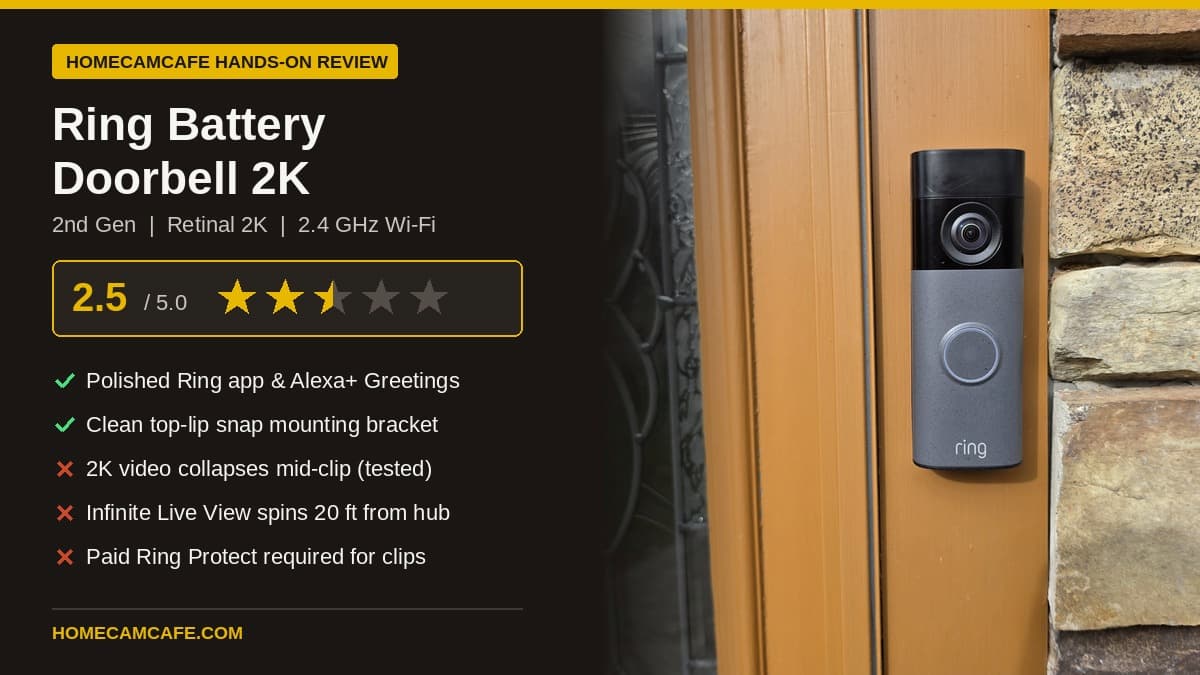
Quick Answer: The Ring Battery Doorbell 2K earns a 2.5 / 5.0. Despite a polished app, a clean top-lip snap bracket, and deep Amazon Alexa integration, heavily compressed 2K front-door video that collapses into pixelated mush mid-clip, repeated infinite Live View spins on both app screens just 20 feet from an eero 7 puck (on the exact same door where our 2.4 GHz Tapo D225 runs flawlessly), a non-removable battery, and mandatory Ring Protect fees make the TP-Link Tapo D225 and Aosu 5MP Video Doorbell Ultra far better buys.
If you are comparing Ring against subscription-free competitors or Amazon’s other camera line, check our Aosu vs. Ring comparison and our Ring vs. Blink breakdown.
Ring Battery Doorbell 2K Review: Specifications at a Glance
Ring markets this 2026 entry model as the Ring Battery Doorbell 2K (2nd Gen) in Matte Mocha, Speckled Gray, and Speckled White. It sits below the removable-battery Ring Battery Doorbell 2K Plus and the flagship Battery Doorbell 4K Pro.
| Specification | Ring Battery Doorbell 2K Details |
|---|---|
| Video Resolution | Retinal 2K (1920 x 1920 square 1:1 head-to-toe) or selectable 1080p |
| Field of View & Zoom | 140 degrees horizontal, 140 degrees vertical (173 degrees diagonal); up to 6x Enhanced Zoom |
| Night Vision | Automatic infrared night vision (up to 32 ft); no manual IR or night mode toggle in app |
| Power & Battery | Built-in non-removable rechargeable battery (USB-C, cable not included) or 8 to 24V AC trickle charge |
| Wi-Fi Connectivity | Single-band 2.4 GHz Wi-Fi 4 (802.11n) only (no 5 GHz band) |
| Storage & Recording | Cloud only (Ring Protect required for saved clips; up to 180-day history; no local microSD slot) |
| Included Indoor Chime | None (rings existing mechanical chime when wired, or optional Ring Chime) |
| Smart Home Support | Amazon Alexa only (no Google Home live streaming, no Apple HomeKit) |
| Operating Temperature | -4 degrees F to 120 degrees F, weather-resistant housing |
| Dimensions | 5.80 x 2.12 x 1.41 inches (9.7 oz) |
Front-Door 2K Video Quality and Missing Night Vision Controls
Inside Video Settings, Ring lets you choose between 1080p and 2K video resolution. Always select the top 2K option so you are getting everything the sensor can capture. Even locked onto that top 2K mode in bright daylight at 35 degrees F (comfortably above Ring’s -4 degrees F operating floor), my front-door footage fell far short of expectations across two back-to-back test recordings.
Real-World 2K Daytime Porch Video Test (Both Clips Combined)
Watch both unedited daytime clips recorded in full 2K mode from the Ring Battery Doorbell 2K mounted next to my front door, 20 feet from an eero 7 mesh puck:
Clip 1 shows heavy compression on the passing white van and smeared walkway pavers, blown-out porch contrast, and fisheye column curving. Clip 2 shows the 2K stream abruptly collapsing into blocky pixelation 5 seconds in on a still daytime porch before snapping back.
Mounted on the exact same front door where our TP-Link Tapo D225 delivers crisp, dependable 2K footage without a hiccup, this Ring performance is a clear step down and also trails the Aosu 5MP Video Doorbell Ultra. Four weaknesses show up repeatedly across both daytime clips:
- Mid-Clip Bitrate Collapses and Mushy Distance Detail: Even when close-up porch tiles look passable for a few seconds, Ring’s aggressive cloud compression and weak 2.4 GHz link struggle to sustain a clean 2K bitrate. Five seconds into Clip 2, brick pavers and foliage melt into flat gray blocks on a completely still porch, and in Clip 1 a passing white van across the street smears with zero readable side lettering.
- Weak Dynamic Range Under Covered Porches: Standing beneath a porch overhang exposes limited contrast handling. The daytime sky between the porch columns blows out into flat white, while the hanging black lantern and dark shrubs lose shadow detail.
- Strong Fisheye Warping: The 140-degree by 140-degree lens bends vertical lines near the frame edges heavily, curving the white porch column on the left side inward.
- Smooth Pinch-to-Zoom Cannot Fix Soft Source Video: You can blow up the live or recorded frame cleanly using standard two-finger pinch-to-zoom gestures inside the Ring app, yet smooth zooming only magnifies the compression softness already baked into the cloud stream.
To be fair, two things work well in both sample clips: the 1:1 head-to-toe square aspect ratio covers all the way down to the welcome mat so packages placed right by the door stay in frame, and the microphone picks up outdoor ambient audio, voices, and passing engine noise clearly.
Night vision controls are completely stripped out of the app. I checked every menu on the Ring Battery Doorbell 2K and found zero settings for IR LEDs or night mode anywhere. Unlike TP-Link Tapo, Aosu, and Reolink apps that let you force infrared on or off or switch into color night vision, this entry-level Ring model handles day-to-night infrared switching automatically with no manual override. If you want Ring’s Low-Light Sight color night vision controls, Ring pushes you up to the Ring Battery Doorbell 2K Plus or Battery Doorbell 4K Pro.
Infinite Live View Spins Just 20 Feet From an eero 7 Puck
Even more frustrating than the weak 2K footage was trying to pull up Live View reliably. Mounted next to my front door just 20 feet away from an eero 7 mesh puck, the Ring Battery Doorbell 2K repeatedly fell into an infinite loading spin whenever I tried to watch a live feed.
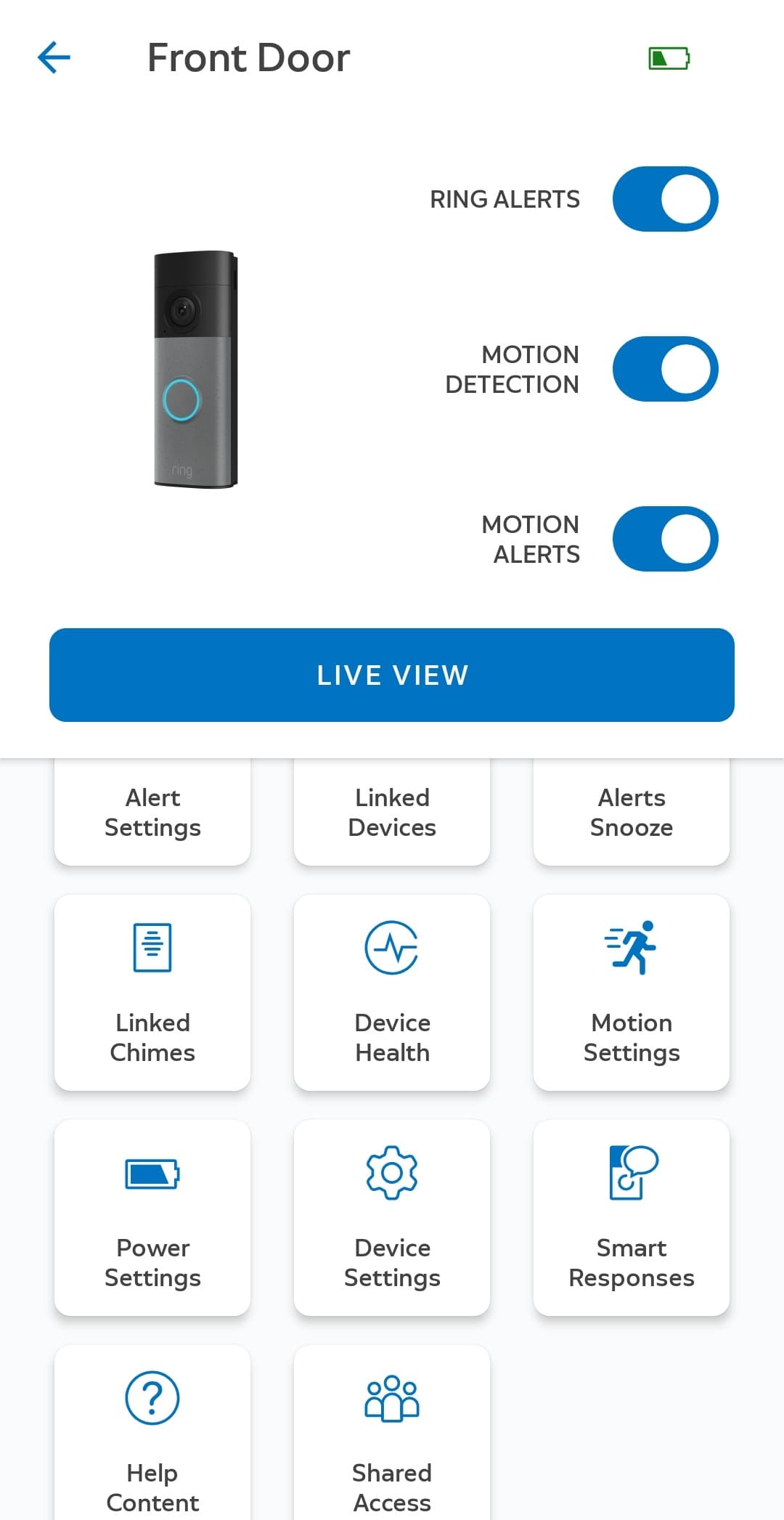
This was not a bug isolated to a single button. The infinite spin happened across both screens inside the Ring app: tapping the live preview on the main dashboard screen and tapping the large blue LIVE VIEW bar on the Front Door device screen both hung indefinitely instead of opening the camera stream.
To rule out high-bitrate 2K bandwidth as the cause, I manually dropped video quality down from 2K to 1080p inside Video Settings and tested again. Dropping to 1080p did not help at all. Outdoor temperature was not to blame either: at 35 degrees F, the camera was well above freezing and nowhere near its -4 degrees F minimum operating rating.
Best of all, this doorway gave me a direct apples-to-apples control test. The Ring Battery Doorbell 2K was mounted on the exact same front door as our TP-Link Tapo D225, which is also a 2.4 GHz-only video doorbell. On that exact same door and Wi-Fi environment, the Tapo D225 works flawlessly with zero Live View hangs. That rules out the front wall, the 20-foot distance, and the eero 7 hub as the culprit and points squarely at Ring’s weak internal 2.4 GHz radio (which still only managed a borderline RSSI of -62 dBm at 20 feet) and cloud wake-up handshake. Dual-band doorbells with 5 GHz Wi-Fi support, like the Aosu 5MP Video Doorbell Ultra, have an even bigger connectivity cushion. If you are troubleshooting a 2.4 GHz-only camera near your front entry, see our 2.4 GHz Wi-Fi setup guide.
Setup Quirks, Mounting, and Hardwiring Limits
Desk onboarding is smooth once you avoid two out-of-the-box traps. Just like the Aosu V8S, do not screw the doorbell onto your door frame before opening the app. You have to scan the setup QR code on the unit inside the Ring app first, after which Ring asks for your physical street address to create a device Location before joining Wi-Fi.
USB-C Pairing Lockout and Out-of-Box Firmware Delay
The first trap appeared while charging the built-in battery at my desk: you cannot add the doorbell to the Ring app while the USB-C cable is plugged into the rear port. With USB-C connected, the front LED ring stays locked in charging mode with a spinning blue light and refuses to pair. Unplugging the USB-C cable immediately shifted the LED ring to a spinning pink setup pattern, allowing the app to finish connecting right away. You can decode every Ring LED pattern in our Ring camera light meanings guide. Note also that Ring omits a USB-C charging cable from the box, so you must supply your own.
Right after connecting to Wi-Fi, the doorbell forced an out-of-box firmware update before allowing normal operation. Plan on waiting 5 to 15 minutes at your desk while it downloads and reboots.
Top-Lip Bracket, Pin Removal Tool, and Trickle-Charge Wiring
Physical mounting is one area where Ring improved on older models. Instead of fighting tiny bottom Torx security screws, you screw the mounting plate to the wall with the protruding lip at the top, hook the top of the doorbell onto that lip, and press the bottom in until it snaps locked. To detach the doorbell later, Ring includes a small pinhole removal tool in the box. Do not lose it. Because the battery is permanently sealed inside the doorbell body, popping the entire unit off the bracket with that pin tool is the only clean way to bring it indoors for USB-C recharging.
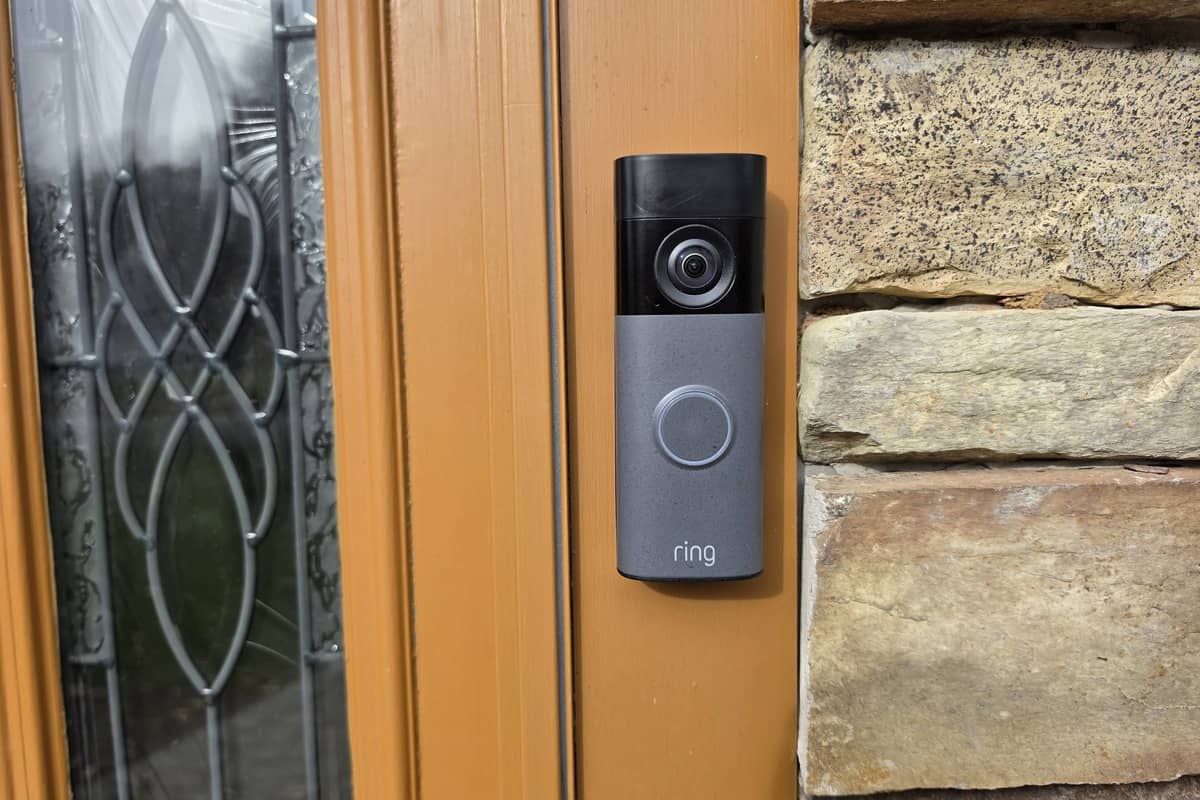
Important: Connecting existing 8 to 24V AC doorbell wires to the Ring Battery Doorbell 2K works strictly as a slow trickle charger for the internal battery, just like the Aosu 5MP Ultra. Hardwiring lets it ring a compatible indoor mechanical chime, yet it never unlocks 24/7 continuous recording or Pre-Roll video. Ring does not bundle a plug-in indoor chime either, so wire-free buyers who want audible house alerts will need an Echo speaker or a separate Ring Chime.
Watch Ring’s default Motion Frequency setting after setup as well. Ring defaults to Regularly, which forces a short cooldown break after every motion alert so back-to-back visitors or package pickups can be missed. Switching Motion Frequency to Frequently prevents those blind spots, and pairing that with a 20-second max clip length cap under Video Settings helps keep battery drain under control without cutting off quick deliveries.
Ring App Polish, Unusual Live View Recording, and Smart Responses
Credit where it is due: the Ring app itself is one of the most polished security camera apps on the market. Menus are clean, Final Steps walks through linking the Ring Alexa Skill in a tidy 5-step checklist, and toggles for Ring Alerts, Motion Detection, Motion Alerts, Power Settings, Smart Responses, and Device Health are easy to find.
One unusual default setting inside the app is important to flag for every buyer. Every time I opened Live View, Ring automatically saved the live session as a recorded video clip in my cloud Event History. Most competing doorbell apps only record when motion triggers or when you tap a manual record button during a live check-in. Ring turns Live View Recording on by default during your 30-day Ring Protect trial and on active paid plans. That works nicely as a safety net if you open Live View to catch suspicious activity in real time, yet routine checks will clutter your timeline and burn extra battery unless you disable it under Device Settings, then Video Settings, then Live View Recording.
Motion Warning, Quick Replies, and Alexa+ Greetings
Ring’s Smart Responses menu packs three clever automated visitor features onto one screen:
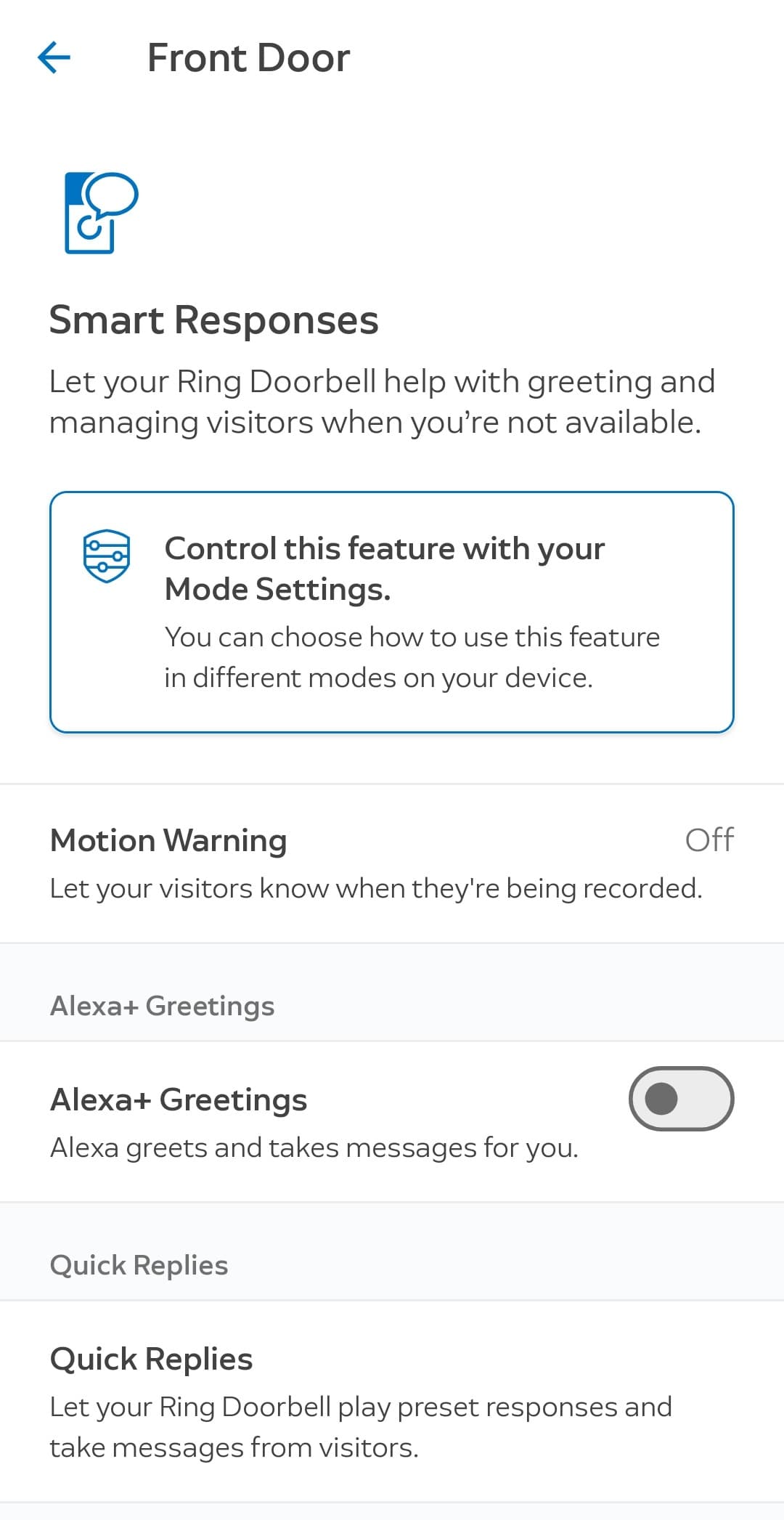
- Motion Warning (Off by default): Toggling Motion Warning on tells the doorbell speaker to play an audible spoken warning saying “Hi, you are currently being recorded” whenever motion is detected. Ring warns right below the toggle that enabling it may reduce battery life, though you can tie it to Mode Settings so it only speaks in Away mode.
- Quick Replies: Acts as a doorstep answering machine with preset spoken messages (such as directing a courier where to drop a package) and lets visitors leave a recorded audio and video message when you cannot answer. Quick Replies locks behind a Ring Protect plan after your 30-day trial ends.
- Alexa+ Greetings (Off by default): Upgrades standard Quick Replies with conversational generative AI when connected to Alexa+ with Video Descriptions and an active Ring Protect subscription. Alexa+ Greetings can converse naturally with visitors, give delivery drivers custom drop-off instructions, politely decline solicitors, and take messages while you are busy.
Subscriptions, AI Alerts, and Smart Home Lock-In
Out of the box, Ring enrolls the doorbell in a card-free 30-day Ring Pro trial. During that first month, Smart Alerts offers separate Record and Alert toggles for Person (on by default), Vehicle, and Other Motion, while Video Descriptions pushes live AI text summaries right into your notification banner (such as “Person at Front Door… A person is sitting on a…”). Final Steps also pitches Familiar Faces biometric tagging (off by default).
The catch hits on day 31: none of those recorded clips or smart AI filters stay free. Without a paid plan, the Ring Battery Doorbell 2K drops back to Live View, two-way talk, basic unfiltered motion alerts, and free Motion Zones and Privacy Zones with zero saved video history. See our guide to using Ring without a subscription for every limitation.
Keeping up to 180 days of cloud clip storage and Person or Package alerts requires at least Ring Protect Solo ($4.99/month or $49.99/year for one device) or Ring Protect Multi ($9.99/month or $99.99/year for unlimited devices at one address). Keeping AI Video Descriptions and Familiar Faces requires Ring Protect Pro ($19.99/month or $199.99/year) or adding the $5/month Pro Intelligence add-on to Solo or Multi. Our 2026 Ring Protect plans breakdown covers the full math.
Smart home support is equally restricted. The Ring Battery Doorbell 2K integrates natively with Amazon Alexa and Echo Show screens only. There is no Google Home live video streaming and no Apple HomeKit support. Apple households looking for native Home app options should check our Apple Home camera compatibility guide.
Why Tapo D225, Aosu 5MP Ultra, and Blink 2K+ Beat It
Even with aggressive seasonal markdowns on the Ring Battery Doorbell 2K, putting it next to the other doorbells we have tested makes the recommendation clear. Running side by side on the exact same front door, the TP-Link Tapo D225 works flawlessly where the Ring stalls and blurs, and the Aosu 5MP Video Doorbell Ultra also beats Ring handily in video quality, Wi-Fi reliability, and long-term cost.
| Feature | Ring Battery Doorbell 2K | TP-Link Tapo D225 | Aosu 5MP Ultra (V8S) | Blink Battery Doorbell 2K+ |
|---|---|---|---|---|
| HomeCamCafe Score | 2.5 / 5.0 | 4.5 / 5.0 | 4.3 / 5.0 | Budget Blink alternative |
| Resolution & FOV | Retinal 2K (1:1), 140 degrees | 2K QHD (4MP), 180 degrees | 5MP UHD (4:3), 166 degrees | 2K+ head-to-toe |
| Free Local Storage | None (cloud plan required) | Up to 512GB microSD or H500 hub | 8GB built into included chime hub | Optional via Sync Module 2 or XR |
| Free AI Detection | None after 30-day trial | Person, Pet, Vehicle, Package | Person, Staying, Anti-Theft | Motion only (AI requires plan) |
| Battery & Wired Mode | Built-in USB-C; trickle wired | 10,000mAh; 24/7 wired mode | Built-in USB-C; trickle wired | 3 swappable AA lithium batteries |
| Wi-Fi Band | 2.4 GHz only | 2.4 GHz only | Dual-band 2.4 GHz and 5 GHz | 2.4 GHz only |
| Included Chime | No | Yes (plug-in chime included) | Yes (aosuBase chime + storage) | No (Sync Module Core only) |
| Smart Home | Alexa only | Alexa and Google Assistant | Alexa and Google Assistant | Alexa only |
The TP-Link Tapo D225 includes a plug-in chime, crisp 2K QHD video, free Person, Pet, Vehicle, and Package AI detection, expandable microSD storage up to 512GB, Google Assistant support, and true hardwired Always-On Mode with 24/7 continuous recording and 4-second Pre-Roll (when installed with the included chime jumper). The Aosu 5MP Video Doorbell Ultra delivers sharper 5MP footage, dual-band 5 GHz Wi-Fi, 8GB of built-in indoor hub storage with no monthly bill, and rings both your existing mechanical chime and the included aosuBase chime simultaneously.
Even inside Amazon’s own budget lineup, the Blink Battery Doorbell 2K+ frequently undercuts the Ring Battery Doorbell 2K on hardware cost, swaps batteries in 30 seconds using three AA lithium cells instead of detaching the whole doorbell for USB-C charging, and supports subscription-free local clip storage when paired with a Sync Module 2 or Sync Module XR. Unless you are already paying for Ring Protect Multi and specifically want Ring’s app polish, Motion Warning, or Alexa+ Greetings, it is hard to justify choosing this base Ring unit over those three competitors.
Ring Battery Doorbell 2K Verdict
HomeCamCafe Rating: 2.5 / 5.0
The Ring Battery Doorbell 2K wraps underwhelming doorbell hardware inside one of the most polished apps in home security. While setup quirks are easy to work past and software features like Motion Warning, Quick Replies, and Alexa+ Greetings are clever, my test unit stumbled where it counts most on the exact same front door where our TP-Link Tapo D225 works flawlessly: heavily compressed 2K daytime footage that collapsed into pixelated mush mid-clip and repeated infinite Live View loading spins on both app screens just 20 feet from an eero 7 puck (RSSI -62 dBm), with zero relief from stepping down to 1080p. Add in the non-removable battery, mandatory Ring Protect subscription, and lack of Google Home or Apple HomeKit support, and both the TP-Link Tapo D225 and Aosu 5MP Video Doorbell Ultra are far better choices.
Pros: One of the most polished apps in the category, smooth pinch-to-zoom controls, 1:1 head-to-toe framing reaches the doormat, clear outdoor audio pickup, clean top-lip snap bracket with no tiny security screw, 20-second clip length cap, Motion Warning voice deterrent, Alexa+ Greetings and Quick Replies, free Motion Zones and Privacy Zones, deep Amazon Alexa integration.
Cons: Weak front-door 2K daytime video with heavy compression, mid-clip bitrate meltdowns, blown-out porch contrast, and fisheye column warping; infinite Live View loading spins on both the main dashboard and Front Door screen just 20 feet from an eero 7 puck (RSSI -62 dBm) even after dropping to 1080p, on the exact same door where a 2.4 GHz Tapo D225 runs flawlessly; single-band 2.4 GHz Wi-Fi only; mandatory Ring Protect subscription for video history and AI alerts; non-removable battery requiring the pin tool and your own USB-C cable; no IR or night mode toggles in the app; trickle-charge-only hardwiring; no indoor chime included; no Google Home or Apple HomeKit support.
Frequently Asked Questions
Why does Live View keep spinning on the Ring Battery Doorbell 2K?
In my testing mounted next to the front door just 20 feet from an eero 7 mesh puck, on the exact same door where our 2.4 GHz TP-Link Tapo D225 works flawlessly, the Ring Battery Doorbell 2K still registered a borderline RSSI of -62 dBm and hung in an infinite loading spin on both the main dashboard and the Front Door device screen, even after dropping video quality from 2K to 1080p. Moving a mesh node even closer to the doorway, locking your 2.4 GHz band to a 20 MHz channel, or switching to a more reliable doorbell like the Tapo D225 or dual-band Aosu 5MP Ultra helps avoid wake-up stalls.
Does cold weather around 35 degrees F cause Live View hangs or bad video?
No. Ring rates the Ring Battery Doorbell 2K to operate down to -4 degrees F. Temperatures around 35 degrees F can slightly reduce lithium-ion battery efficiency, yet mild above-freezing weather does not cause infinite Live View loading spins or mid-clip daytime video compression meltdowns.
Does the Ring Battery Doorbell 2K work without a subscription?
Only as a basic live-view intercom. Without a Ring Protect plan, you keep Live View, two-way talk, basic motion alerts, and customizable Motion Zones and Privacy Zones. You lose all saved video history, Person and Package Smart Alerts, Quick Replies, Video Descriptions, and Alexa+ Greetings once the 30-day free trial ends.
Why does my Ring Battery Doorbell 2K save a video every time I open Live View?
Ring enables Live View Recording by default during your 30-day free trial and on active Ring Protect subscriptions so manual check-ins save automatically to your Event History. To stop manual check-ins from filling your timeline and draining extra battery, open Device Settings, tap Video Settings, and switch Live View Recording off.
Why will the Ring Battery Doorbell 2K not pair while plugged into USB-C?
Plugging a USB-C cable into the rear port keeps the doorbell locked in charging mode (indicated by a spinning blue front LED) and blocks setup mode. Unplug the USB-C cable first so the front ring shifts to a spinning pink setup pattern, then scan the QR code inside the Ring app to pair.
Can you adjust infrared or night vision settings on the Ring Battery Doorbell 2K?
No. The Ring app provides no manual IR or night vision toggles on the base Ring Battery Doorbell 2K. Day-to-night infrared switching is fully automatic, while Ring’s Low-Light Sight color night vision controls are reserved for step-up models like the Battery Doorbell 2K Plus and Battery Doorbell 4K Pro.
Does the Ring Battery Doorbell 2K work with Google Home or Apple HomeKit?
No. The Ring Battery Doorbell 2K integrates natively with Amazon Alexa and Echo Show displays only. It does not support Apple HomeKit and cannot stream live video to Google Nest Hub screens.
This review is part of our Ring Security Camera Reviews & Guides hub.