
To turn off a security camera status light, first check the controls for your exact brand and model. Some cameras have an app switch, older Blink models use a physical switch, and Ring does not let you disable its blue recording indicator in the app. The small LED can be helpful during setup but distracting in a bedroom, nursery, or window-facing installation. Here are the available controls, important exceptions, and links to our detailed guides.
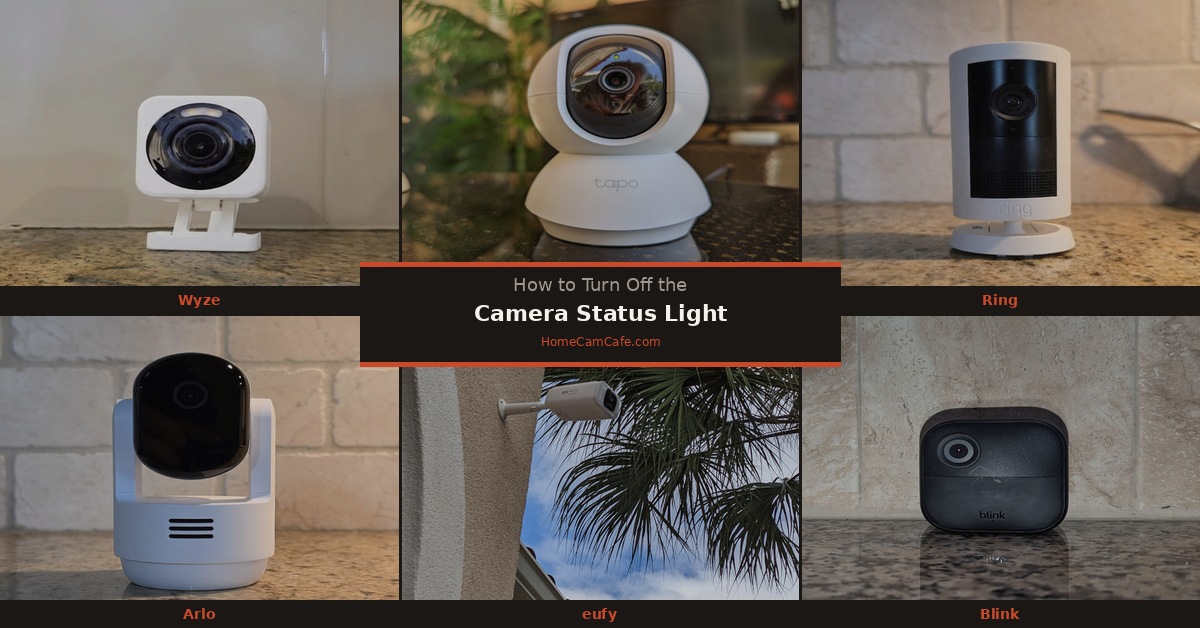
Check the model first: A status light, a night-vision infrared light, and a built-in spotlight may all be visible on the same camera. They have different controls. Turning off one does not necessarily turn off the others.
Wyze Cameras
For a Wyze Cam with the setting available, open the camera in the Wyze app and tap the Settings gear. Go to Advanced Settings → Camera Status Light and switch it off. Wyze says this control is available on its cameras and video doorbells except Wyze Video Doorbell Pro. Its instructions cover models such as the Cam v3 and Wyze Cam v4.
Turning off this setting hides the camera’s status indicator; it is not the control for night vision. If a glow or reflection remains at night, identify which light is causing it before changing the camera’s night-vision settings.
TP-Link Tapo Cameras
Open your camera in the Tapo app, tap the Settings gear, and look for Status LED on its Device Settings page. TP-Link documents an on/off control there for Tapo cameras. Check the settings on your particular model rather than assuming its LED colors or other light controls match another Tapo camera.
The Status LED is separate from the infrared lights used for night vision. If you are placing a camera behind a window, switch off the status indicator first, then test the image after dark. If you still see reflections, review the night-vision options for that model. Turning off infrared illumination may make the picture too dark unless there is enough other light.
For an indoor option, compare the Tapo C260 and confirm the controls you need in its app.
eufy Cameras
Some eufy cameras offer an Indicator Light or Status LED setting in the eufy app. Select the camera, open its settings, and check for that control. Menu labels and availability vary by model, so do not assume that every eufy indoor camera, SoloCam, and eufyCam uses an identical menu path.
Before choosing a camera specifically for a dark room, verify the indicator setting on the model you plan to buy. A product’s recording indicator and its infrared night-vision emitters are different components. You can compare eufy indoor cameras, then check the chosen model’s controls.
Arlo Cameras
Arlo documents an app switch for its Essential Indoor Camera. In the Arlo Secure app, tap Devices, select the camera, open Device Info → Indicator LED, and turn off Status Light. That is the verified path for the Essential Indoor models covered by Arlo’s support instructions.
Other Arlo models may present different LED controls, including settings for charging or doorbell light patterns. Check the support instructions for your exact Pro, Essential, or doorbell model before following an Indoor Camera menu path.
Ring Cameras
Ring does not provide an app switch for the small blue recording indicator on its cameras and doorbells. A Status Light setting available for some other Ring devices, such as Chimes, does not control the camera’s recording LED. If you have searched Video Settings for that switch, you have not missed it.
Ring Spotlight Cam and Floodlight Cam models have separate controls for their larger lights under Light Settings. Those settings can change how your yard is illuminated, but they do not turn off the small recording indicator. If the blue light is distracting, reposition the camera or consider a carefully placed LED dimming sticker. Cover only the indicator and test the picture, audio, and motion detection afterward.
Full guide: Can You Turn Off the Ring Camera Status Light?
Blink Cameras
For Blink Outdoor 4 and Indoor or Outdoor (3rd Gen) cameras, open Device Settings → General Settings → Status LED in the Blink app. Supported settings include Always Off and When Recording. Blink Mini, Mini 2, and Wired Floodlight Camera also have app-controlled status LED options.
Blink XT and XT2 use a physical REC. LED switch inside the battery compartment instead. It is next to the camera’s serial number and can be moved to OFF with tweezers or a similar small tool. The original Blink Indoor (1st Gen) does not have a setting to control its status LED. Blink video doorbells have separate button-light settings, so use the instructions for the exact doorbell model.
Reolink Cameras
Reolink documents a status LED switch for supported battery-powered Wi-Fi cameras and certain other series, including E1 and Lumus. In the Reolink app, open the camera’s Settings → Light → Status LED and select Off. The interface can vary with the model.
Do not assume this works on every Reolink camera. Reolink explicitly excludes the Argus 4 Series from its status LED toggle instructions. Its infrared night-vision settings also vary by model and are separate from the status LED. Check your exact camera’s support page if the switch does not appear.
Aosu Cameras
Aosu cameras have different designs and app options across the lineup. We could not confirm a single LED Indicator menu path that applies to every aosu camera, including the SolarCam D1 Classic. Open your camera’s device settings and check its model-specific controls. If you do not see an indicator option, do not assume it is hidden under another menu or that turning off a spotlight will turn off the status LED.
Our aosu status-light guide covers the topic, but confirm the available control on your particular camera before relying on its instructions.
Should You Leave the Security Camera Status Light On?
A working status LED can help you diagnose a camera during setup or after a connection problem. The useful color or flashing pattern depends on the model; a red light does not mean the same thing on every Wyze, Tapo, or eufy camera. Consult the manufacturer’s light-pattern chart before deciding that a color means the camera is offline.
For a bedroom or nursery, turning off a supported indicator may make the room more comfortable. For a camera you rarely see, leaving the LED on may make troubleshooting easier. If you disable it and the camera later stops responding, re-enable the light if you can still reach its settings, then compare its pattern with the guide for that model. An unlit indicator alone does not prove that a camera has stopped recording.
The answer
A status-light switch depends on the camera. Wyze and Tapo provide app controls, as do specified Arlo, Blink, eufy, and Reolink models. Blink XT and XT2 use a physical switch; Ring offers no app control for its blue recording indicator. Check the exact model before changing a setting or buying a camera for this feature.
Browse more security camera how-to guides from HomeCamCafe.
