
Finding a reliable pet camera without subscription fees means skipping overpriced treat-tossing gadgets that lock basic bark alerts and video history behind a recurring monthly bill. Whether you want a pet camera no subscription required to check on a puppy in a crate from your phone, pan 360 degrees across the living room to find where the cat is sleeping, or keep a continuous live stream open on your work laptop all day without tying up your phone during calls, the six owner-tested indoor cameras below record directly to a local microSD card and send smart pet notifications for $0 a month.
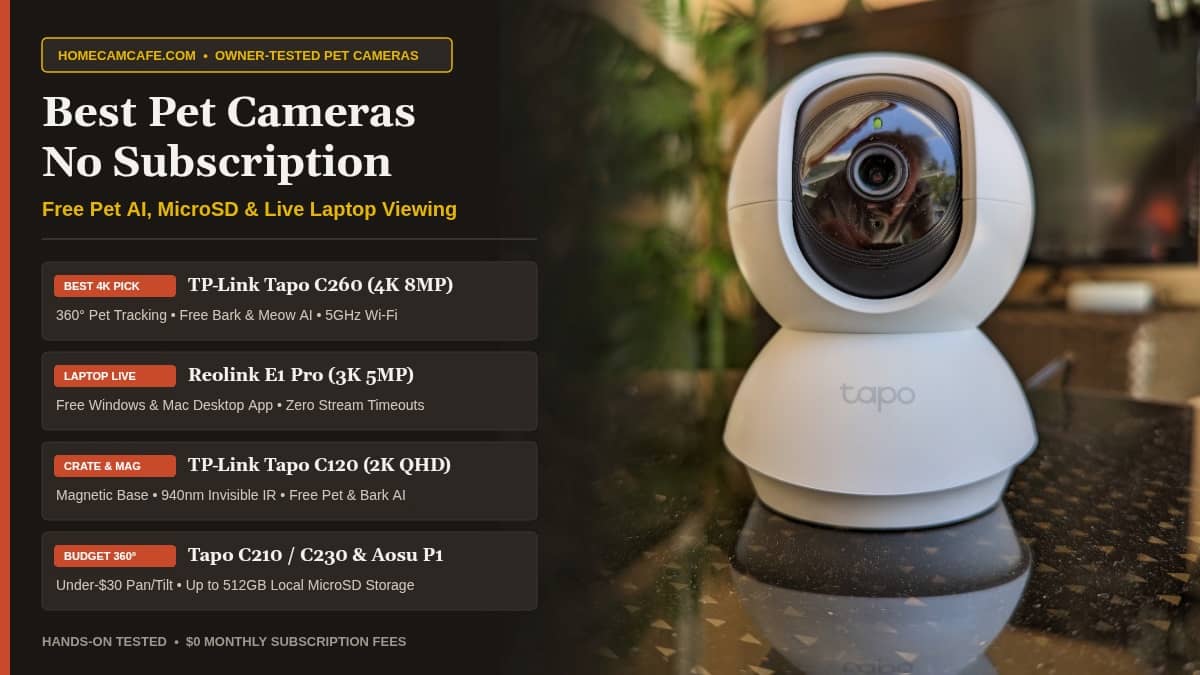
Quick Answer: The TP-Link Tapo C260 is the best pet camera without subscription fees overall, combining 4K 8MP clarity, 360-degree auto-tracking, and free pet, dog bark, and cat meow detection. If you want to watch a continuous live stream of your dog on a Windows PC or Mac laptop all day while working, buy the Reolink E1 Pro for its free desktop software. For a magnetic dog camera without subscription costs that sticks directly to a wire crate, start with the TP-Link Tapo C120.
Best Pet Camera Without Subscription Picks at a Glance
Every pet camera without subscription fees in the comparison table below works out of the box with no monthly cloud plan. Click any camera name in the first column to check current availability on Amazon, or jump down to our hands-on testing breakdown for each indoor pet camera.
| Camera | Best For | Resolution & Coverage | Free Pet & Sound AI | Laptop / PC Live View | Local Storage |
|---|---|---|---|---|---|
| TP-Link Tapo C260 | Best 4K Pet Camera Overall | 4K (8MP) · 360° pan / 116° tilt | Pet, Bark, Meow, Person, Face | RTSP (VLC) or Apple Silicon Mac | microSD up to 512GB |
| Reolink E1 Pro | Best for Laptop / PC Live Stream | 3K (5MP) · 355° pan / 50° tilt | Pet, Person, Sound/Cry | Free Native Windows & Mac App | microSD up to 512GB + Hub/NVR |
| TP-Link Tapo C120 | Best Magnetic Dog Crate Cam | 2K (4MP) · 120° fixed wide view | Pet, Bark, Meow, Person | RTSP (VLC) or Apple Silicon Mac | microSD up to 512GB |
| TP-Link Tapo C210 | Best Budget 360° Pet Camera | 2K (3MP) · 360° pan / 114° tilt | Person, Motion, Sound/Cry | RTSP (VLC) or Apple Silicon Mac | microSD up to 512GB |
| TP-Link Tapo C230 | Best Mid-Range 3K Pet Tracker | 3K (5MP) · 360° pan / 114° tilt | Pet, Bark, Meow, Person | RTSP (VLC) or Apple Silicon Mac | microSD up to 512GB |
| Aosu IndoorCam P1 Pro | Best High-Shelf 155° Tilt View | 2.5K (4MP) · 360° pan / 155° tilt | Pet, Person, Auto-Tracking | Mobile App / Smart Display Only | microSD up to 128GB |
1. TP-Link Tapo C260: Best 4K Pet Camera Without Subscription Overall
When we tested the TP-Link Tapo C260 indoors, it quickly stood out as the most complete pet camera without subscription fees on the market. While older indoor monitors top out at 1080p or 2K, the C260 uses an 8MP 4K Starlight sensor with 18x digital zoom. If your dog is chewing something small across a large living room or your cat is perched on a distant windowsill, pinching to zoom in on the 4K stream preserves clear fur and object detail instead of dissolving into blocky pixels.
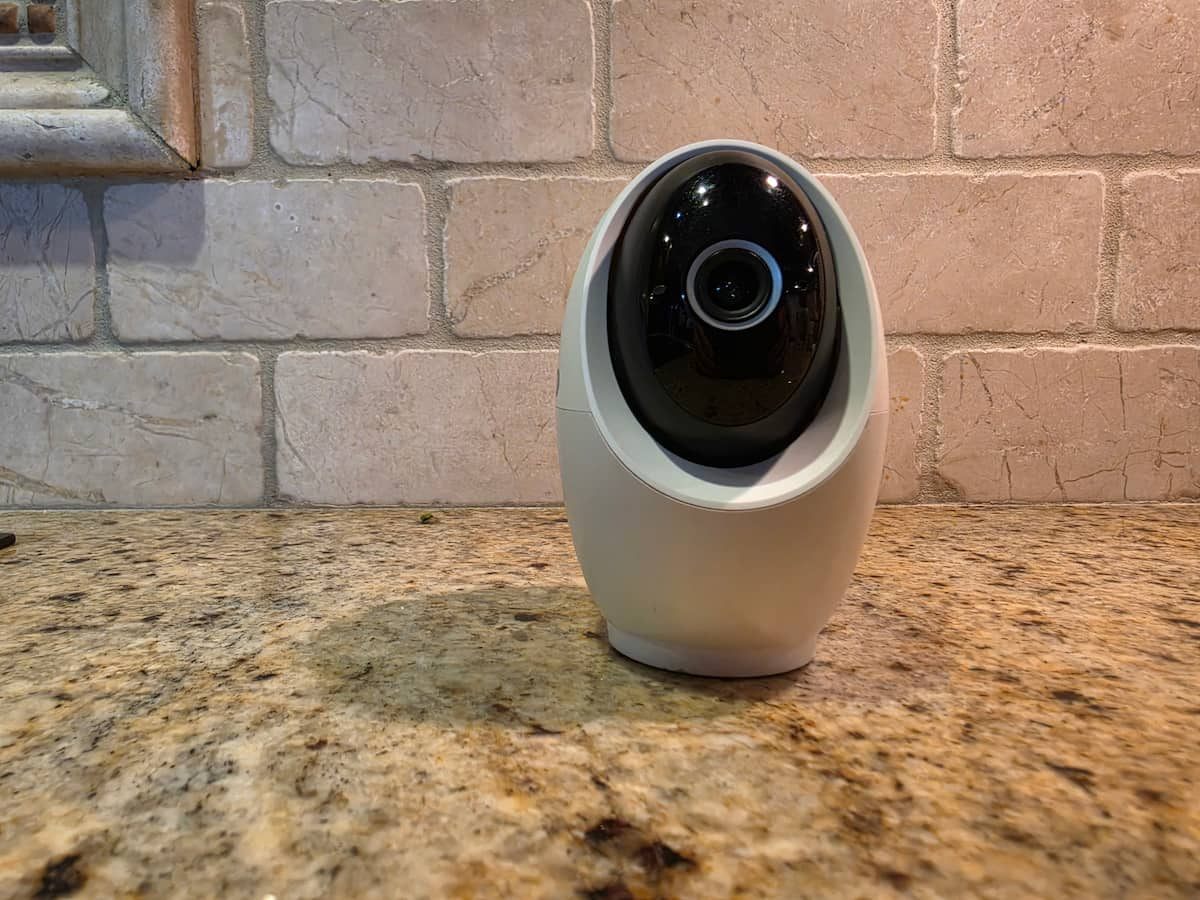
One important setup tip from our hands-on testing: out of the box, the Tapo app defaults the C260 video quality toggle to Auto, which often drops the live feed to a lower resolution. Make sure you open the live view settings right after setup and manually switch the resolution to 4K so you get the full 8MP sharpness you paid for. Initial firmware updates also took around fifteen minutes during our onboarding test, so let the camera finish updating without closing the app.
For anyone seeking a pet camera no subscription plan required, the C260 shines because TP-Link includes its entire suite of on-device AI detections for free. You get dedicated pet detection, auto-zoom motion tracking that smoothly follows a dog or cat 360 degrees around the room, and specialized audio alerts for dog barking and cat meowing without paying a dime for Tapo Care. It connects over dual-band 2.4GHz and 5GHz Wi-Fi, offers selectable invisible infrared night vision so a red LED glow never disturbs your pets at night, and physically rotates the lens into the housing when you tap Privacy Mode while at home.
Best for: Pet owners who want razor-sharp 4K zoom, 5GHz Wi-Fi, and a pet camera without subscription costs that still delivers free pet, bark, and meow alerts.
Skip if: You want a plug-and-play Windows desktop app without setting up an RTSP stream in VLC (choose the Reolink E1 Pro below instead).
View the Tapo C260 on Amazon →
Read Our Tapo C260 Review →
2. Reolink E1 Pro: Best Pet Camera Without Subscription for Laptop and PC Live Streaming
A common frustration we hear from remote workers is simple: you sit in a home office on phone or video calls all day, your dog is out in the living room, and you want a quiet, continuous live stream running in the corner of your laptop screen without draining your phone battery or paying for a cloud plan. Most budget cameras fail this test because they only offer smartphone apps or lock web browser viewing behind a monthly paywall. As a pet camera without subscription lock-in, the Reolink E1 Pro solves that problem right out of the box.
Reolink provides a free, official Reolink Client software application for both Windows PCs and Mac computers. Once you pair the E1 Pro on your home network, you can open the Reolink desktop app on your laptop, pop the live 3K (5MP) video feed into a resizable window on your monitor, and leave it streaming all workday long. There are no 5-minute or 10-minute inactivity timeouts, no monthly fees, and you can pan 355 degrees or tilt 50 degrees right from your computer mouse to see where your dog moved.
In our testing, the E1 Pro also delivered much better low-light clarity than the base Reolink E1 thanks to its brighter F1.6 aperture lens. It includes dual-band 2.4GHz and 5GHz Wi-Fi plus a physical rear RJ45 Ethernet port if you want a hardwired network connection, automatic horizontal pet tracking, free person and pet detection, and local recording to a microSD card up to 512GB (or a Reolink Home Hub or NVR).
Best for: Work-from-home pet owners who want to monitor their dog or cat live on a Windows PC or Mac laptop screen all day without using their phone.
Skip if: You plan to place the camera on a high 7-foot bookshelf without angling it, as its 50-degree vertical tilt is narrower than Tapo and Aosu indoor models.
View the Reolink E1 Pro on Amazon →
Read Our Reolink E1 Pro Review →
3. TP-Link Tapo C120: Best Magnetic Dog Camera Without Subscription for Crates
Not every pet setup needs a motorized spinning camera head. If you are crate-training a puppy, monitoring a whelping box, watching a cat litter box area, or checking a specific pet gate, a compact fixed-angle pet camera without subscription fees and a magnetic base is far easier to position than a bulky dome camera. In our daily testing, the TP-Link Tapo C120 has been our top overall subscription-free camera across the entire site, and it excels as a dedicated crate or pet-zone monitor.

The C120 sits on a slim magnetic base that snaps directly onto a metal refrigerator, steel shelving unit, metal door frame, or wire dog crate (just mount it outside puppy chewing reach and route the USB-C power cord safely away from the bars). Its 120-degree wide-angle lens captures crisp 2K QHD (4MP) video, and TP-Link unlocks person, pet, bark, meow, and baby crying detection for free.
One standout feature from our testing is the C120’s dual-wavelength infrared system. In the Tapo app, you can switch between standard 850nm IR (for maximum range) and invisible 940nm IR mode, which eliminates the faint red LED glow on the front of the camera so an anxious dog in a dark room never stares at the lens. Because the C120 is also IP66 weatherproof, you can even move it outside later to watch a fenced dog run or backyard patio.
Best for: Shoppers who want a magnetic dog camera no subscription needed for wire crates, pet gates, refrigerators, or covered outdoor dog runs with invisible 940nm night vision.
Skip if: Your pet roams freely across an open-concept living room and you need 360-degree motorized pan and tilt to follow them.
View the Tapo C120 on Amazon →
Read Our Tapo C120 Review →
4. TP-Link Tapo C210: Best Budget 360-Degree Pet Camera No Subscription Required
If you simply want an inexpensive pet camera without subscription bills to pan around the living room and check what your dog is doing on the couch while you are at work or in another room, the TP-Link Tapo C210 is the undisputed value king. It regularly sells for less than the cost of two months of a competing cloud plan, yet it records 24/7 or motion clips onto a microSD card up to 512GB with zero recurring fees.
In our testing, the C210’s 2K (3MP) sensor delivered noticeably sharper fur and room detail than 1080p entry cameras, and its motorized base pans a full 360 degrees horizontally and tilts 114 degrees vertically. One practical tip if you are watching an active dog or cat: open the Tapo app video settings and bump the frame rate from the default 15 fps up to 30 fps for smoother motion when your pet runs across the room.
The C210 includes free motion detection, free person detection, free baby cry sound detection, and automatic motion tracking, though it lacks the dedicated pet-specific AI filter and bark/meow audio alerts found on its slightly pricier siblings, the Tapo C230 and Tapo C260. If you only want live check-ins and general motion clips when your dog jumps off the sofa, the C210 covers all the basics for pennies on the dollar.
Best for: Budget shoppers and multi-room pet owners who want a 2K 360-degree pet camera without subscription costs and 512GB local storage at the lowest upfront price.
Skip if: You specifically want AI notifications filtered only to pets or dog barking (step up to the Tapo C230 or C260 right below).
View the Tapo C210 on Amazon →
Read Our Tapo C210 Review →
5. TP-Link Tapo C230: Best Mid-Range 3K Pet Camera Without Subscription
Sitting right between the budget 2K C210 and the flagship 4K C260, the TP-Link Tapo C230 is the sweet spot for pet owners who want a 3K pet camera without subscription fees that includes true AI pet recognition and smoother auto-tracking without spending extra for 4K. It steps resolution up to 3K 5MP (2880 x 1620) and unlocks TP-Link’s smart pet detection, dog bark detection, and cat meow detection for free.
One detail from our hands-on Tapo C230 test that every buyer should know: to activate the free on-device AI detection categories (Pet, Person, and Smart Motion Tracking), you must have a microSD card installed in the camera (or an active cloud trial). If you run the C230 with an empty card slot, it still streams live video and sends basic motion alerts, but inserting an endurance microSD card unlocks the full pet-tracking and AI filtering suite with no subscription required.
Like the C210, the C230 operates on 2.4GHz Wi-Fi, pans 360 degrees and tilts 114 degrees, and supports RTSP streaming so you can pull the live feed up on a computer using VLC media player or an NVR.
Best for: Dog and cat owners who want 3K resolution, responsive auto-tracking, and free pet and bark AI alerts at a mid-range price.
Skip if: You need 5GHz Wi-Fi support or invisible night vision (choose the Tapo C260 or Aosu IndoorCam P1 Pro instead).
View the Tapo C230 on Amazon →
Read Our Tapo C230 Review →
6. Aosu IndoorCam P1 Pro: Best High-Shelf Pet Monitor With 155-Degree Vertical Tilt
When you place an indoor pet camera on a tall mantel, bookcase, or kitchen cabinet to keep it out of reach of a curious dog, many pan-and-tilt cameras struggle to look steeply downward at the floor right in front of the shelf. The Aosu IndoorCam P1 Pro (sold on Amazon as the Aosu 4MP 2.5K Indoor Security Camera and Pet Monitor) works well as a high-shelf pet camera without subscription fees because it pairs a 155-degree vertical tilt range with 360-degree horizontal pan.
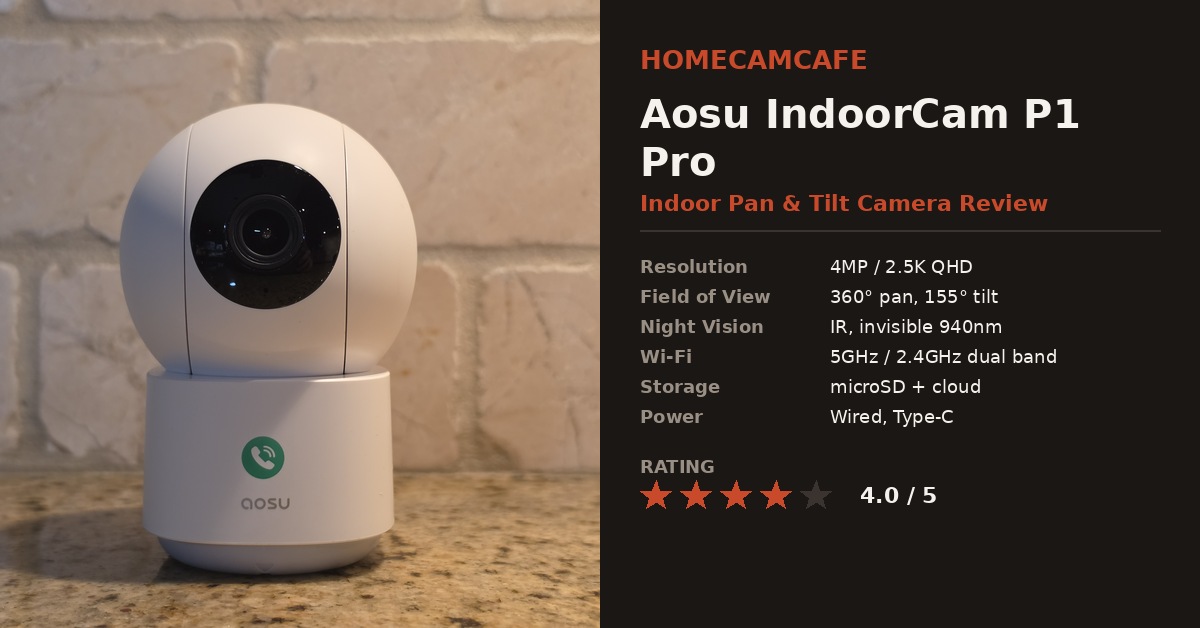
Remember that tracking quirk we found during our Aosu IndoorCam P1 Pro review: when active motion tracking is enabled, the motorized head tends to angle slightly downward, which can crop the top of a standing adult’s head at close range. When you are monitoring a dog or cat walking along the floor, however, that downward tracking bias is a real advantage because it keeps pets centered at floor level!
The P1 Pro connects to both 2.4GHz and 5GHz Wi-Fi, retrieves recorded clips from a microSD card (up to 128GB) in a second or two, uses eight invisible 940nm infrared LEDs so there is zero red light in dark rooms, and includes a physical One-Touch Call button on the base if kids at home want to ring your phone directly.
Best for: High shelves and dressers where you need a steep 155-degree tilt angle to see pets on the floor, fast 5GHz playback, and invisible 940nm night vision.
Skip if: You want to watch your camera live on a Windows or Mac computer, since Aosu does not offer a desktop app or RTSP stream.
View the Aosu IndoorCam P1 Pro on Amazon →
Read Our Aosu P1 Pro Review →
How to Watch a Pet Camera Without Subscription Live on a Laptop or PC All Day
If you work from home in a separate office or take calls on your phone all day, trying to monitor your dog in the living room on a tiny smartphone screen gets old fast. Worse, most camera brands either block computer viewing or hide their web portal behind a monthly plan (for example, Wyze Web View requires a paid Cam Plus plan, and Ring’s web live view requires a subscription and times out every ten minutes).
Depending on which pet camera without subscription fees you choose above, you have three reliable ways to keep a continuous, real-time pet feed open on your laptop or desktop monitor:
- The Plug-and-Play Native Desktop App Route (Reolink E1 Pro): This is the easiest option by far. Download the free official Reolink Client for Windows or Mac, log into your camera, and leave the live view running in a corner window on your monitor all day. It requires zero third-party software and never times out.
- The Apple Silicon MacBook & Chromebook Route (Tapo, Reolink, and Aosu): If you use an M1 through M4 Mac, open the Mac App Store and install the official Tapo iPad app. If you use a Chromebook or Google Pixelbook, you can install the official TP-Link Tapo Android app directly from the Google Play Store (as we discovered in our Tapo app for PC guide), letting you resize the mobile interface into a convenient desktop window with full pan/tilt and microSD playback controls.
- The Windows PC RTSP / VLC Route (Tapo C260, C230, C210, and C120): Because TP-Link Tapo does not make a native Windows desktop app, Tapo builds standard RTSP streaming into its plug-in cameras. Open the Tapo app on your phone, go to Camera Settings > Advanced Settings > Camera Account to create a local username and password, and then open the free VLC Media Player on your Windows laptop (Media > Open Network Stream) using rtsp://username:password@CAMERA_IP_ADDRESS:554/stream1 for a continuous, zero-lag local feed.
Smart Display Alternative: If you do not want an extra window open on your work laptop, you can also stream any Tapo, Reolink, or Wyze camera hands-free on a 7-inch desk display next to your monitor. See our step-by-step Google Nest Hub security camera setup guide for details.
Why Dedicated Pet Cameras (Furbo and Petcube) Are Often a Subscription Trap
When you search for a dog camera or cat camera online, heavily advertised brands like Furbo and Petcube dominate the sponsored ads. Before you spend three to four times as much on a dedicated treat-tossing unit instead of a true pet camera without subscription fees, look closely at what happens after the 30-day trial expires:
- Paywalled Barking and Activity Alerts: Furbo locks its signature Barking Sensor, Dog Activity Alerts, Home Emergency Alerts, and Cloud Recording behind its paid Furbo Nanny subscription, leaving you with little more than a manual live stream and treat tosser if you cancel.
- No Local MicroSD Card Slot on Most Pet-Branded Units: Many pet-specific cameras omit a microSD card slot entirely to force you onto a recurring monthly or annual cloud plan just to see what your dog did ten minutes ago.
- Why Wyze Takes a Back Seat for Pet Owners Without a Plan: While we like the Wyze Cam v4 for general budget security, Wyze locks Pet Detection, Barking Alerts, and Wyze Web View behind its paid Wyze Cam Plus subscription. With TP-Link Tapo and Reolink, pet detection and local microSD recording are included free for the life of the camera.
If you plan to record 24/7 continuous footage or frequent pet motion clips onto a local card, pair your pet camera without subscription plan with a high-endurance card like the SanDisk 128GB High Endurance microSDXC card. You can learn how capacity and write cycles compare in our guide to selecting the right microSD card for a security camera, or check our Tapo Care plans guide and Aosu subscription plans breakdown to see everything both brands give you for free.
Frequently Asked Questions
What is the best pet camera without subscription fees for watching a dog on a laptop?
The Reolink E1 Pro is the easiest pet camera without subscription fees to watch on a Windows PC or Mac laptop because it works natively with the free Reolink Desktop Client software with no stream timeouts and no monthly fee. TP-Link Tapo cameras (C260, C230, C210, and C120) can also be streamed live on a Windows PC using the free VLC Media Player over local RTSP, or viewed natively on MacBooks and Chromebooks using our Tapo app for PC guide.
Do I need a microSD card in a pet camera without subscription plans just to watch a live stream?
No. If you only want to watch a real-time live video stream of your dog or cat on your phone or laptop and use two-way audio, every pet camera without subscription costs above streams live out of the box without a microSD card installed. However, installing an inexpensive microSD card unlocks free event timeline history and, on models like the Tapo C230, activates the on-device AI pet and bark detection filters.
Does infrared night vision bother dogs or cats at night?
Dogs and cats cannot see infrared light itself, but standard 850nm infrared LEDs emit a faint red glow on the front of the camera housing that curious pets sometimes stare at in a dark room. If your dog is sensitive to lights at night, choose the TP-Link Tapo C120, TP-Link Tapo C260, or Aosu IndoorCam P1 Pro, all of which support invisible infrared night vision with zero distracting red glow.
Should I use two-way audio to talk to a dog with separation anxiety?
Test two-way talk while you are in the next room first. For many dogs, hearing your voice tell them to hop off the couch works well, but for dogs with severe separation anxiety, hearing a disembodied voice come out of a plastic speaker when they cannot smell or find you can occasionally cause them to bark or search the room. If your dog gets anxious from speaker audio, use the camera quietly to monitor their body language and crate comfort instead.
Bottom Line: Which Pet Camera Without Subscription Should You Buy?
For the sharpest 4K image, 360-degree auto-tracking, and free pet, bark, and meow AI alerts, buy the TP-Link Tapo C260 as your primary pet camera without subscription fees. If your main goal is keeping a continuous, quiet live stream of your dog open on a Windows PC or Mac laptop while you work, get the Reolink E1 Pro. And if you want a magnetic dog camera without subscription costs and invisible 940nm night vision for a crate, or under-$30 budget pan-and-tilt coverage, grab the TP-Link Tapo C120 or TP-Link Tapo C210.
If you also want to monitor your backyard, driveway, or front porch with zero monthly fees, check out our cornerstone guide to the best security cameras without a subscription, our best pan-and-tilt security cameras roundup, our TP-Link Tapo camera reviews hub, and our Reolink security camera reviews hub.